Pinehold Castle
Published on February 23, 2026
👁️🗨️ 9551
1565
★
★
★
★
★
Rate it
Screenshots
Description
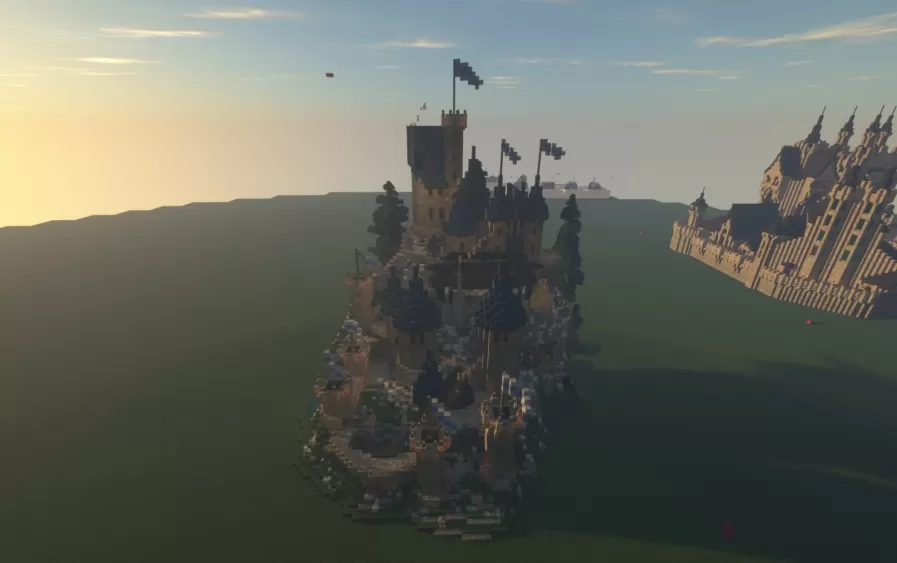
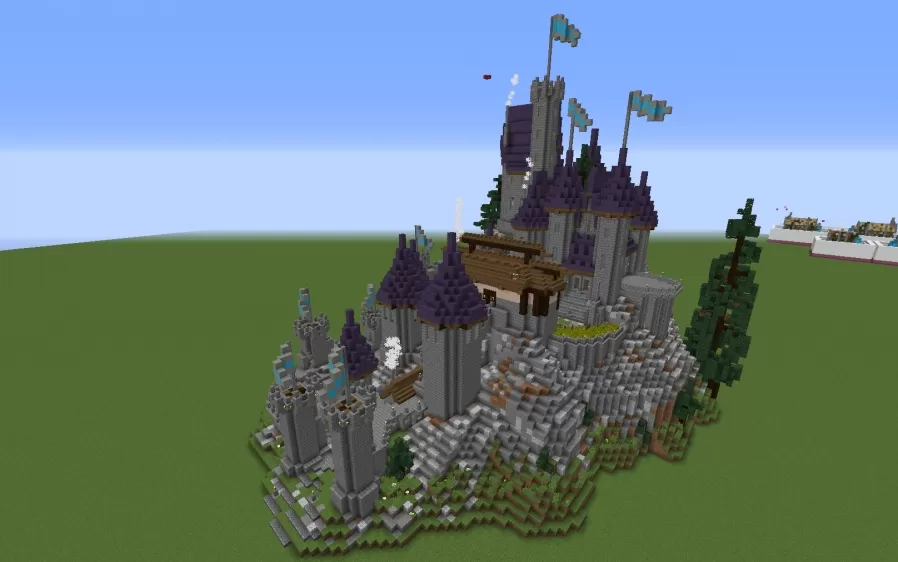
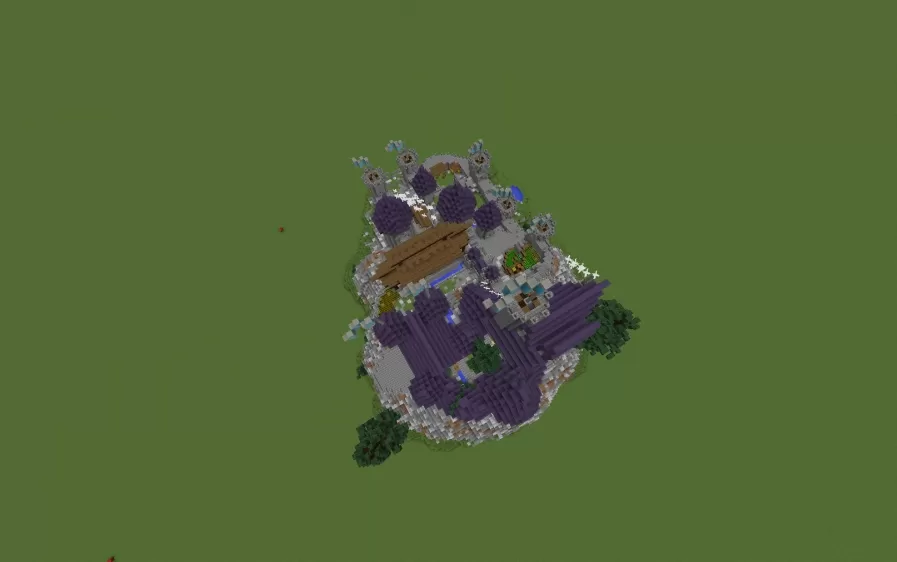
This schematic features a fully furnished medieval castle perched dramatically on a hillside, complete with all the interior spaces and amenities needed for immediate occupancy. The fortress includes a blacksmith workshop, library, Jorrvaskr-inspired great hall with kitchen and storage basement, master bedroom suite in the upper keep, and a separate guest bedroom tower. The castle's main kitchen opens onto a patio seating area with scenic views, while the grounds feature a small wheat field, terraced gardens, and a compact stable for horses. Defensive elements include proper castle walls, multiple towers with flag standards, and a functional portcullis gate system.
The build is designed as a ready-made centerpiece for town development, with the castle serving as the focal point around which villages or settlements can naturally expand. Access to the interior is through a somewhat hidden staircase and door located behind the portcullis when viewing from the front. The structure includes authentic medieval touches like fireplaces throughout for warmth and atmosphere. Note that due to the castle's interior lighting configuration, monster spawns may occur at night in some areas, so players should add additional torches or lighting as needed for safety. This schematic works perfectly for survival worlds, roleplay servers, or medieval-themed builds where a pre-built noble residence or fortress headquarters is desired.
The build is designed as a ready-made centerpiece for town development, with the castle serving as the focal point around which villages or settlements can naturally expand. Access to the interior is through a somewhat hidden staircase and door located behind the portcullis when viewing from the front. The structure includes authentic medieval touches like fireplaces throughout for warmth and atmosphere. Note that due to the castle's interior lighting configuration, monster spawns may occur at night in some areas, so players should add additional torches or lighting as needed for safety. This schematic works perfectly for survival worlds, roleplay servers, or medieval-themed builds where a pre-built noble residence or fortress headquarters is desired.
Download: Pinehold Castle schematic for Minecraft
| Format | Size | Use with | |
|---|---|---|---|
.litematic pinehold-castle.litematic |
80.07 KB | Litematica (Java) — more Litematica schematics |
|
.schem pinehold-castle.schem |
41.33 KB | WorldEdit / FAWE |
|
.schematic pinehold-castle.schematic |
60.03 KB | Legacy / online installer |
|
| Install this build directly on your Minecraft map |
|
||
Auto-converted from the original format; container contents (chests, signs) may be missing.
📘 How to use with Litematica (click to expand)
- Put the downloaded
.litematicfile into the.minecraft/schematics/folder. - In game, press M to open the Litematica menu and choose Load Schematics.
- Select the file in the list and click Load Schematic.
- Position the placement where you want it and build — or paste it instantly in creative with Easy Place mode.
Requires the Litematica mod (Java Edition).
More builds: Litematica schematics.
Comments
Similar