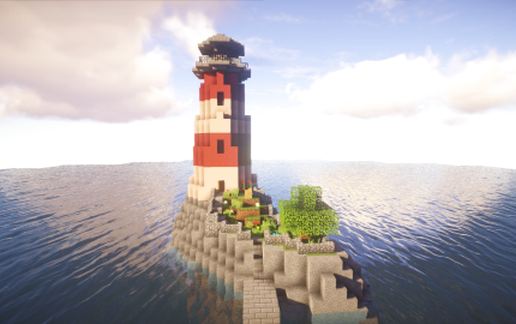
Light House (with working lights)
Published on May 4, 2023
By reppeti
👁️🗨️ 20661
5523
★
★
★
★
★
Rate it
Screenshots
Description
"A lonely lighthouse on the sea, is the best place to go when you trying to run away from something."-
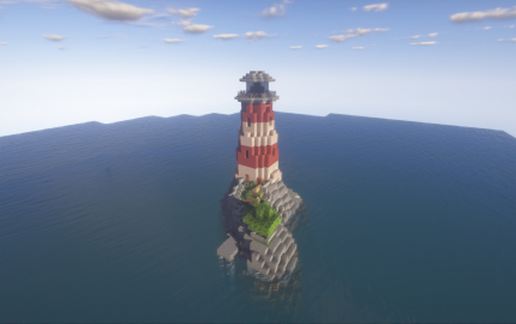
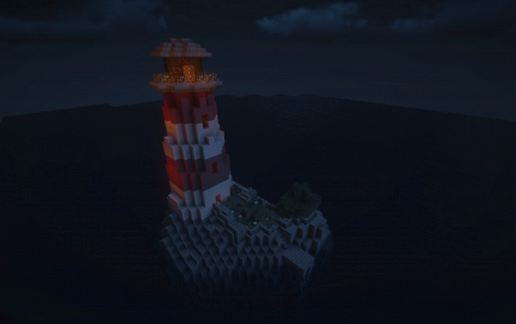
As the night falls the light turns on and than goes around. Fully furnitured.
Captain's journal day 126 - " Today we visited a light house to ask for directions. You can trust me i've seen a lot of light houses while traveling but i never saw anything like this one. This light house was the perfect representation of peace and loneliness at the same time. The man who maintained this calm and beautyful island has managed to keep the salty sea water out from the middle of the island. Because of this he was able to grow a tree and some flowers on the island, he also built a bench where he could watch the sunset. Inside you could find his writing desk next to it on a bookshelf you could find the best books of our century. This made me wonder what would life be on this little island where you can be with yourself, and no one will bother you except some ships passing by. Would it be good ,or it would just be very boring? Well you could think trough a lot of stuff as well, it would be nice to watch the sunsets, or get lost in the beauty of the rose bushes, or just see how the wind blows the leaves on the tree. Sadly we only spent half an hour on the island because we had to continue our journey to the east. But I will never forget this lighthouse with it's perfect calm loneliness."-
As the night falls the light turns on and than goes around. Fully furnitured.
Captain's journal day 126 - " Today we visited a light house to ask for directions. You can trust me i've seen a lot of light houses while traveling but i never saw anything like this one. This light house was the perfect representation of peace and loneliness at the same time. The man who maintained this calm and beautyful island has managed to keep the salty sea water out from the middle of the island. Because of this he was able to grow a tree and some flowers on the island, he also built a bench where he could watch the sunset. Inside you could find his writing desk next to it on a bookshelf you could find the best books of our century. This made me wonder what would life be on this little island where you can be with yourself, and no one will bother you except some ships passing by. Would it be good ,or it would just be very boring? Well you could think trough a lot of stuff as well, it would be nice to watch the sunsets, or get lost in the beauty of the rose bushes, or just see how the wind blows the leaves on the tree. Sadly we only spent half an hour on the island because we had to continue our journey to the east. But I will never forget this lighthouse with it's perfect calm loneliness."-
Download: Light House (with working lights) schematic for Minecraft
| Format | Size | Use with | |
|---|---|---|---|
.litematic light-house-(with-working-lights).litematic |
50.85 KB | Litematica (Java) — more Litematica schematics |
|
.schem light-house-(with-working-lights).schem |
3.22 KB | WorldEdit / FAWE |
|
.schematic light-house-(with-working-lights).schematic |
3.52 KB | Legacy / online installer |
|
Install this build directly on your Minecraft map
Auto-converted from the original format; container contents (chests, signs) may be missing.
📘 How to use with Litematica (click to expand)
- Put the downloaded
.litematicfile into the.minecraft/schematics/folder. - In game, press M to open the Litematica menu and choose Load Schematics.
- Select the file in the list and click Load Schematic.
- Position the placement where you want it and build — or paste it instantly in creative with Easy Place mode.
Requires the Litematica mod (Java Edition).
More builds: Litematica schematics.






what are comand in the comand block????