The Big Bend skyscraper 600m New York United States
Published on January 1, 2023
By ronman101
👁️🗨️ 173
42
★
★
★
★
★
Rate it
Screenshots
Description
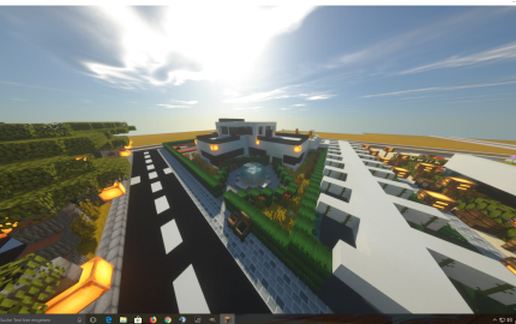
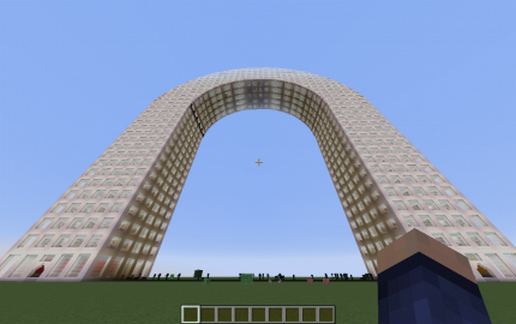
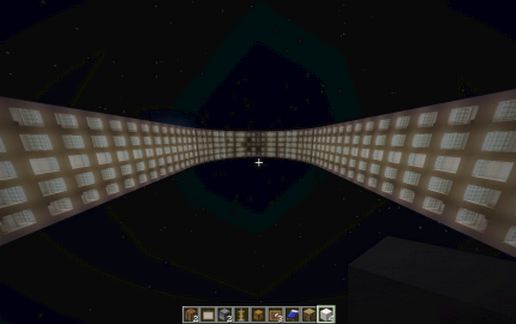
Here you go New Yorkers' (and everyone else)!!!! Set to change the skyline of New York City, The Big Bend Skyscraper will become the world's tallest building* overall distance that bends back down to the ground. This building is kind of huge. It is the schematic that brought MCEdit down to its knees on my computer, just to extract. I added it to a new world and it worked fine (There is your Warning).
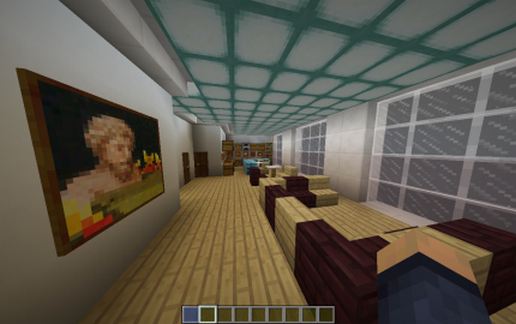
This project took a total of 6 months to build (in between other projects and my big, big, big, super big secret project coming soon). It took a lot of work and current MCEDIT does not handle the current version of MineCraft, so it was almost useless to use (Single block creation, so PLEASE be kind with your voting). If I missed a room, I'm sorry. It is due to a lot of lag, which seems to be happening more and more lately. This Building was built using MC version 1.12.2 and uses the new concrete blocks for the inner walls, so please make sure your worlds is up-to-date.
Hope there is room in your world for this. For those of you who want to see the real building, here is the link==> https://www.youtube.com/watch?v=vn2cRbzF2ks
This project took a total of 6 months to build (in between other projects and my big, big, big, super big secret project coming soon). It took a lot of work and current MCEDIT does not handle the current version of MineCraft, so it was almost useless to use (Single block creation, so PLEASE be kind with your voting). If I missed a room, I'm sorry. It is due to a lot of lag, which seems to be happening more and more lately. This Building was built using MC version 1.12.2 and uses the new concrete blocks for the inner walls, so please make sure your worlds is up-to-date.
Hope there is room in your world for this. For those of you who want to see the real building, here is the link==> https://www.youtube.com/watch?v=vn2cRbzF2ks
Download: The Big Bend skyscraper 600m New York United States schematic for Minecraft
| Format | Size | Use with | |
|---|---|---|---|
.litematic the-big-bend-skyscraper-600m-new-york-united-states.litematic |
138.82 KB | Litematica (Java) — more Litematica schematics |
|
.schem the-big-bend-skyscraper-600m-new-york-united-states.schem |
55.24 KB | WorldEdit / FAWE |
|
.schematic the-big-bend-skyscraper-600m-new-york-united-states.schematic |
256.18 KB | Legacy / online installer |
|
| Install this build directly on your Minecraft map |
|
||
Auto-converted from the original format; container contents (chests, signs) may be missing.
📘 How to use with Litematica (click to expand)
- Put the downloaded
.litematicfile into the.minecraft/schematics/folder. - In game, press M to open the Litematica menu and choose Load Schematics.
- Select the file in the list and click Load Schematic.
- Position the placement where you want it and build — or paste it instantly in creative with Easy Place mode.
Requires the Litematica mod (Java Edition).
More builds: Litematica schematics.
Comments
Similar