Atari 2600 Video Gaming Consol
Published on January 1, 2023
By ronman101
👁️🗨️ 111
28
★
★
★
★
★
Rate it
Screenshots
Description
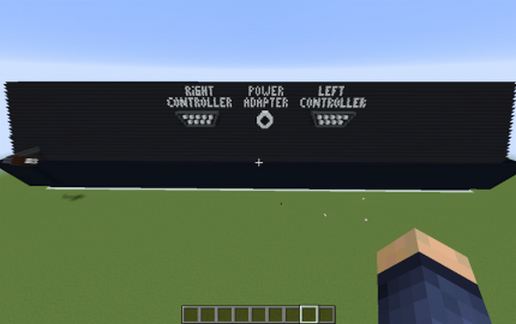
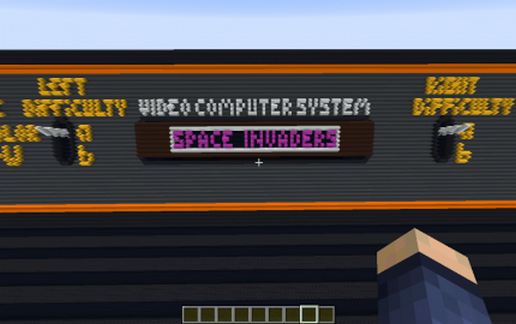
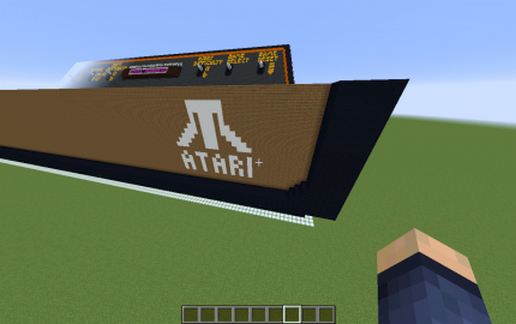
Here it is, the latest concept in Video Gaming that will revolutionize the gaming industry, The Atari 2600 Video Computer System. Its “State of the Art” graphics will put the competition out of business. Better than PlayStation, Xbox, and Nintendo all combined…..WHAT THE ********!! ARE YOU KIDDING ME!!!!! IS THIS A JOKE!!!! KEEP DREAMING!!!!!
All right already! The Atari 2600 (or Atari Video Computer System before November 1982) is a home video game console by Atari, Inc.Released on September 11, 1977, it is credited with popularizing the use of microprocessor-based hardware and ROM cartridges containing game code, a format first used with the Fairchild Channel F video game console in 1976. This format contrasts with the older model of having non-microprocessor dedicated hardware, which could only play the games that were physically built into the unit.
For five years, 1977 until late 1982, the system was officially sold as the Atari VCS, an abbreviation for Video Computer System. Following the release of the Atari 5200 in November 1982, the VCS was renamed to the "Atari 2600", after the unit's Atari part number, CX2600. The 2600 was typically bundled with two joystick controllers, a conjoined pair of paddle controllers, and a game cartridge: initially Combat,[5] and later Pac-Man.[6]
I build this out of Concrete, Wood and Wool, so make sure your world is at version 1-12-2. Included in the Consol is Space Invaders, one of my all-time favorites. Sorry, no controllers, did not want to take away from the effect of the consol. Mine (the real one) Still works! Enjoy!!!!
All right already! The Atari 2600 (or Atari Video Computer System before November 1982) is a home video game console by Atari, Inc.Released on September 11, 1977, it is credited with popularizing the use of microprocessor-based hardware and ROM cartridges containing game code, a format first used with the Fairchild Channel F video game console in 1976. This format contrasts with the older model of having non-microprocessor dedicated hardware, which could only play the games that were physically built into the unit.
For five years, 1977 until late 1982, the system was officially sold as the Atari VCS, an abbreviation for Video Computer System. Following the release of the Atari 5200 in November 1982, the VCS was renamed to the "Atari 2600", after the unit's Atari part number, CX2600. The 2600 was typically bundled with two joystick controllers, a conjoined pair of paddle controllers, and a game cartridge: initially Combat,[5] and later Pac-Man.[6]
I build this out of Concrete, Wood and Wool, so make sure your world is at version 1-12-2. Included in the Consol is Space Invaders, one of my all-time favorites. Sorry, no controllers, did not want to take away from the effect of the consol. Mine (the real one) Still works! Enjoy!!!!
Download: Atari 2600 Video Gaming Consol schematic for Minecraft
| Format | Size | Use with | |
|---|---|---|---|
.litematic atari-2600-video-gaming-consol.litematic |
36.83 KB | Litematica (Java) — more Litematica schematics |
|
.schem atari-2600-video-gaming-consol.schem |
16.01 KB | WorldEdit / FAWE |
|
.schematic atari-2600-video-gaming-consol.schematic |
42.17 KB | Legacy / online installer |
|
| Install this build directly on your Minecraft map |
|
||
Auto-converted from the original format; container contents (chests, signs) may be missing.
📘 How to use with Litematica (click to expand)
- Put the downloaded
.litematicfile into the.minecraft/schematics/folder. - In game, press M to open the Litematica menu and choose Load Schematics.
- Select the file in the list and click Load Schematic.
- Position the placement where you want it and build — or paste it instantly in creative with Easy Place mode.
Requires the Litematica mod (Java Edition).
More builds: Litematica schematics.
Comments
Similar