AMD B350M-MORTAR (MSI)
Published on January 1, 2023
By MatthewStevenGo
👁️🗨️ 177
28
★
★
★
★
★
Rate it
Screenshots
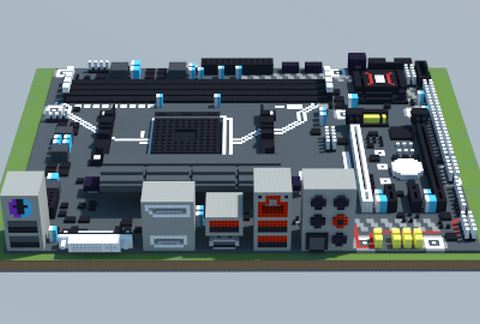
Description
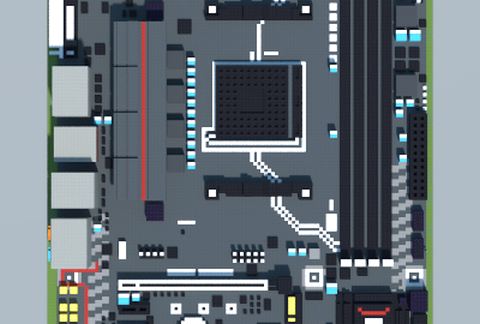
An hour ago, as I am in the shopping mall, I went to my local PC parts store and I looked at this motherboard, examined it without holding it (since it was in the locked glass shelf), and had it in my photographic memory, and it turns out to be this...
Give a thumbs up!
╱╱┏╮
╱╱┃┃
▉━╯┗━╮
▉┈┈┈┈┃
▉╮┈┈┈┃
╱╰━━━╯
Sorry if the first render has some few goofs...
You are strictly cautioned against the mass spamming of cancerous ratings.
Give a thumbs up!
╱╱┏╮
╱╱┃┃
▉━╯┗━╮
▉┈┈┈┈┃
▉╮┈┈┈┃
╱╰━━━╯
Sorry if the first render has some few goofs...
You are strictly cautioned against the mass spamming of cancerous ratings.
Download: AMD B350M-MORTAR (MSI) schematic for Minecraft
| Format | Size | Use with | |
|---|---|---|---|
.litematic amd-b350m-mortar-(msi).litematic |
55.20 KB | Litematica (Java) — more Litematica schematics |
|
.schem amd-b350m-mortar-(msi).schem |
5.09 KB | WorldEdit / FAWE |
|
.schematic amd-b350m-mortar-(msi).schematic |
8.57 KB | Legacy / online installer |
|
Install this build directly on your Minecraft map
Auto-converted from the original format; container contents (chests, signs) may be missing.
📘 How to use with Litematica (click to expand)
- Put the downloaded
.litematicfile into the.minecraft/schematics/folder. - In game, press M to open the Litematica menu and choose Load Schematics.
- Select the file in the list and click Load Schematic.
- Position the placement where you want it and build — or paste it instantly in creative with Easy Place mode.
Requires the Litematica mod (Java Edition).
More builds: Litematica schematics.