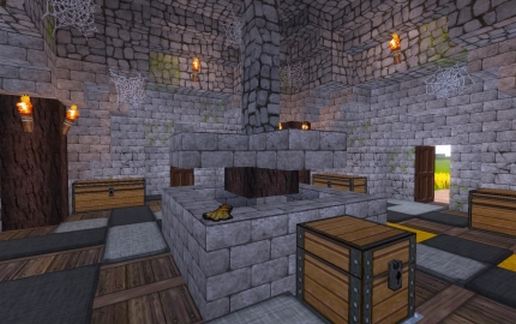
Windmühle - MC 1.8.x
Published on January 1, 2023
By 00PixelPilot
👁️🗨️ 7
41
★
★
★
★
★
Rate it
Screenshots
Description
00PixelPilot Creations - # 002
English:
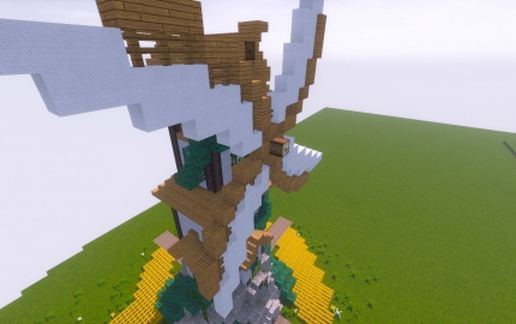
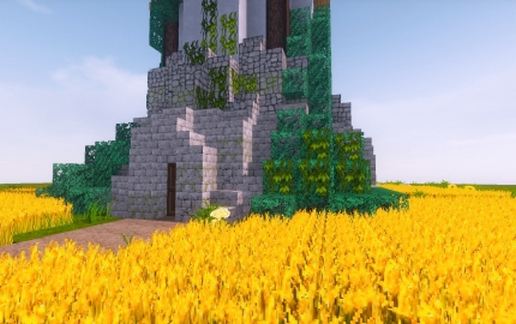
The windmill offers enough space to store your entire stock of wheat. The large mill wheel should capture enough wind to turn the wheat into flour;) Have fun baking bread.
A special feature are the command blocks. In the entire house are armor stands are equipped with items in hand and so a lot of decorative content. Unfortunately, the commands are not equipped with relative, but absolute coordinates. That is, if you do not put the house in the exact same place, it will not work.
The exact coordinates for the exact insertion of the building: 74 76 -72
Viewing direction: east
Position: middle front
Deutsch:
Die Windmühle bietet ausreichend Platz um Deinen gesamten Vorrat an Weizen zu verstauen. Das große Mühlenrad sollte genügend Wind einfangen um den Weizen in Mehl zu verwandeln ;) Viel Spaß beim Brot backen.
Eine Besonderheit sind die Kommandoblöcke. Im kompletten Haus befinden sich Rüstungsständer die mit Items in der Hand ausgestattet sind und so einiges an dekorativen Inhalten bietet. Leider sind die Befehle nicht mit relativen, sondern absoluten Koordinaten ausgestattet. Das heißt, wenn man das Haus an nicht der exakt gleichen Stelle einfügt, wird es nicht funktionieren.
Die genauen Koordinaten zum exakten Einfügen des Gebäudes: 74 76 -72
Blickrichtung: Osten
Position: Mitte Vorne
English:
The windmill offers enough space to store your entire stock of wheat. The large mill wheel should capture enough wind to turn the wheat into flour;) Have fun baking bread.
A special feature are the command blocks. In the entire house are armor stands are equipped with items in hand and so a lot of decorative content. Unfortunately, the commands are not equipped with relative, but absolute coordinates. That is, if you do not put the house in the exact same place, it will not work.
The exact coordinates for the exact insertion of the building: 74 76 -72
Viewing direction: east
Position: middle front
Deutsch:
Die Windmühle bietet ausreichend Platz um Deinen gesamten Vorrat an Weizen zu verstauen. Das große Mühlenrad sollte genügend Wind einfangen um den Weizen in Mehl zu verwandeln ;) Viel Spaß beim Brot backen.
Eine Besonderheit sind die Kommandoblöcke. Im kompletten Haus befinden sich Rüstungsständer die mit Items in der Hand ausgestattet sind und so einiges an dekorativen Inhalten bietet. Leider sind die Befehle nicht mit relativen, sondern absoluten Koordinaten ausgestattet. Das heißt, wenn man das Haus an nicht der exakt gleichen Stelle einfügt, wird es nicht funktionieren.
Die genauen Koordinaten zum exakten Einfügen des Gebäudes: 74 76 -72
Blickrichtung: Osten
Position: Mitte Vorne
Download: Windmühle - MC 1.8.x schematic for Minecraft
| Format | Size | Use with | |
|---|---|---|---|
.litematic windmuhle---mc-1.8.x.litematic |
58.45 KB | Litematica (Java) — more Litematica schematics |
|
.schem windmuhle---mc-1.8.x.schem |
3.34 KB | WorldEdit / FAWE |
|
.schematic windmuhle---mc-1.8.x.schematic |
4.88 KB | Legacy / online installer |
|
| Install this build directly on your Minecraft map |
|
||
Auto-converted from the original format; container contents (chests, signs) may be missing.
📘 How to use with Litematica (click to expand)
- Put the downloaded
.litematicfile into the.minecraft/schematics/folder. - In game, press M to open the Litematica menu and choose Load Schematics.
- Select the file in the list and click Load Schematic.
- Position the placement where you want it and build — or paste it instantly in creative with Easy Place mode.
Requires the Litematica mod (Java Edition).
More builds: Litematica schematics.
Comments
Similar