Drive on the Left Dual Simplex Minecart Track Intersection
Published on January 1, 2023
By globecollector
👁️🗨️ 206
30
★
★
★
★
★
Rate it
Screenshots
Description
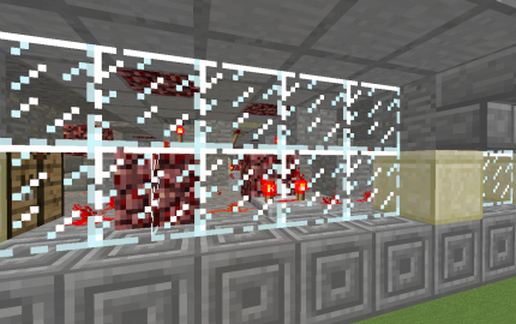
This schematic is a "pack" of components, intended to be opened in an editor (like M.C. Edit) and placed onto a test map where it can be "unpacked" into its individual components to be used to assemble a rail transport system to augment what ever you already have on your main map or server.
There are two versions of this pack, a Drive on the Left, Pass on the Right version, (this version) for those adhering to the rule of the road used in places like Britain, Thailand, Japan or New Zealand.
A second version, (not easily cerateable from this version by simply "mirroring" this version in an editor like M.C. Edit, because of the North-West rule causing the redstone mechanism to malfunction) for Drive on the Right, Pass on the Left realms like the United States, Canada or South Korea.
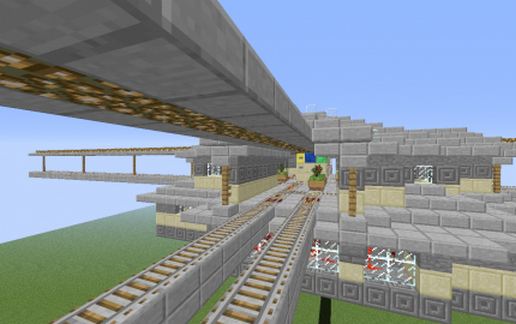
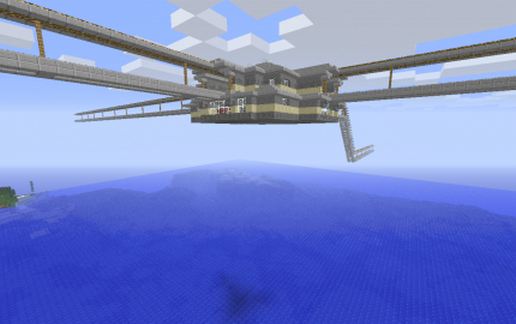
The pack consists of four versions of the track-point intersection, two aerial and two subterranean versions as the main components and a host of dual track "train-set" parts such as ramps, corners and straight length sections both subterranean and aerial. The aerial track sections are a minimalistic design aimed at minimal obstruction of the view below, roof to keep off the rain, mobs and snow and light to keep tracks clear.
The images depict only the aerial track-point intersection Drive on the Left (British) version.
There are two versions of this pack, a Drive on the Left, Pass on the Right version, (this version) for those adhering to the rule of the road used in places like Britain, Thailand, Japan or New Zealand.
A second version, (not easily cerateable from this version by simply "mirroring" this version in an editor like M.C. Edit, because of the North-West rule causing the redstone mechanism to malfunction) for Drive on the Right, Pass on the Left realms like the United States, Canada or South Korea.
The pack consists of four versions of the track-point intersection, two aerial and two subterranean versions as the main components and a host of dual track "train-set" parts such as ramps, corners and straight length sections both subterranean and aerial. The aerial track sections are a minimalistic design aimed at minimal obstruction of the view below, roof to keep off the rain, mobs and snow and light to keep tracks clear.
The images depict only the aerial track-point intersection Drive on the Left (British) version.
Download: Drive on the Left Dual Simplex Minecart Track Intersection schematic for Minecraft
| Format | Size | Use with | |
|---|---|---|---|
.litematic drive-on-the-left-dual-simplex-minecart-track-intersection.litematic |
57.34 KB | Litematica (Java) — more Litematica schematics |
|
.schem drive-on-the-left-dual-simplex-minecart-track-intersection.schem |
5.27 KB | WorldEdit / FAWE |
|
.schematic drive-on-the-left-dual-simplex-minecart-track-intersection.schematic |
14.25 KB | Legacy / online installer |
|
Install this build directly on your Minecraft map
Auto-converted from the original format; container contents (chests, signs) may be missing.
📘 How to use with Litematica (click to expand)
- Put the downloaded
.litematicfile into the.minecraft/schematics/folder. - In game, press M to open the Litematica menu and choose Load Schematics.
- Select the file in the list and click Load Schematic.
- Position the placement where you want it and build — or paste it instantly in creative with Easy Place mode.
Requires the Litematica mod (Java Edition).
More builds: Litematica schematics.
![Ender Temple [schematic reupload] schematic - building](/static/images/schematics/15/10562-1.jpg)




