Server Event Build
Published on January 1, 2023
By Hyperr11
👁️🗨️ 147
27
★
★
★
★
★
Rate it
Screenshots
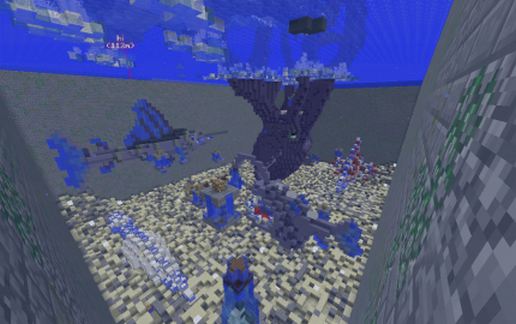
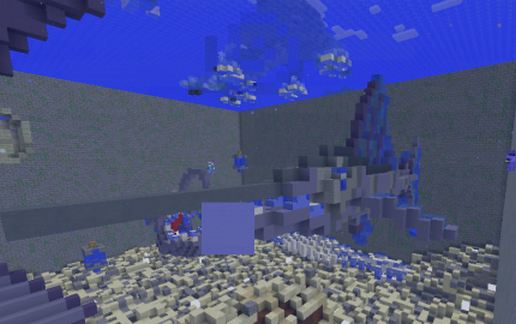
Description
Hello! I built this for a pixelmon server called
Pokeverse! (if you'd like to join the server, https://discord.gg/cWHePM join this!)
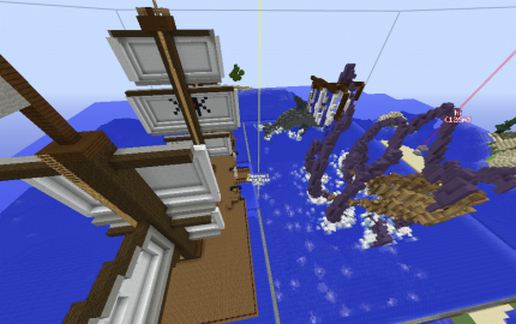
It is meant to be a "Diving" minigame, but can be used for everything! A fish-tank... maybe? A house, live on the boat with some... pets.
I just think it's cool!
You hide items and they dive down, find an item, drop it off, then go and try find another.
They must go deposit an item before finding another one, gives others a chance. you could moderate this by randomly /invseeing people, marking where you hide them and seeing when they get em? not sure but yeah.
Depending on the amount of players = the amount of items you hide.
Snowball are 1 point, so hide them frequently, Bone meal are 3 points, so hide them not as frequent (1/3 basis)
I'll be placing some chests myself. if you guys cant find hiding spots and to throw some people off.
but it should be a good event to host fun for all.
I used my own buildings, and a few schematics to build this Heres a list, I do not wish to be marked for stealing and 100% give these guys credit.
https://www.minecraft-schematics.com/schematic/7666/download/ - Spawn Ship.
https://www.planetminecraft.com/project/underwater-pack/
https://www.planetminecraft.com/project/dinosaur-skeleton-bundle/
Pokeverse! (if you'd like to join the server, https://discord.gg/cWHePM join this!)
It is meant to be a "Diving" minigame, but can be used for everything! A fish-tank... maybe? A house, live on the boat with some... pets.
I just think it's cool!
You hide items and they dive down, find an item, drop it off, then go and try find another.
They must go deposit an item before finding another one, gives others a chance. you could moderate this by randomly /invseeing people, marking where you hide them and seeing when they get em? not sure but yeah.
Depending on the amount of players = the amount of items you hide.
Snowball are 1 point, so hide them frequently, Bone meal are 3 points, so hide them not as frequent (1/3 basis)
I'll be placing some chests myself. if you guys cant find hiding spots and to throw some people off.
but it should be a good event to host fun for all.
I used my own buildings, and a few schematics to build this Heres a list, I do not wish to be marked for stealing and 100% give these guys credit.
https://www.minecraft-schematics.com/schematic/7666/download/ - Spawn Ship.
https://www.planetminecraft.com/project/underwater-pack/
https://www.planetminecraft.com/project/dinosaur-skeleton-bundle/
Download: Server Event Build schematic for Minecraft
| Format | Size | Use with | |
|---|---|---|---|
.litematic server-event-build.litematic |
119.46 KB | Litematica (Java) — more Litematica schematics |
|
.schem server-event-build.schem |
59.03 KB | WorldEdit / FAWE |
|
.schematic server-event-build.schematic |
88.94 KB | Legacy / online installer |
|
| Install this build directly on your Minecraft map |
|
||
Auto-converted from the original format; container contents (chests, signs) may be missing.
📘 How to use with Litematica (click to expand)
- Put the downloaded
.litematicfile into the.minecraft/schematics/folder. - In game, press M to open the Litematica menu and choose Load Schematics.
- Select the file in the list and click Load Schematic.
- Position the placement where you want it and build — or paste it instantly in creative with Easy Place mode.
Requires the Litematica mod (Java Edition).
More builds: Litematica schematics.
Comments
Similar