Billionaire's Row: The Complete Set
Published on January 1, 2023
By TheSun
👁️🗨️ 232
2343
★
★
★
★
★
Rate it
Screenshots
Description
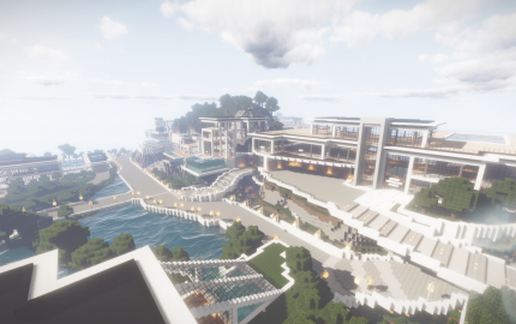
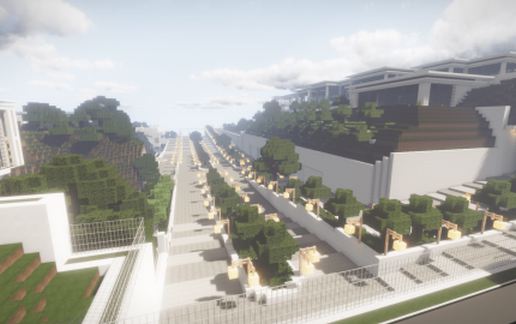
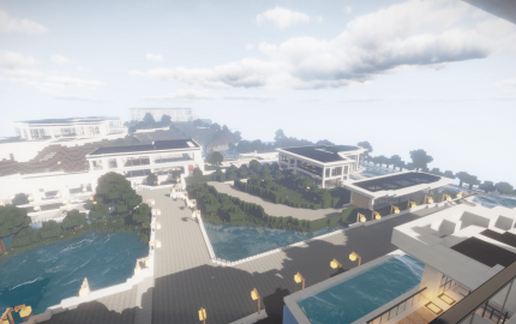
After 2+ years of building, I've finally finished the entire set. you can see the progression in design from the first to the second and onto the 3rd set. In total you've got access to 19 mega mansions, all with eye watering scenery and custom amenities, not to mention the custom worked landscaping. feel free to put this into a ritzy section of your world and on your server. I've put all of my effort and creativity into these, and I really hope you enjoy using them as much as I did building them. this is probably my last major contribution to this website, after 4 or so years going on. I may do something in the future, however that remains to be seen. I've included the map file (finally) so everybody can enjoy this wonderful set, I know the schematic is absolutely gigantic and not everybody can handle it. I was holding off on the map file until I felt that this was done, and now that time has come. As always, feel free to modify and decorate however you see fit, I've left these mansions open on purpose with that in mind.
Enjoy!
-TheSun
THIS SET IS MEANT TO BE VIEWED WITH THE RESOURCE PACK: Flows HD 128x128 Modern Resource Pack
AND SHADER PACK: Wisdom's Shader Pack
Enjoy!
-TheSun
THIS SET IS MEANT TO BE VIEWED WITH THE RESOURCE PACK: Flows HD 128x128 Modern Resource Pack
AND SHADER PACK: Wisdom's Shader Pack
Download: Billionaire's Row: The Complete Set schematic for Minecraft
| Format | Size | Use with | |
|---|---|---|---|
.litematic billionaire's-row:-the-complete-set.litematic |
1.28 MB | Litematica (Java) — more Litematica schematics |
|
.schem billionaire's-row:-the-complete-set.schem |
923.85 KB | WorldEdit / FAWE |
|
.schematic billionaire's-row:-the-complete-set.schematic |
1,016.71 KB | Legacy / online installer |
|
| Install this build directly on your Minecraft map |
|
||
Auto-converted from the original format; container contents (chests, signs) may be missing.
📘 How to use with Litematica (click to expand)
- Put the downloaded
.litematicfile into the.minecraft/schematics/folder. - In game, press M to open the Litematica menu and choose Load Schematics.
- Select the file in the list and click Load Schematic.
- Position the placement where you want it and build — or paste it instantly in creative with Easy Place mode.
Requires the Litematica mod (Java Edition).
More builds: Litematica schematics.
Comments
Similar