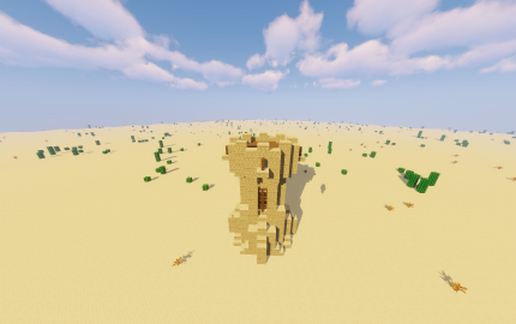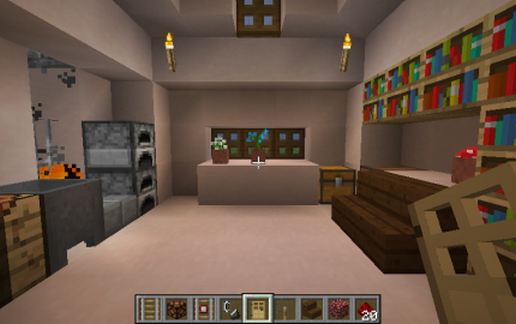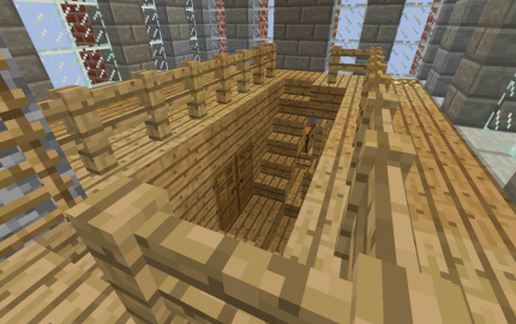
Conistion Tower, December 2019 Upgradeed Version
Published on January 1, 2023
By globecollector
👁️🗨️ 133
30
★
★
★
★
★
Rate it
Screenshots
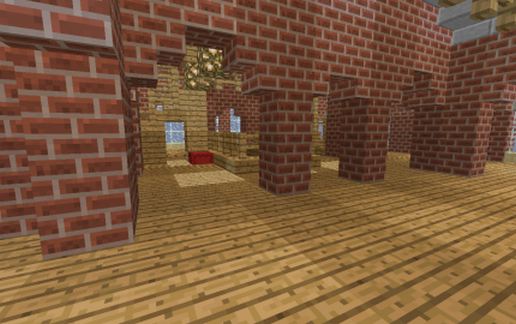
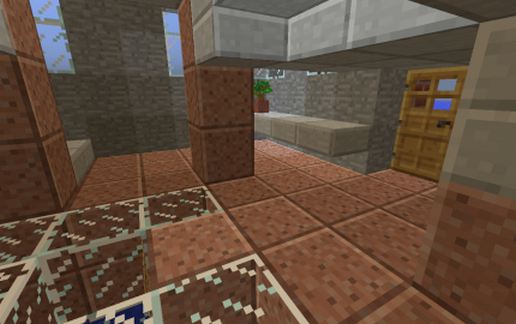
Description
This is an upgraded version of a previously posted build, the "Coniston Tower". It is recommended that you look at the page for the original as a full description of the upgrades to create this version is given there.
In brief:
Old version contained discontinued Wood Slab blocks, (ID 43.2, 44.1 and 44.2) which were replaced by Oak Wood Slab Blocks, (ID 125.0, 126.0 and 126.8 respectively) when multiple timber types were introduced to the game, These blocks seem alright in MC 1.12 2, but may cause issues in more contemporary releases of the game, so this is the main reason for the upgrade.
Alterations to the phase relationship between the helical internal stairs and external cladding were made resulting in a tower repeat unit 12 blocks tall. A second interleaved helical set of stairs was added and a multitude of small fixes applied, mostly to the glass and the base. These are considered secondary to the block upgrades.
The old Wood Slab Blocks (ID 43.2) were mostly removed by hand in survival mode and placed in a red ender chest on the main landing and a few more in a normal chest in a small room one floor above. I am unsure if these will cause issues in newer versions of the game as items in a chest, so if you are concerned, use an editor to delete the chests before placing in your world.
I some areas of Minecraft, particularly on servers like 2b2t, the 43.2 block is considered of great value.
MC Edit was used to replace all the 43.2 and 44.2 Wood slabs up in the top ceiling as there is redstone on top of them. this will need to be "fiddled" with, (i.e. a circulating "bit" introduced with a redstone torch to get the warning beacons on the roof to start functioning.
If the base of the schematic, as is is place atop the surface of the sea, the top of the tower will be two blocks below the height limit of Y =255.
In brief:
Old version contained discontinued Wood Slab blocks, (ID 43.2, 44.1 and 44.2) which were replaced by Oak Wood Slab Blocks, (ID 125.0, 126.0 and 126.8 respectively) when multiple timber types were introduced to the game, These blocks seem alright in MC 1.12 2, but may cause issues in more contemporary releases of the game, so this is the main reason for the upgrade.
Alterations to the phase relationship between the helical internal stairs and external cladding were made resulting in a tower repeat unit 12 blocks tall. A second interleaved helical set of stairs was added and a multitude of small fixes applied, mostly to the glass and the base. These are considered secondary to the block upgrades.
The old Wood Slab Blocks (ID 43.2) were mostly removed by hand in survival mode and placed in a red ender chest on the main landing and a few more in a normal chest in a small room one floor above. I am unsure if these will cause issues in newer versions of the game as items in a chest, so if you are concerned, use an editor to delete the chests before placing in your world.
I some areas of Minecraft, particularly on servers like 2b2t, the 43.2 block is considered of great value.
MC Edit was used to replace all the 43.2 and 44.2 Wood slabs up in the top ceiling as there is redstone on top of them. this will need to be "fiddled" with, (i.e. a circulating "bit" introduced with a redstone torch to get the warning beacons on the roof to start functioning.
If the base of the schematic, as is is place atop the surface of the sea, the top of the tower will be two blocks below the height limit of Y =255.
Download: Conistion Tower, December 2019 Upgradeed Version schematic for Minecraft
| Format | Size | Use with | |
|---|---|---|---|
.litematic conistion-tower,-december-2019-upgradeed-version.litematic |
64.81 KB | Litematica (Java) — more Litematica schematics |
|
.schem conistion-tower,-december-2019-upgradeed-version.schem |
5.11 KB | WorldEdit / FAWE |
|
.schematic conistion-tower,-december-2019-upgradeed-version.schematic |
6.82 KB | Legacy / online installer |
|
| Install this build directly on your Minecraft map |
|
||
Auto-converted from the original format; container contents (chests, signs) may be missing.
📘 How to use with Litematica (click to expand)
- Put the downloaded
.litematicfile into the.minecraft/schematics/folder. - In game, press M to open the Litematica menu and choose Load Schematics.
- Select the file in the list and click Load Schematic.
- Position the placement where you want it and build — or paste it instantly in creative with Easy Place mode.
Requires the Litematica mod (Java Edition).
More builds: Litematica schematics.
Comments
Similar