Trollskull Manor
Published on January 1, 2023
By SgtNack
👁️🗨️ 139
49
★
★
★
★
★
Rate it
Screenshots
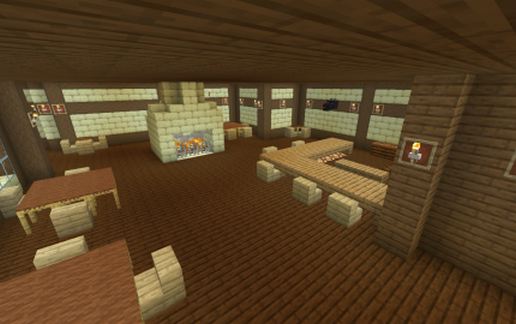
Description
A 3x3 upscale of the map of Trollskull Manor from D&D fifth editions campaign, "Waterdeep: Dragon Heist"
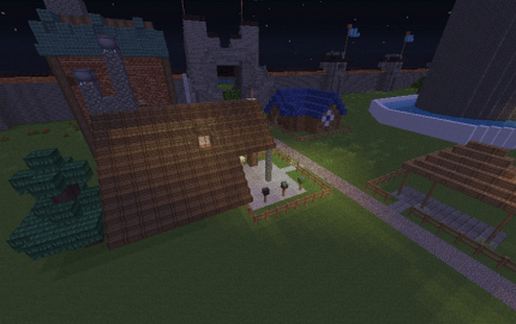
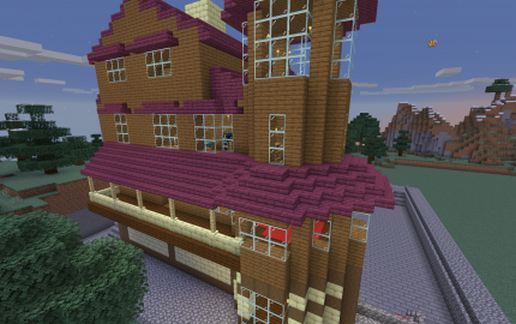
Spent a few hours building this map here and decorated it as my party has it decorated for the campaign. Minor modifications were made to allow for either ease of movement around the building or to make rooms fit within the designated space as walls are part of 5 foot squares on the map creating essentially half spaces. Exterior design based on art depictions of how the manor was described in the book.
When you bring it into your map, you will be on the South West corner, so be aware of that so as to not destroy anything by accident. I also highly suggest you have fire tick turned off due to fireplaces. I tried to switch it all to campfires to prevent spread but I have not tested to see if it spreads without so take caution in case I missed some fire.
Block Number includes air blocks. Schematic created with WorldEdit via the bukkit plugin.
!!UPDATE: A number of people have contacted me saying it won't load or the roof is missing when loaded in. The build must be placed in at least the 1.16 update or it will not work properly as the roof is all the new block/stair type. There is also several structural components from other recent updates including the newer end stone block types. I have tested it out on my own server and another several times and have gotten it to load up properly so I'm not sure how to help with any mishaps other than to tell you to make sure you are updated to the latest version of minecraft.
Spent a few hours building this map here and decorated it as my party has it decorated for the campaign. Minor modifications were made to allow for either ease of movement around the building or to make rooms fit within the designated space as walls are part of 5 foot squares on the map creating essentially half spaces. Exterior design based on art depictions of how the manor was described in the book.
When you bring it into your map, you will be on the South West corner, so be aware of that so as to not destroy anything by accident. I also highly suggest you have fire tick turned off due to fireplaces. I tried to switch it all to campfires to prevent spread but I have not tested to see if it spreads without so take caution in case I missed some fire.
Block Number includes air blocks. Schematic created with WorldEdit via the bukkit plugin.
!!UPDATE: A number of people have contacted me saying it won't load or the roof is missing when loaded in. The build must be placed in at least the 1.16 update or it will not work properly as the roof is all the new block/stair type. There is also several structural components from other recent updates including the newer end stone block types. I have tested it out on my own server and another several times and have gotten it to load up properly so I'm not sure how to help with any mishaps other than to tell you to make sure you are updated to the latest version of minecraft.
Download: Trollskull Manor schematic for Minecraft
| Format | Size | Use with | |
|---|---|---|---|
.litematic trollskull-manor.litematic |
69.24 KB | Litematica (Java) — more Litematica schematics |
|
.schem trollskull-manor.schem |
6.25 KB | WorldEdit / FAWE |
|
.schematic trollskull-manor.schematic |
7.21 KB | Legacy / online installer Older format: about 11% of the blocks are replaced with their closest pre-1.13 lookalikes. |
|
| Install this build directly on your Minecraft map |
|
||
Auto-converted from the original format; container contents (chests, signs) may be missing.
📘 How to use with Litematica (click to expand)
- Put the downloaded
.litematicfile into the.minecraft/schematics/folder. - In game, press M to open the Litematica menu and choose Load Schematics.
- Select the file in the list and click Load Schematic.
- Position the placement where you want it and build — or paste it instantly in creative with Easy Place mode.
Requires the Litematica mod (Java Edition).
More builds: Litematica schematics.
Comments
Similar