Large Ranch Minimalist Survival Home
Published on January 1, 2023
By JLBuilds
👁️🗨️ 166
40
★
★
★
★
★
Rate it
Screenshots
Description
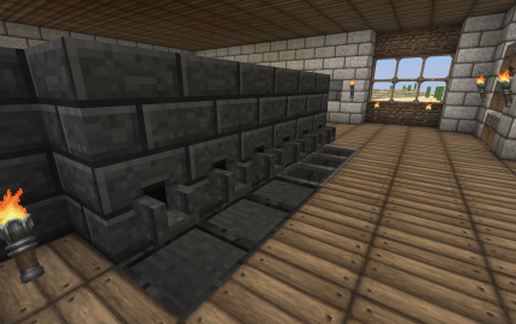
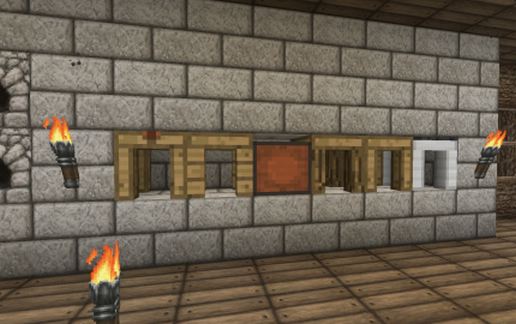
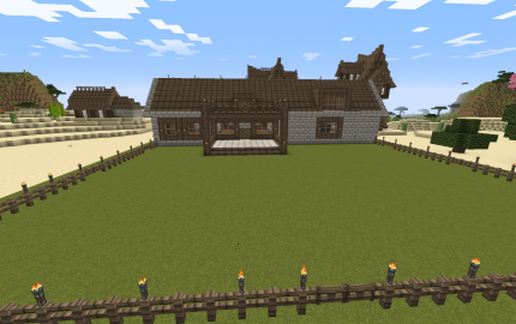
This is a large, ranch-style, minimalist survival home. Inside the home there is a smeltery room for those playing with Tinker's Construct. The smeltery blocks will not spawn in with this build. You will need to create them but the space for them is ready to go. There is a room for an open concept kitchen and, or family room. There is a nice sized bedroom that connects to the kitchen area. Off of the smeltery room is a large storage room. There is also a huge attic area that you can turn into whatever type of room or rooms you desire. Behind the stairs, when you enter the front door, there is a workstation with ovens, crafting table, etc. There is also the start of a few ladders and trapdoor so you can dig down to make a mining area. You'll need to craft your own ladders to take this down to whatever depth you prefer to mine at. To place this home you will need to stand 4 blocks beneath the ground level you would like the home to be at. So if you want the home to sit at Y70 (for example) you would need to stand at Y66 to have it place at Y70. The area of the home, backyard, and 3 block grass border is approximately 64 blocks from front to back and 46 blocks from side to side. Filename is large-ranch-minimalist
You can see more pictures at: https://myalbum.com/album/ceQuqmST4Jm4
I hope you enjoy this home as much as I did. Have fun and Minecraft on.
You can see more pictures at: https://myalbum.com/album/ceQuqmST4Jm4
I hope you enjoy this home as much as I did. Have fun and Minecraft on.
Download: Large Ranch Minimalist Survival Home schematic for Minecraft
| Format | Size | Use with | |
|---|---|---|---|
.litematic large-ranch-minimalist-survival-home.litematic |
46.31 KB | Litematica (Java) — more Litematica schematics |
|
.schem large-ranch-minimalist-survival-home.schem |
3.36 KB | WorldEdit / FAWE |
|
.schematic large-ranch-minimalist-survival-home.schematic |
9.50 KB | Legacy / online installer |
|
| Install this build directly on your Minecraft map |
|
||
Auto-converted from the original format; container contents (chests, signs) may be missing.
📘 How to use with Litematica (click to expand)
- Put the downloaded
.litematicfile into the.minecraft/schematics/folder. - In game, press M to open the Litematica menu and choose Load Schematics.
- Select the file in the list and click Load Schematic.
- Position the placement where you want it and build — or paste it instantly in creative with Easy Place mode.
Requires the Litematica mod (Java Edition).
More builds: Litematica schematics.
Comments
Similar