Depository (Bank)
Published on January 1, 2023
By GameBreaker
👁️🗨️ 177
37
★
★
★
★
★
Rate it
Screenshots
Description
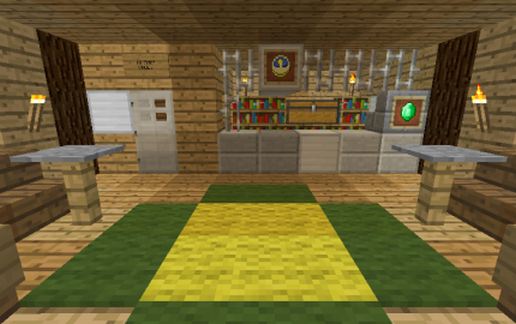
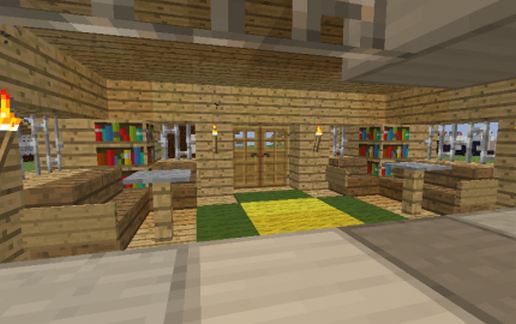
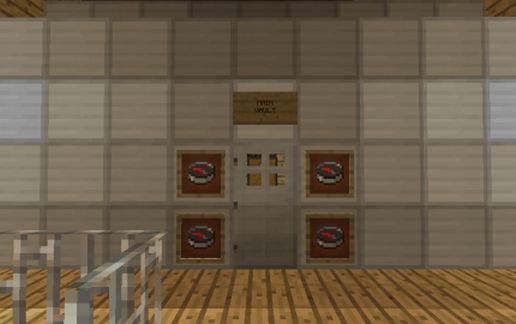
Western-themed "Bank" building built during Beta 1.8, aka the "Adventure Update".
Schematic contains several Buttons and Levers that must be placed in order to work. Details are in the README stored in the schematic.
Contains as many as 18 chests for storing resources, materials and other valuable items. These are 12 large and 6 small chests in the main vault.
Place in Desert settings for best effect.
Schematic contains several Buttons and Levers that must be placed in order to work. Details are in the README stored in the schematic.
Contains as many as 18 chests for storing resources, materials and other valuable items. These are 12 large and 6 small chests in the main vault.
Place in Desert settings for best effect.
Download: Depository (Bank) schematic for Minecraft
| Format | Size | Use with | |
|---|---|---|---|
.litematic depository-(bank).litematic |
54.21 KB | Litematica (Java) — more Litematica schematics |
|
.schem depository-(bank).schem |
1.30 KB | WorldEdit / FAWE |
|
.schematic depository-(bank).schematic |
2.86 KB | Legacy / online installer |
|
| Install this build directly on your Minecraft map |
|
||
Auto-converted from the original format; container contents (chests, signs) may be missing.
📘 How to use with Litematica (click to expand)
- Put the downloaded
.litematicfile into the.minecraft/schematics/folder. - In game, press M to open the Litematica menu and choose Load Schematics.
- Select the file in the list and click Load Schematic.
- Position the placement where you want it and build — or paste it instantly in creative with Easy Place mode.
Requires the Litematica mod (Java Edition).
More builds: Litematica schematics.
Comments
Similar