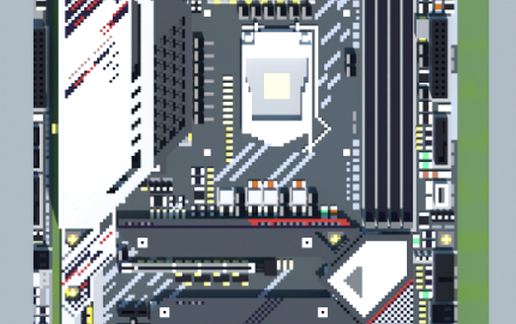
Intel Z590 PG Velocita (ASRock PHANTOM GAMING Series)
Published on January 1, 2023
By MatthewStevenGo
👁️🗨️ 171
25
★
★
★
★
★
Rate it
Screenshots
Description
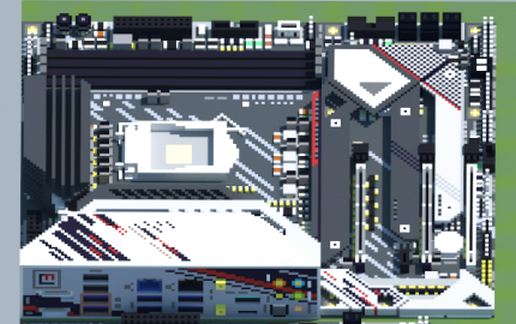
Took me around four and a half hour to complete the Minecraft rendition of the said board last Wednesday using MCEdit 0.1.7.1 and render it via 1.12.2.
Thank you, and have fun.
Thank you, and have fun.
Download: Intel Z590 PG Velocita (ASRock PHANTOM GAMING Series) schematic for Minecraft
| Format | Size | Use with | |
|---|---|---|---|
.litematic intel-z590-pg-velocita-(asrock-phantom-gaming-series).litematic |
62.15 KB | Litematica (Java) — more Litematica schematics |
|
.schem intel-z590-pg-velocita-(asrock-phantom-gaming-series).schem |
12.84 KB | WorldEdit / FAWE |
|
.schematic intel-z590-pg-velocita-(asrock-phantom-gaming-series).schematic |
20.59 KB | Legacy / online installer |
|
Install this build directly on your Minecraft map
Auto-converted from the original format; container contents (chests, signs) may be missing.
📘 How to use with Litematica (click to expand)
- Put the downloaded
.litematicfile into the.minecraft/schematics/folder. - In game, press M to open the Litematica menu and choose Load Schematics.
- Select the file in the list and click Load Schematic.
- Position the placement where you want it and build — or paste it instantly in creative with Easy Place mode.
Requires the Litematica mod (Java Edition).
More builds: Litematica schematics.