Large Castle
Published on January 1, 2023
By elaineandsparky
👁️🗨️ 775
942
★
★
★
★
★
Rate it
Screenshots
Description
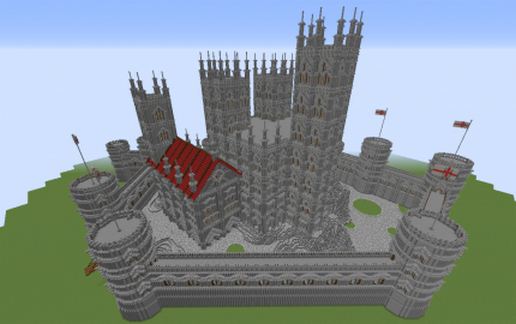
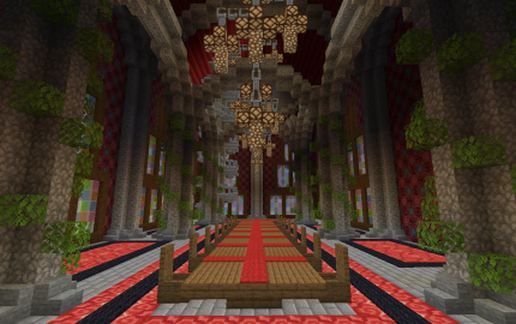
This castle was originally built in survival without /fly but with the use of mypet plugin. Every block was placed one at a time by hand including changing the pallet of the mountain the castle sits on along with terraforming it in places. Materials were mostly bought or donated by other server players.
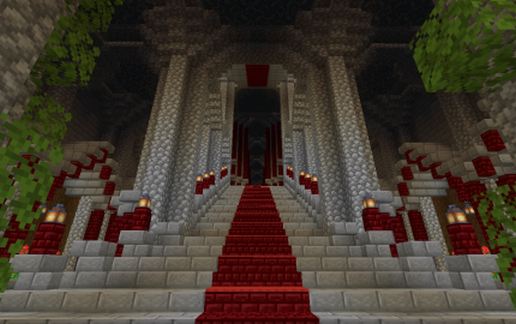
The castle is fully decorated inside but by the time I had got to the bedrooms I had had enough which shows in the quality of them. The castle took approximatly 3 months to build working on it almost everyday and many 10hr days.
The link on this website is for a litematica .litematic file as the .schem converter doesn't recognise the newer blocks.
A WORLD DOWNLOAD IS AVAILABLE ON PMC (1.16.4)!
https://www.planetminecraft.com/project/medieval-castle-4559392/
I have removed the terrain from the world save download and schematic to make it more schematic friendly and removed excess blocks including water features. This meant I could add an undercroft and an extra room to the build.
Loading the schematic onto my server lagged me a lot and then moving the build once i'd removed the terrain also nearly crashed my server. Although I do play on a laptop!
I highly recommend vastly reducing your pastecommandlimit if using litematica if you want to paste it into a world instead of rebuild by hand (I have to have it set to 5 and then it still crashes when I move).
This is a large build:
329x165x281 enclosed size
510,822 blocks
15,254,085 blocks including air
You have been warned! :)
The castle is fully decorated inside but by the time I had got to the bedrooms I had had enough which shows in the quality of them. The castle took approximatly 3 months to build working on it almost everyday and many 10hr days.
The link on this website is for a litematica .litematic file as the .schem converter doesn't recognise the newer blocks.
A WORLD DOWNLOAD IS AVAILABLE ON PMC (1.16.4)!
https://www.planetminecraft.com/project/medieval-castle-4559392/
I have removed the terrain from the world save download and schematic to make it more schematic friendly and removed excess blocks including water features. This meant I could add an undercroft and an extra room to the build.
Loading the schematic onto my server lagged me a lot and then moving the build once i'd removed the terrain also nearly crashed my server. Although I do play on a laptop!
I highly recommend vastly reducing your pastecommandlimit if using litematica if you want to paste it into a world instead of rebuild by hand (I have to have it set to 5 and then it still crashes when I move).
This is a large build:
329x165x281 enclosed size
510,822 blocks
15,254,085 blocks including air
You have been warned! :)
Download: Large Castle schematic for Minecraft
| Format | Size | Use with | |
|---|---|---|---|
.litematic large-castle.litematic |
638.21 KB | Litematica (Java) — more Litematica schematics |
|
.schem large-castle.schem |
340.29 KB | WorldEdit / FAWE |
|
.schematic large-castle.schematic |
393.39 KB | Legacy / online installer Older format: about 5% of the blocks are replaced with their closest pre-1.13 lookalikes. |
|
Install this build directly on your Minecraft map
Auto-converted from the original format; container contents (chests, signs) may be missing.
📘 How to use with Litematica (click to expand)
- Put the downloaded
.litematicfile into the.minecraft/schematics/folder. - In game, press M to open the Litematica menu and choose Load Schematics.
- Select the file in the list and click Load Schematic.
- Position the placement where you want it and build — or paste it instantly in creative with Easy Place mode.
Requires the Litematica mod (Java Edition).
More builds: Litematica schematics.