modern tactical german submarine class 212A - schematic download
Published on January 1, 2023
By Marauder36
👁️🗨️ 153
77
★
★
★
★
★
Rate it
Screenshots
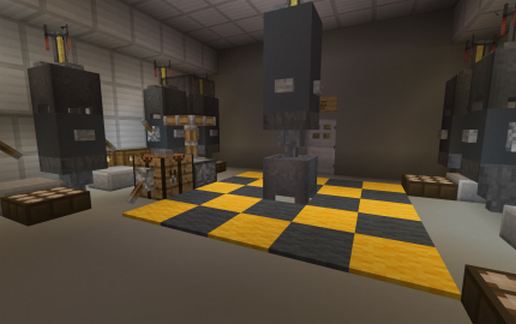
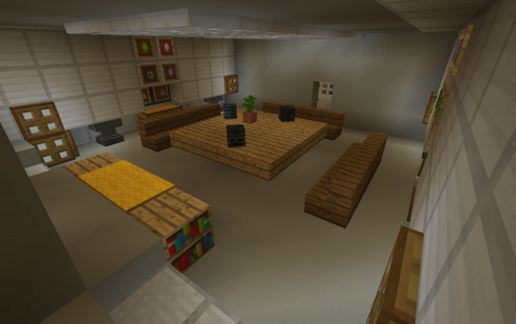
Description
I made just for fun several years ago this underwater base for a spigot server project
in the form of a Class 212 A submarine, made in Kiel, germany from ThyssenKrupp Marine Systems GmbH.
These boats are among the most modern submarines in the german and italian navies.
They are the world's first air-independent boats whose propulsion system for diving is based on fuel cells.
Because of this propulsion system, the submarines, together with those of export class 214,
are considered the quietest in the world.
Nice small underwater base for a city server or just for fun.
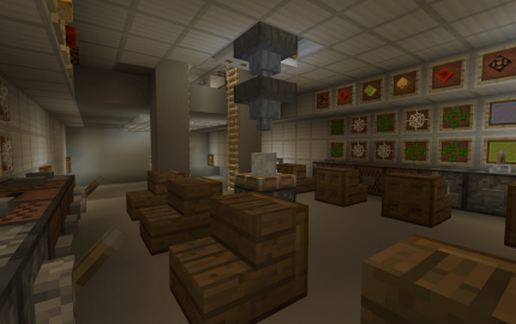
Almost completely equipped with torpedo station in the bow and stern,
missile launching base, crew mess, captain's cabin, tactical station, etc.
Therefore have fun with it.
created manually by hand in the good old java 1.12.2 version for better compatibility.
in the form of a Class 212 A submarine, made in Kiel, germany from ThyssenKrupp Marine Systems GmbH.
These boats are among the most modern submarines in the german and italian navies.
They are the world's first air-independent boats whose propulsion system for diving is based on fuel cells.
Because of this propulsion system, the submarines, together with those of export class 214,
are considered the quietest in the world.
Nice small underwater base for a city server or just for fun.
Almost completely equipped with torpedo station in the bow and stern,
missile launching base, crew mess, captain's cabin, tactical station, etc.
Therefore have fun with it.
created manually by hand in the good old java 1.12.2 version for better compatibility.
Download: modern tactical german submarine class 212A - schematic download schematic for Minecraft
| Format | Size | Use with | |
|---|---|---|---|
.litematic modern-tactical-german-submarine-class-212a---schematic-download.litematic |
47.64 KB | Litematica (Java) — more Litematica schematics |
|
.schem modern-tactical-german-submarine-class-212a---schematic-download.schem |
4.76 KB | WorldEdit / FAWE |
|
.schematic modern-tactical-german-submarine-class-212a---schematic-download.schematic |
7.33 KB | Legacy / online installer |
|
| Install this build directly on your Minecraft map |
|
||
Auto-converted from the original format; container contents (chests, signs) may be missing.
📘 How to use with Litematica (click to expand)
- Put the downloaded
.litematicfile into the.minecraft/schematics/folder. - In game, press M to open the Litematica menu and choose Load Schematics.
- Select the file in the list and click Load Schematic.
- Position the placement where you want it and build — or paste it instantly in creative with Easy Place mode.
Requires the Litematica mod (Java Edition).
More builds: Litematica schematics.
Comments
Similar