Industrial Megabuild 1.12.2
Published on January 1, 2023
By Howester84
👁️🗨️ 19
520
★
★
★
★
★
Rate it
Screenshots
Description
**EDIT: Can you let me know if this schematic is working ok please? I'm fairly new to worldedit schematics. I usually go with building gadgets or create, but the scale of this build called for an alternative solution.**
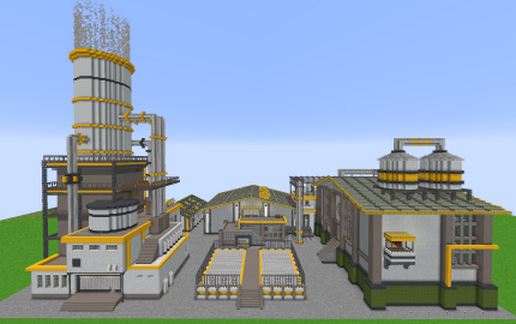
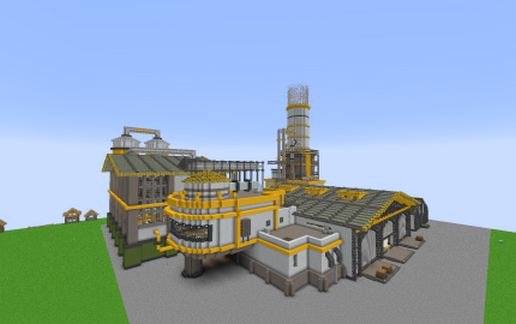
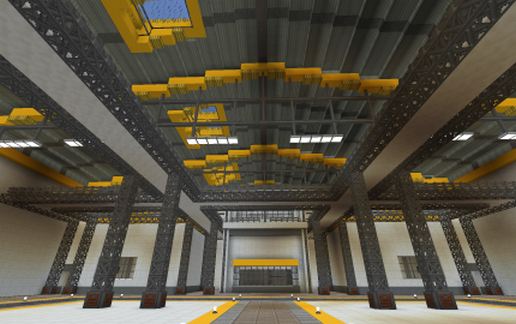
A large industrial compound features two very large sheds, a biofarm, and a tall power station. Everything links together using underground cable runners. Great for modded minecraft,
Overall Dimension: 137x176 and 97 tall
I was stood on the ground level directly in the center of the right side building (building with 3 shutters). in front of the external platform, when I copied this.
Mods Required:
Chisel
Engineer's doors
Engineer's Decor
Immersive Engineering
Simply Lights
Quark
Industrial Renewal
Notes:
- For the smoke effect coming out of the Power station tower I added campfires on top of haybales, courtesy of the futureMC mod.
- The ground floor cable runners look better with glowstone or antiblocks underneath them.
- The pipes look 100 times better when you add those slopes from Architecturecraft. I didn't add them because they mess up when rotated during the paste.
- There is an open elevator spot which you will come across in the curved corner building. The intention is for you to add the moving elevators mod. It's one of my favourite elevators and works perfectly in that area.
A large industrial compound features two very large sheds, a biofarm, and a tall power station. Everything links together using underground cable runners. Great for modded minecraft,
Overall Dimension: 137x176 and 97 tall
I was stood on the ground level directly in the center of the right side building (building with 3 shutters). in front of the external platform, when I copied this.
Mods Required:
Chisel
Engineer's doors
Engineer's Decor
Immersive Engineering
Simply Lights
Quark
Industrial Renewal
Notes:
- For the smoke effect coming out of the Power station tower I added campfires on top of haybales, courtesy of the futureMC mod.
- The ground floor cable runners look better with glowstone or antiblocks underneath them.
- The pipes look 100 times better when you add those slopes from Architecturecraft. I didn't add them because they mess up when rotated during the paste.
- There is an open elevator spot which you will come across in the curved corner building. The intention is for you to add the moving elevators mod. It's one of my favourite elevators and works perfectly in that area.
Download: Industrial Megabuild 1.12.2 schematic for Minecraft
| Format | Size | Use with | |
|---|---|---|---|
.litematic industrial-megabuild-1.12.2.litematic |
94.35 KB | Litematica (Java) — more Litematica schematics |
|
.schem industrial-megabuild-1.12.2.schem |
31.03 KB | WorldEdit / FAWE |
|
.schematic industrial-megabuild-1.12.2.schematic |
143.47 KB | Legacy / online installer |
|
| Install this build directly on your Minecraft map |
|
||
Auto-converted from the original format; container contents (chests, signs) may be missing.
📘 How to use with Litematica (click to expand)
- Put the downloaded
.litematicfile into the.minecraft/schematics/folder. - In game, press M to open the Litematica menu and choose Load Schematics.
- Select the file in the list and click Load Schematic.
- Position the placement where you want it and build — or paste it instantly in creative with Easy Place mode.
Requires the Litematica mod (Java Edition).
More builds: Litematica schematics.
Comments
Similar
![Pixel Skeletor 16x18 [horiz.] schematic - building](/static/images/schematics/24/5117.jpg)