Nether Fortress
Published on January 1, 2023
By bibi
👁️🗨️ 237
255
★
★
★
★
★
Rate it
Screenshots
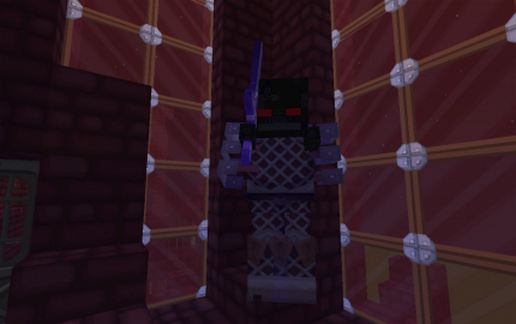
Description
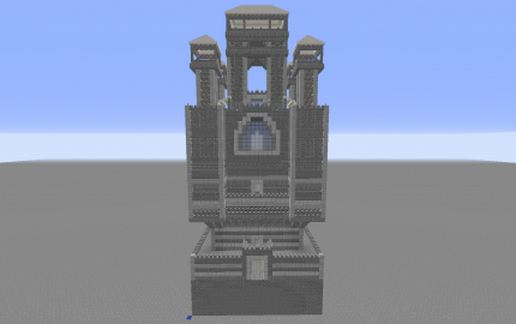
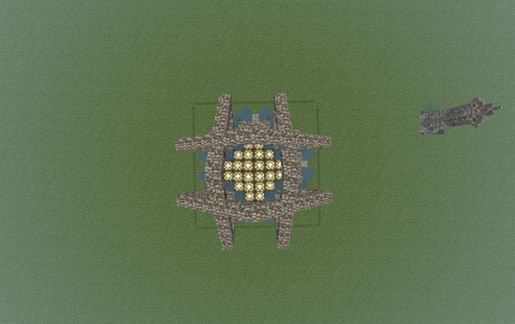
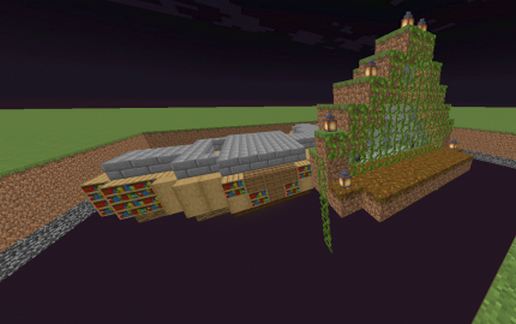
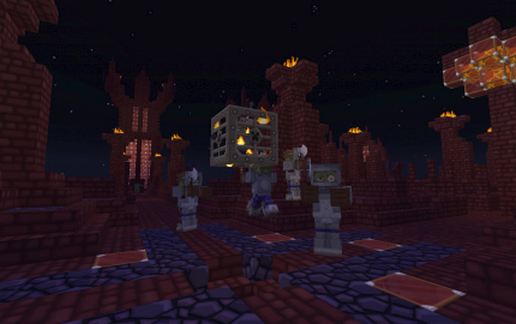
Nether Fortress by NSzyclonB
Mob Spawner code: USE Command block ! :
Haloween ARMY:
/setblock ~ ~1 ~ minecraft:mob_spawner 0 replace {EntityId:Zombie,SpawnData:{Equipment:[{id:258,Count:1}]},SpawnPotentials:[{Type:Zombie,Weight:1,Properties:{Equipment:[{id :258,Count :1},{id :299,Count :1},{id :300,Count :1},{id :301,Count :1},{id:91,Count:1}]}}],SpawnCount:30,SpawnRange:10,RequiredPlayerRange:64,Delay:10,MinSpawnDelay:1,MaxSpawnDelay:5,MaxNearbyEntities:25,x:1,y:1,z:1}
ARMORED Zombie:
/setblock ~ ~1 ~ minecraft:mob_spawner 0 replace {EntityId:Zombie,SpawnData: {Equipment:[{id:267,tag:{ench:[{id:17,lvl:1}]}},{id:309},{id:308},{id:307,tag:{ench:[{id:0,lvl:4}]}},{id:306}],CustomName:ArmoredZombie,CustomNameVisible:1}, SpawnPotentials:[{Type:Zombie,Weight:1,Properties:{Equipment:[{id :258,Count :1},{id :309,Count :1},{id :308,Count :1},{id :307,Count :1},{id:306,Count:1}]}}],SpawnCount:20,SpawnRange:5,RequiredPlayerRange:64,Delay:5,MinSpawnDelay:5,MaxSpawnDelay:5,MaxNearbyEntities:5,x:1,y:1,z:1}
Bonus :p :
Skeleton Horse:
/summon EntityHorse ~0 ~0 ~0 {Type:4, SaddleItem:{id:329}, Tame:1}
Zombie Horse:
/summon EntityHorse ~0 ~0 ~0 {Type:3, SaddleItem:{id:329}, Tame:1}
Cheat-Sword:
/give @p 276 1 0 {AttributeModifiers:[{AttributeName:"generic.attackDamage",Name:"generic.attackDamage",Amount:999999,Operation:0,UUIDLeast:894654,UUIDMost:2872}]}
Mob Spawner code: USE Command block ! :
Haloween ARMY:
/setblock ~ ~1 ~ minecraft:mob_spawner 0 replace {EntityId:Zombie,SpawnData:{Equipment:[{id:258,Count:1}]},SpawnPotentials:[{Type:Zombie,Weight:1,Properties:{Equipment:[{id :258,Count :1},{id :299,Count :1},{id :300,Count :1},{id :301,Count :1},{id:91,Count:1}]}}],SpawnCount:30,SpawnRange:10,RequiredPlayerRange:64,Delay:10,MinSpawnDelay:1,MaxSpawnDelay:5,MaxNearbyEntities:25,x:1,y:1,z:1}
ARMORED Zombie:
/setblock ~ ~1 ~ minecraft:mob_spawner 0 replace {EntityId:Zombie,SpawnData: {Equipment:[{id:267,tag:{ench:[{id:17,lvl:1}]}},{id:309},{id:308},{id:307,tag:{ench:[{id:0,lvl:4}]}},{id:306}],CustomName:ArmoredZombie,CustomNameVisible:1}, SpawnPotentials:[{Type:Zombie,Weight:1,Properties:{Equipment:[{id :258,Count :1},{id :309,Count :1},{id :308,Count :1},{id :307,Count :1},{id:306,Count:1}]}}],SpawnCount:20,SpawnRange:5,RequiredPlayerRange:64,Delay:5,MinSpawnDelay:5,MaxSpawnDelay:5,MaxNearbyEntities:5,x:1,y:1,z:1}
Bonus :p :
Skeleton Horse:
/summon EntityHorse ~0 ~0 ~0 {Type:4, SaddleItem:{id:329}, Tame:1}
Zombie Horse:
/summon EntityHorse ~0 ~0 ~0 {Type:3, SaddleItem:{id:329}, Tame:1}
Cheat-Sword:
/give @p 276 1 0 {AttributeModifiers:[{AttributeName:"generic.attackDamage",Name:"generic.attackDamage",Amount:999999,Operation:0,UUIDLeast:894654,UUIDMost:2872}]}
Download: Nether Fortress schematic for Minecraft
| Format | Size | Use with | |
|---|---|---|---|
.litematic nether-fortress.litematic |
73.40 KB | Litematica (Java) — more Litematica schematics |
|
.schem nether-fortress.schem |
17.29 KB | WorldEdit / FAWE |
|
.schematic nether-fortress.schematic |
29.69 KB | Legacy / online installer |
|
| Install this build directly on your Minecraft map |
|
||
Auto-converted from the original format; container contents (chests, signs) may be missing.
📘 How to use with Litematica (click to expand)
- Put the downloaded
.litematicfile into the.minecraft/schematics/folder. - In game, press M to open the Litematica menu and choose Load Schematics.
- Select the file in the list and click Load Schematic.
- Position the placement where you want it and build — or paste it instantly in creative with Easy Place mode.
Requires the Litematica mod (Java Edition).
More builds: Litematica schematics.
Comments
Similar