Dream Survival House
Published on October 11, 2025
👁️🗨️ 29441
6244
★
★
★
★
★
Rate it
Screenshots
Description
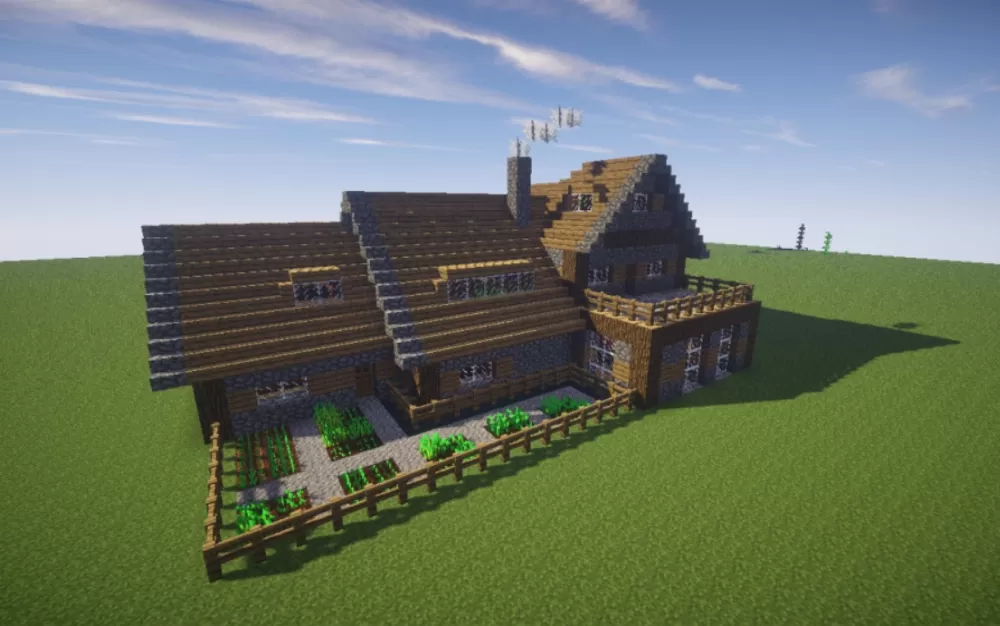
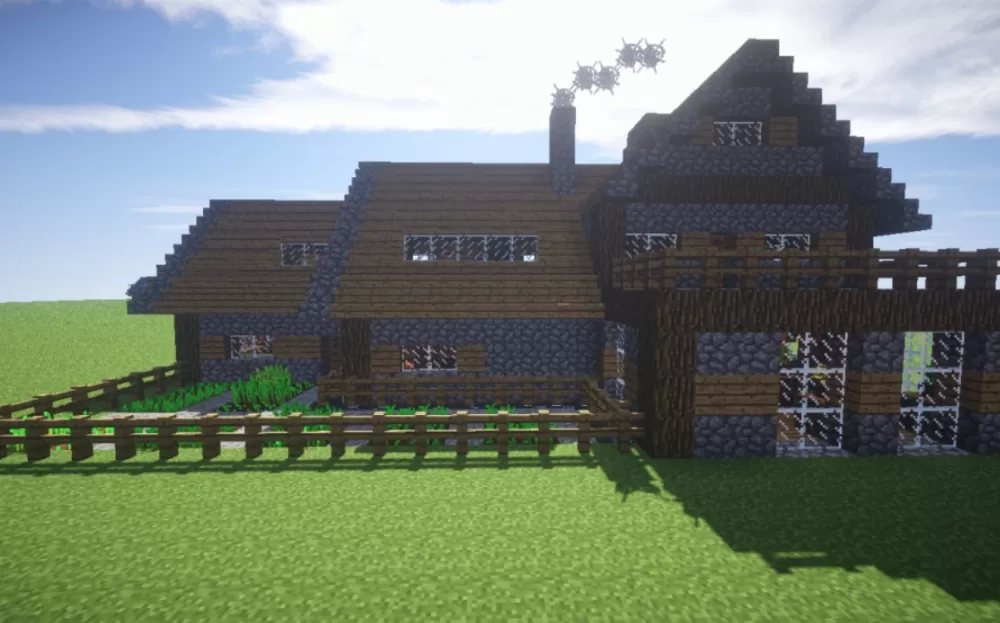
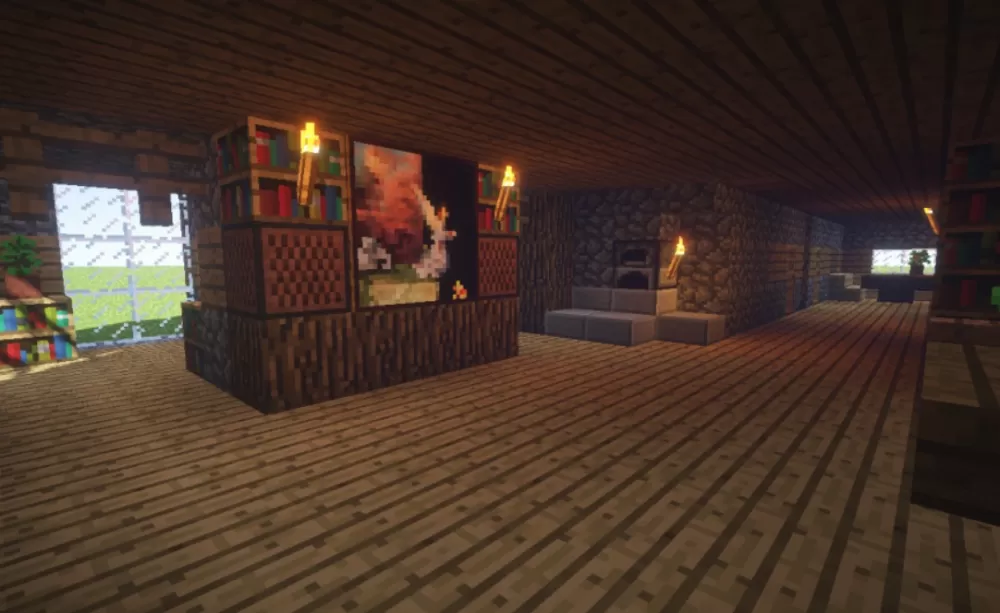
The Dream Survival House schematic for Minecraft Bedrock Edition provides a large multi-story building with attached garden space. The structure uses traditional building materials like oak wood, cobblestone, and dark oak accents to create a rustic survival-style home suitable for multiple players.
The house features multiple sections with varying roof heights and architectural details. Dark oak wood forms the primary walls with cobblestone foundations and stone brick chimneys. The roofing uses oak wood stairs and slabs to create sloped surfaces. Windows with glass panes provide natural light throughout the structure. The building includes multiple rooms across different levels, providing enough space for several players to have their own areas. A covered porch or balcony extends from one section. The multi-section design creates distinct zones within the house rather than a single open interior.
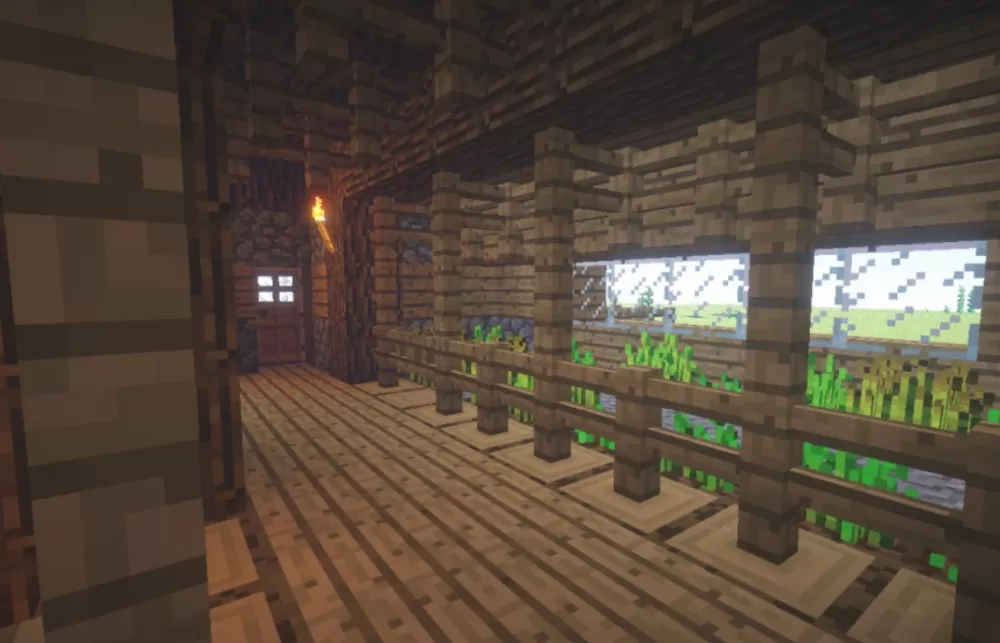
A fenced garden plot sits adjacent to the main building, containing crop rows with various plants already growing. The fence keeps mobs out while allowing players to tend crops safely. The garden provides immediate food production capability without requiring players to establish farming infrastructure separately.
The house features multiple sections with varying roof heights and architectural details. Dark oak wood forms the primary walls with cobblestone foundations and stone brick chimneys. The roofing uses oak wood stairs and slabs to create sloped surfaces. Windows with glass panes provide natural light throughout the structure. The building includes multiple rooms across different levels, providing enough space for several players to have their own areas. A covered porch or balcony extends from one section. The multi-section design creates distinct zones within the house rather than a single open interior.
A fenced garden plot sits adjacent to the main building, containing crop rows with various plants already growing. The fence keeps mobs out while allowing players to tend crops safely. The garden provides immediate food production capability without requiring players to establish farming infrastructure separately.
Download: Dream Survival House schematic for Minecraft
| Format | Size | Use with | |
|---|---|---|---|
.litematic dream-survival-house.litematic |
50.25 KB | Litematica (Java) — more Litematica schematics |
|
.schem dream-survival-house.schem |
2.43 KB | WorldEdit / FAWE |
|
.schematic dream-survival-house.schematic |
2.42 KB | Legacy / online installer |
|
| Install this build directly on your Minecraft map |
|
||
Auto-converted from the original format; container contents (chests, signs) may be missing.
📘 How to use with Litematica (click to expand)
- Put the downloaded
.litematicfile into the.minecraft/schematics/folder. - In game, press M to open the Litematica menu and choose Load Schematics.
- Select the file in the list and click Load Schematic.
- Position the placement where you want it and build — or paste it instantly in creative with Easy Place mode.
Requires the Litematica mod (Java Edition).
More builds: Litematica schematics.
Comments
Similar