Fantasy Wizard Tower
Published on March 3, 2026
👁️🗨️ 5129
781
★
★
★
★
★
Rate it
Screenshots
Description
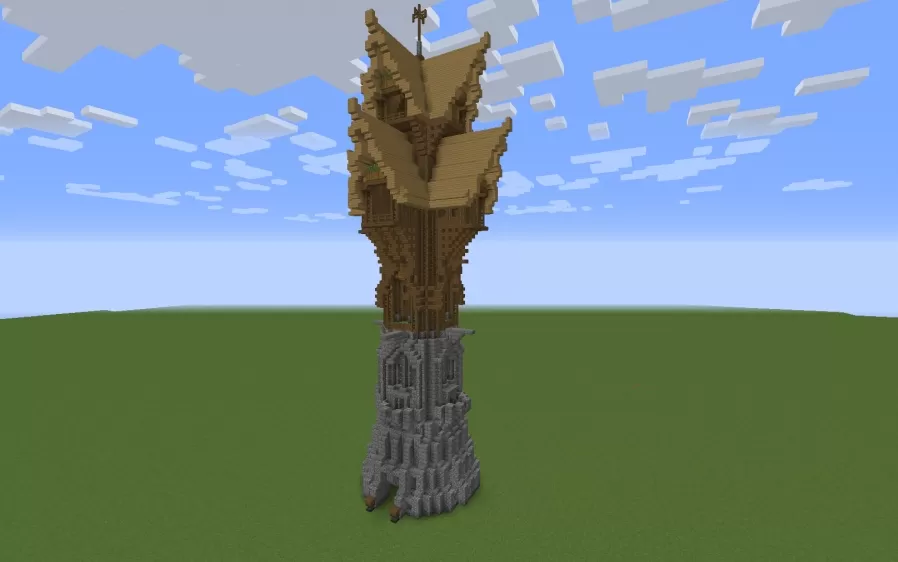
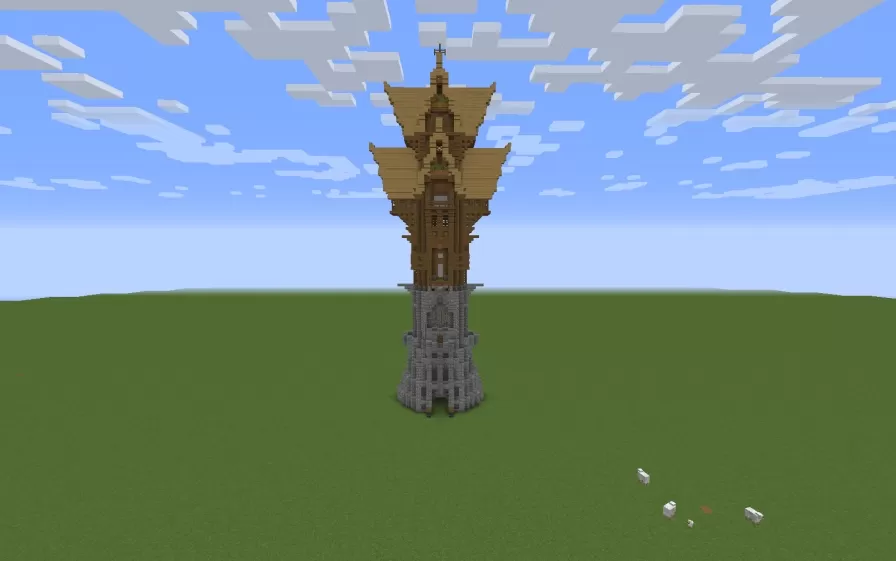
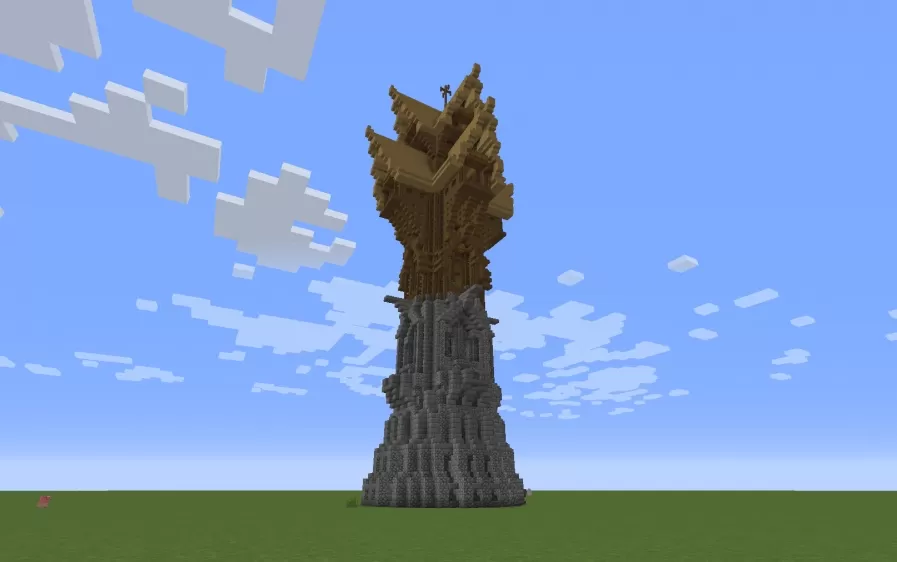
This schematic presents a tall fantasy wizard tower featuring a distinctive two-tone architectural design with a stone brick foundation topped by an ornate wooden upper structure. The tower's lower section uses detailed stonework with arched window openings and buttress-like supports, while the upper portion showcases elaborate wooden construction with multiple curved eaves, decorative overhangs, and a pagoda-inspired roof design crowned with a spire. The organic, asymmetric shape of the upper levels creates a whimsical, magical appearance that stands in elegant contrast to the sturdy stone base below.
The vertical design makes this tower perfect for mage quarters, arcane libraries, enchanting rooms, or alchemical laboratories in fantasy-themed worlds. Its compact footprint conserves ground space while the tall structure provides multiple interior floors for different magical purposes - potion brewing at lower levels, spell research in middle chambers, and observatory or ritual spaces at the peak. This schematic works exceptionally well in medieval towns as a wizard's residence, in magic academy campuses, or as a solitary tower for hermit mages in remote locations. The unique architectural blend of solid stone foundation and fantastical wooden superstructure creates an instantly recognizable magical landmark.
The vertical design makes this tower perfect for mage quarters, arcane libraries, enchanting rooms, or alchemical laboratories in fantasy-themed worlds. Its compact footprint conserves ground space while the tall structure provides multiple interior floors for different magical purposes - potion brewing at lower levels, spell research in middle chambers, and observatory or ritual spaces at the peak. This schematic works exceptionally well in medieval towns as a wizard's residence, in magic academy campuses, or as a solitary tower for hermit mages in remote locations. The unique architectural blend of solid stone foundation and fantastical wooden superstructure creates an instantly recognizable magical landmark.
Download: Fantasy Wizard Tower schematic for Minecraft
| Format | Size | Use with | |
|---|---|---|---|
.litematic fantasy-wizard-tower.litematic |
32.97 KB | Litematica (Java) — more Litematica schematics |
|
.schem fantasy-wizard-tower.schem |
3.86 KB | WorldEdit / FAWE |
|
.schematic fantasy-wizard-tower.schematic |
5.45 KB | Legacy / online installer |
|
Install this build directly on your Minecraft map
Auto-converted from the original format; container contents (chests, signs) may be missing.
📘 How to use with Litematica (click to expand)
- Put the downloaded
.litematicfile into the.minecraft/schematics/folder. - In game, press M to open the Litematica menu and choose Load Schematics.
- Select the file in the list and click Load Schematic.
- Position the placement where you want it and build — or paste it instantly in creative with Easy Place mode.
Requires the Litematica mod (Java Edition).
More builds: Litematica schematics.