Seaside Nordic Mansion
Published on March 10, 2026
👁️🗨️ 7824
1608
★
★
★
★
★
Rate it
Screenshots
Description
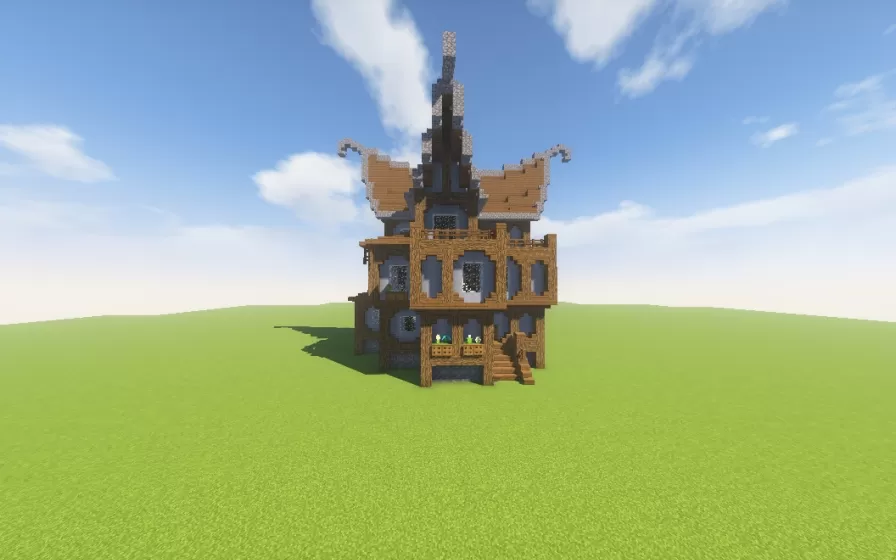
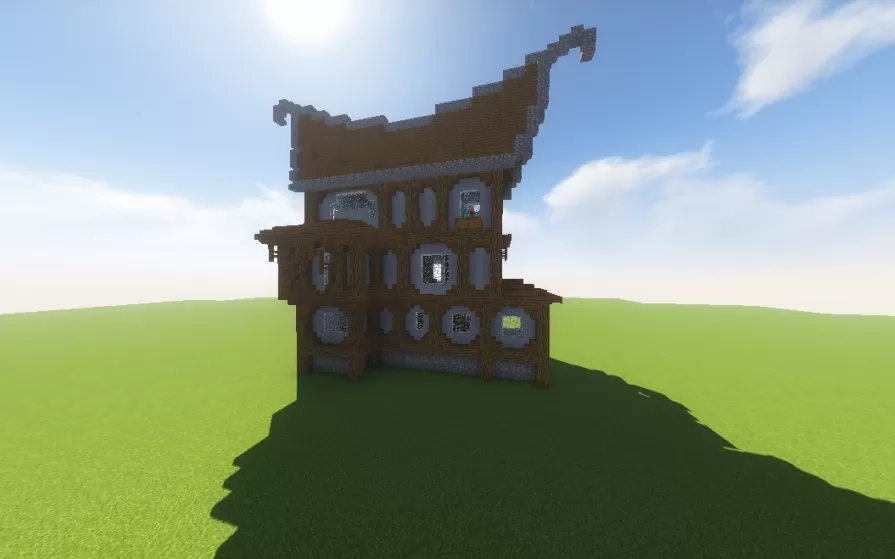
This schematic showcases an impressive Scandinavian-style mansion featuring distinctive Nordic architectural elements including curved decorative wings extending from the upper roofline, reminiscent of traditional Viking longhouse designs. The structure rises four levels including a basement, constructed primarily with spruce and dark oak wood complemented by stone brick foundations and blue-tinted glass windows. The building exhibits classic Nordic timber framing with exposed wooden beams, steep rooflines, and ornamental details that create an authentic Scandinavian aesthetic. A central spire topped with decorative elements crowns the mansion, while the front entrance features a welcoming stairway leading to the main floor.
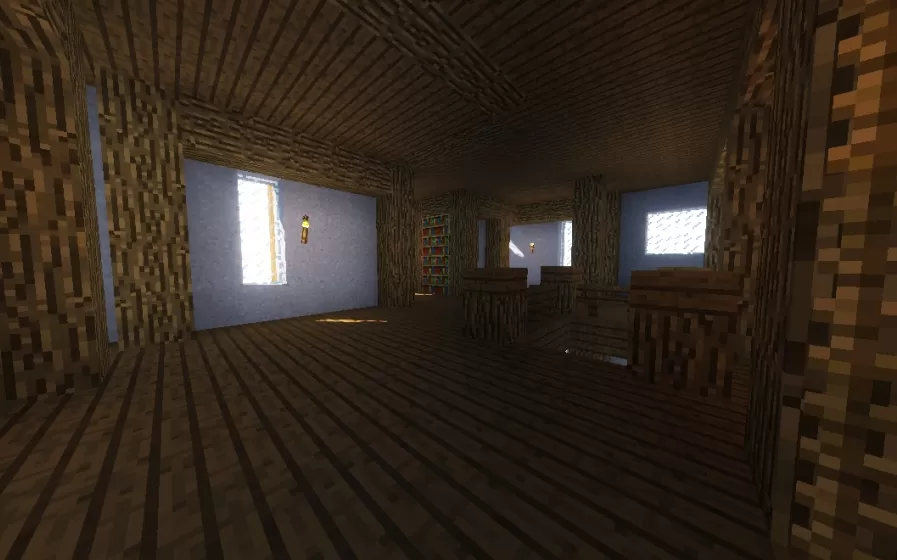
The mansion comes partially furnished across its three main floors plus basement level, providing players with a functional living space while leaving room for customization. The multi-story layout offers ample space for various rooms including living quarters, dining halls, storage areas, and workshops distributed throughout the vertical structure. This schematic works exceptionally well for coastal or lakeside builds given its seaside designation, fitting naturally into Nordic-themed villages, Viking settlements, or mountain lodge environments. The distinctive architectural style with its curved wing ornaments and traditional timber construction makes it an ideal centerpiece for players seeking authentic Scandinavian atmosphere in their medieval or fantasy worlds.
The mansion comes partially furnished across its three main floors plus basement level, providing players with a functional living space while leaving room for customization. The multi-story layout offers ample space for various rooms including living quarters, dining halls, storage areas, and workshops distributed throughout the vertical structure. This schematic works exceptionally well for coastal or lakeside builds given its seaside designation, fitting naturally into Nordic-themed villages, Viking settlements, or mountain lodge environments. The distinctive architectural style with its curved wing ornaments and traditional timber construction makes it an ideal centerpiece for players seeking authentic Scandinavian atmosphere in their medieval or fantasy worlds.
Download: Seaside Nordic Mansion schematic for Minecraft
| Format | Size | Use with | |
|---|---|---|---|
.litematic seaside-nordic-mansion.litematic |
44.51 KB | Litematica (Java) — more Litematica schematics |
|
.schem seaside-nordic-mansion.schem |
4.26 KB | WorldEdit / FAWE |
|
.schematic seaside-nordic-mansion.schematic |
5.27 KB | Legacy / online installer |
|
| Install this build directly on your Minecraft map |
|
||
Auto-converted from the original format; container contents (chests, signs) may be missing.
📘 How to use with Litematica (click to expand)
- Put the downloaded
.litematicfile into the.minecraft/schematics/folder. - In game, press M to open the Litematica menu and choose Load Schematics.
- Select the file in the list and click Load Schematic.
- Position the placement where you want it and build — or paste it instantly in creative with Easy Place mode.
Requires the Litematica mod (Java Edition).
More builds: Litematica schematics.
Comments
Similar