Weirwood Tree
Published on March 15, 2026
👁️🗨️ 6961
1420
★
★
★
★
★
Rate it
Screenshots
Description
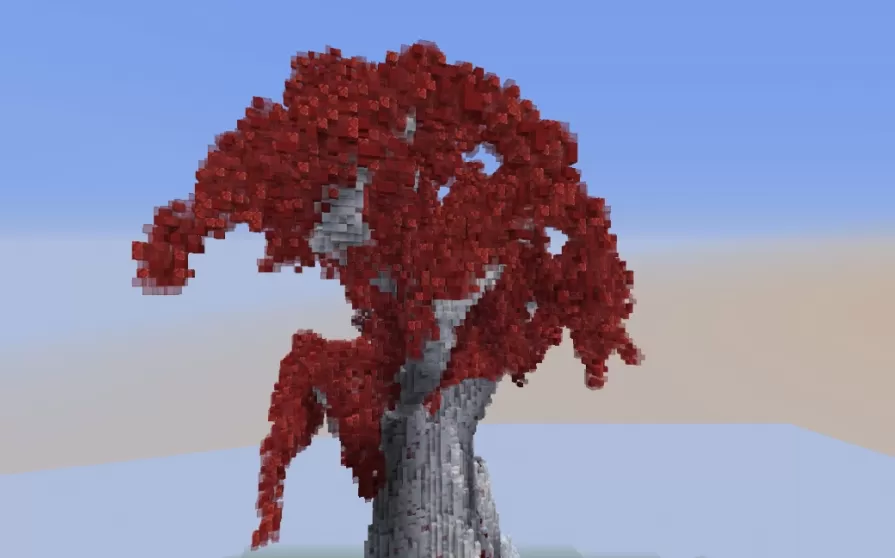
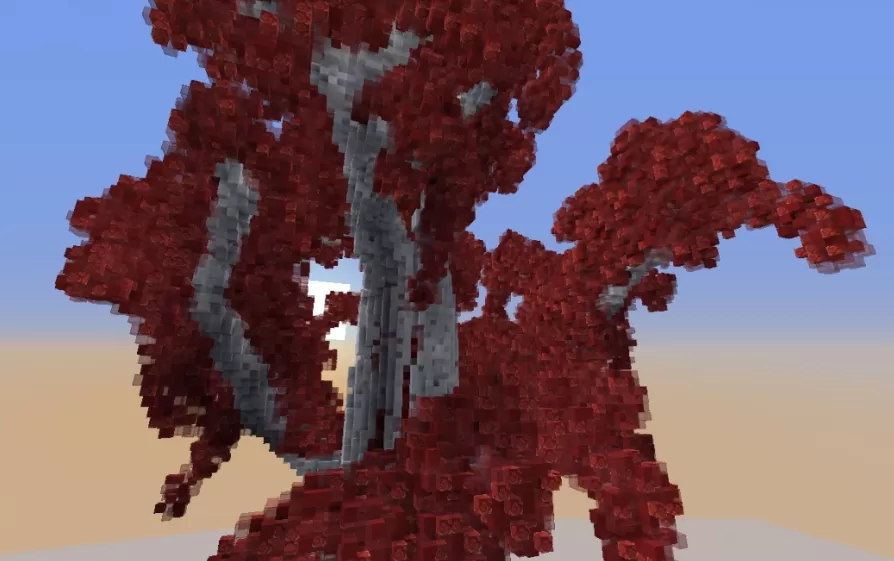
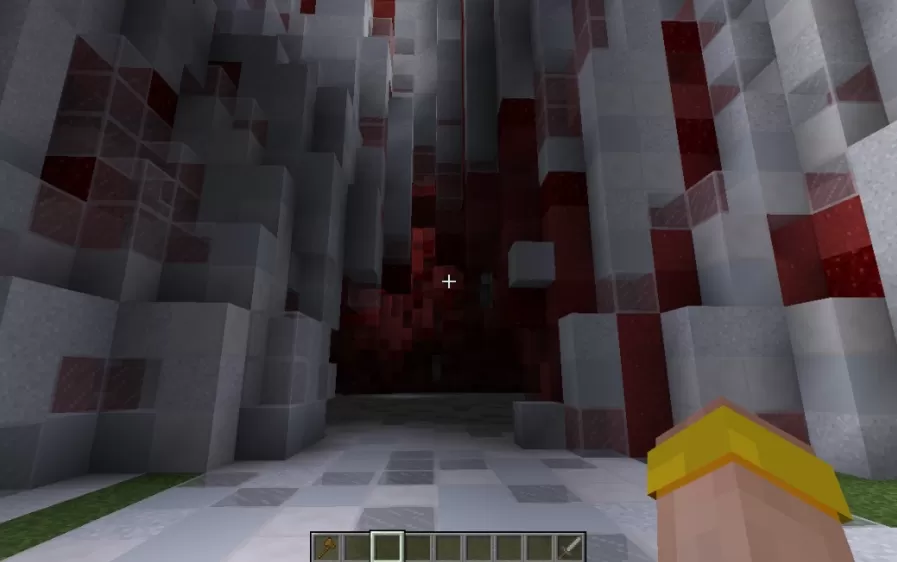
This schematic recreates the iconic Weirwood tree from Game of Thrones, featuring a massive ancient trunk constructed from gray stone and bark blocks with sprawling branches covered in distinctive deep red foliage. The tree's organic, twisted structure captures the mystical and ancient character of the sacred trees from the series, with gnarled branches extending in all directions and a dense canopy of crimson leaves that create a striking visual against any sky. The trunk is hollow in the center, allowing players to enter and use the interior space for hidden chambers, shrines, or secret passages befitting the tree's mythological significance.
Due to its enormous scale, this schematic requires careful placement planning as it dominates the landscape with approximately 70 blocks of clearance needed on each side and 20 blocks behind the viewing position. The tree is best placed as one of the first major structures in an area, serving as a central landmark around which other builds can be arranged. This build works exceptionally well for Game of Thrones-themed worlds, fantasy forests, sacred grove locations, or as a centerpiece for castles and keeps where the Weirwood serves its traditional role as a godswood heart tree for meditation and ancient rituals.
Due to its enormous scale, this schematic requires careful placement planning as it dominates the landscape with approximately 70 blocks of clearance needed on each side and 20 blocks behind the viewing position. The tree is best placed as one of the first major structures in an area, serving as a central landmark around which other builds can be arranged. This build works exceptionally well for Game of Thrones-themed worlds, fantasy forests, sacred grove locations, or as a centerpiece for castles and keeps where the Weirwood serves its traditional role as a godswood heart tree for meditation and ancient rituals.
Download: Weirwood Tree schematic for Minecraft
| Format | Size | Use with | |
|---|---|---|---|
.litematic weirwood-tree.litematic |
128.28 KB | Litematica (Java) — more Litematica schematics |
|
.schem weirwood-tree.schem |
95.73 KB | WorldEdit / FAWE |
|
.schematic weirwood-tree.schematic |
140.72 KB | Legacy / online installer |
|
| Install this build directly on your Minecraft map |
|
||
Auto-converted from the original format; container contents (chests, signs) may be missing.
📘 How to use with Litematica (click to expand)
- Put the downloaded
.litematicfile into the.minecraft/schematics/folder. - In game, press M to open the Litematica menu and choose Load Schematics.
- Select the file in the list and click Load Schematic.
- Position the placement where you want it and build — or paste it instantly in creative with Easy Place mode.
Requires the Litematica mod (Java Edition).
More builds: Litematica schematics.
Comments
Similar