Refrigerated Van
Published on April 1, 2026
👁️🗨️ 2344
288
★
★
★
★
★
Rate it
Screenshots
Description
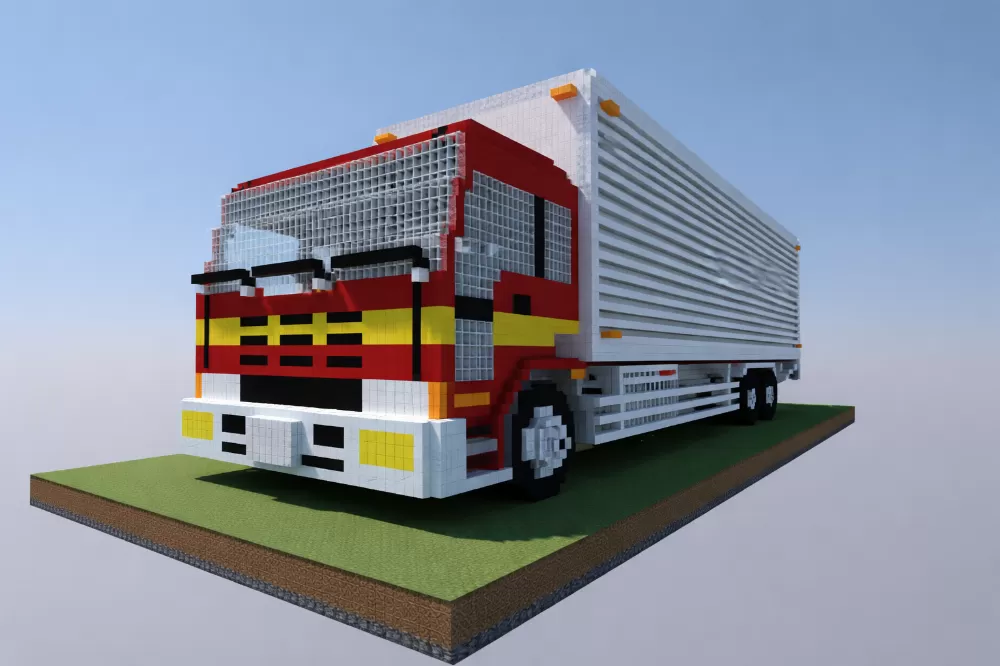
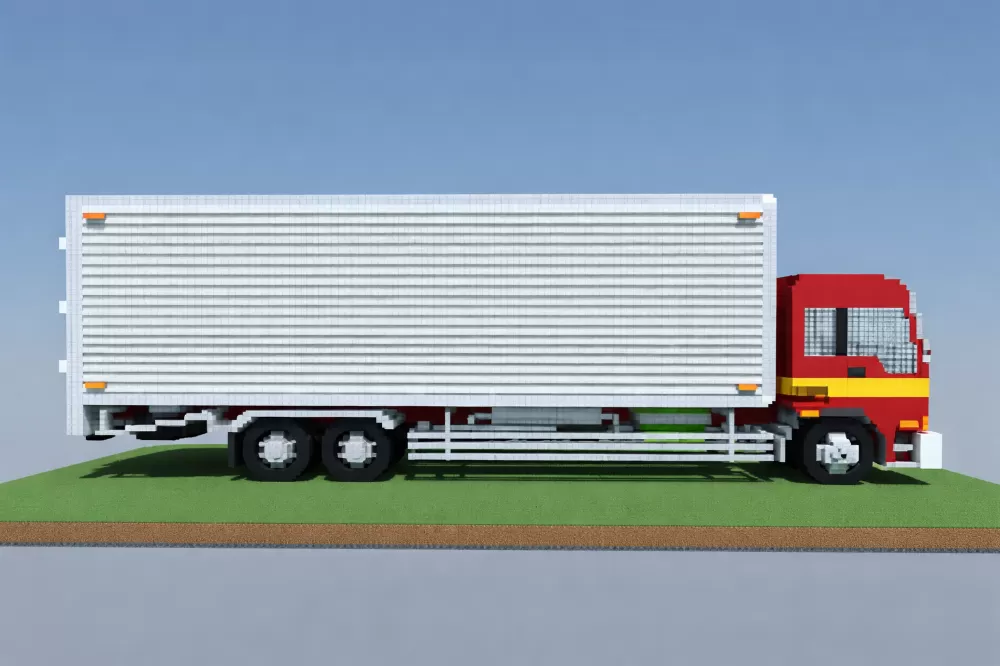
This schematic recreates a 10-wheeler refrigerated van truck with Japanese-inspired styling, built in a precise pixel art aesthetic that captures the blocky charm of retro vehicle designs. The truck features a distinctive red and white cab with yellow accent stripes, large windshield constructed from glass blocks, and detailed front grille work with headlights and bumper elements. The refrigerated cargo box is rendered in clean white and gray horizontal stripes that simulate the ribbed metal siding of real refrigeration trailers, complete with orange marker lights at the corners. The vehicle includes accurately proportioned dual rear axles with black wheel assemblies and visible undercarriage details.
The pixel art construction style gives the truck a clean, geometric appearance while maintaining recognizable vehicle proportions and functional details like the cab-over-engine design common in Japanese commercial trucks. The white refrigerated trailer contrasts sharply with the colorful cab, creating visual separation between the tractor and cargo sections. This schematic works perfectly for modern city builds, industrial districts, logistics centers, or transportation-themed worlds where delivery vehicles and commercial traffic add realism to urban environments. The compact yet detailed design makes it suitable for roadside displays, parking lots, loading docks, or as decorative elements in survival worlds with contemporary or industrial themes.
The pixel art construction style gives the truck a clean, geometric appearance while maintaining recognizable vehicle proportions and functional details like the cab-over-engine design common in Japanese commercial trucks. The white refrigerated trailer contrasts sharply with the colorful cab, creating visual separation between the tractor and cargo sections. This schematic works perfectly for modern city builds, industrial districts, logistics centers, or transportation-themed worlds where delivery vehicles and commercial traffic add realism to urban environments. The compact yet detailed design makes it suitable for roadside displays, parking lots, loading docks, or as decorative elements in survival worlds with contemporary or industrial themes.
Download: Refrigerated Van schematic for Minecraft
| Format | Size | Use with | |
|---|---|---|---|
.litematic refrigerated-van.litematic |
51.74 KB | Litematica (Java) — more Litematica schematics |
|
.schem refrigerated-van.schem |
5.27 KB | WorldEdit / FAWE |
|
.schematic refrigerated-van.schematic |
7.98 KB | Legacy / online installer |
|
Install this build directly on your Minecraft map
Auto-converted from the original format; container contents (chests, signs) may be missing.
📘 How to use with Litematica (click to expand)
- Put the downloaded
.litematicfile into the.minecraft/schematics/folder. - In game, press M to open the Litematica menu and choose Load Schematics.
- Select the file in the list and click Load Schematic.
- Position the placement where you want it and build — or paste it instantly in creative with Easy Place mode.
Requires the Litematica mod (Java Edition).
More builds: Litematica schematics.