Small Cozy House
Published on April 8, 2026
👁️🗨️ 7312
1327
★
★
★
★
★
Rate it
Screenshots
Description
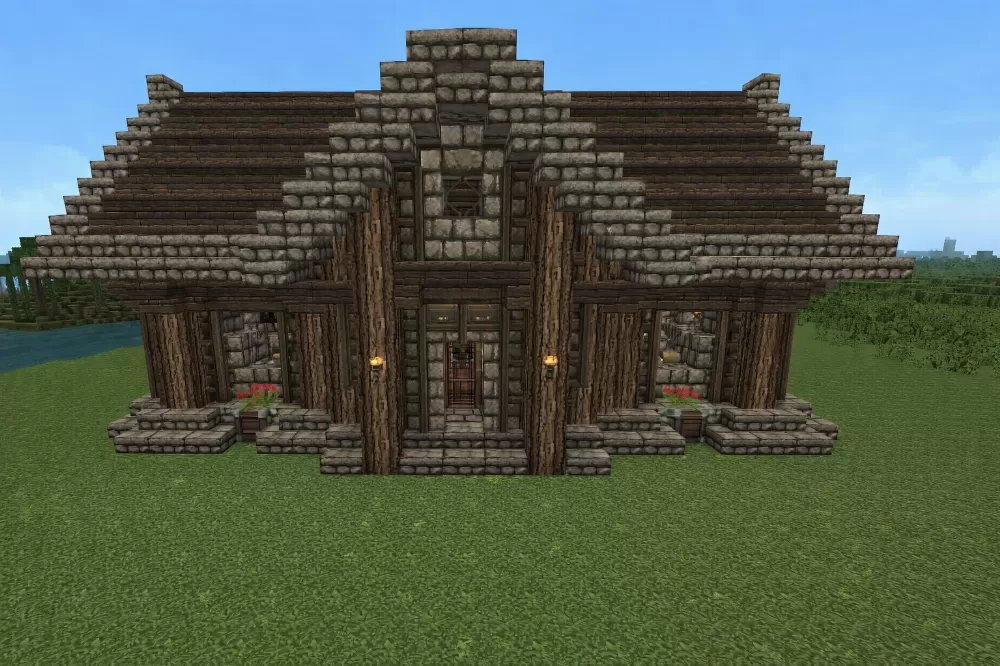
This schematic features a charming medieval-style house built with a harmonious blend of dark oak wood and stone brick materials, creating a warm and inviting rustic aesthetic. The structure showcases a symmetrical facade with a prominent peaked roof design, vertical wooden pillar supports, and stone brick foundations and accents. The entrance features a recessed doorway flanked by decorative lanterns and flower boxes with red flowers, while the front porch area includes barrel decorations and stepped stone platforms. The building uses horizontal dark oak planks for the roof in a layered pattern that creates depth and texture, while the walls alternate between stripped dark oak logs and stone brick panels.
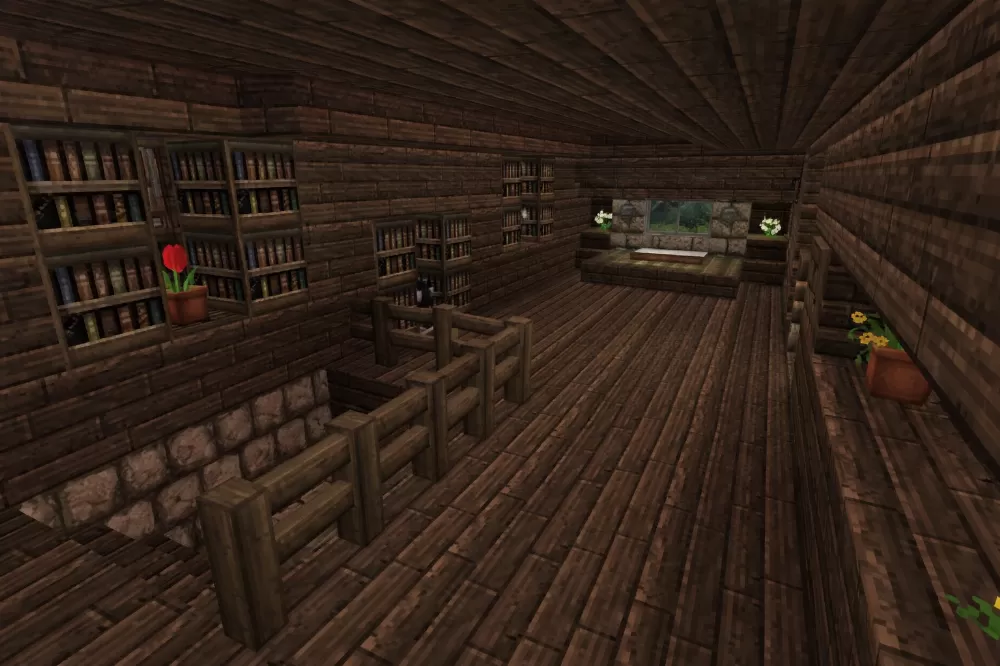
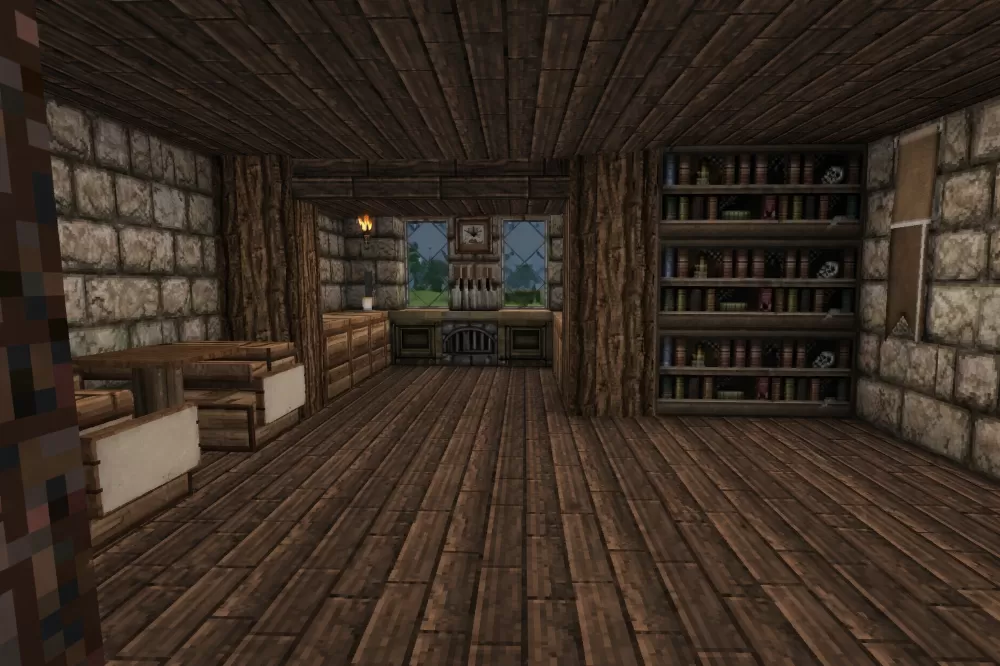
The house design emphasizes cozy proportions with a compact footprint that remains spacious enough for comfortable living quarters. Multiple windows with stone brick frames provide natural lighting throughout the interior, and the symmetrical layout suggests well-organized room divisions inside. This schematic works perfectly for survival starter homes, village residential areas, medieval town districts, or as a template for players who want an attractive yet practical building that doesn't require massive resources. The welcoming exterior with its decorative elements and balanced proportions makes it suitable for both single-player bases and multiplayer community builds where consistent architectural style matters.
The house design emphasizes cozy proportions with a compact footprint that remains spacious enough for comfortable living quarters. Multiple windows with stone brick frames provide natural lighting throughout the interior, and the symmetrical layout suggests well-organized room divisions inside. This schematic works perfectly for survival starter homes, village residential areas, medieval town districts, or as a template for players who want an attractive yet practical building that doesn't require massive resources. The welcoming exterior with its decorative elements and balanced proportions makes it suitable for both single-player bases and multiplayer community builds where consistent architectural style matters.
Download: Small Cozy House schematic for Minecraft
| Format | Size | Use with | |
|---|---|---|---|
.litematic small-cozy-house.litematic |
45.98 KB | Litematica (Java) — more Litematica schematics |
|
.schem small-cozy-house.schem |
1.81 KB | WorldEdit / FAWE |
|
.schematic small-cozy-house.schematic |
1.57 KB | Legacy / online installer |
|
| Install this build directly on your Minecraft map |
|
||
Auto-converted from the original format; container contents (chests, signs) may be missing.
📘 How to use with Litematica (click to expand)
- Put the downloaded
.litematicfile into the.minecraft/schematics/folder. - In game, press M to open the Litematica menu and choose Load Schematics.
- Select the file in the list and click Load Schematic.
- Position the placement where you want it and build — or paste it instantly in creative with Easy Place mode.
Requires the Litematica mod (Java Edition).
More builds: Litematica schematics.
Comments
Similar