Twins Towers Gate
Published on April 17, 2026
👁️🗨️ 2376
210
★
★
★
★
★
Rate it
Screenshots
Description
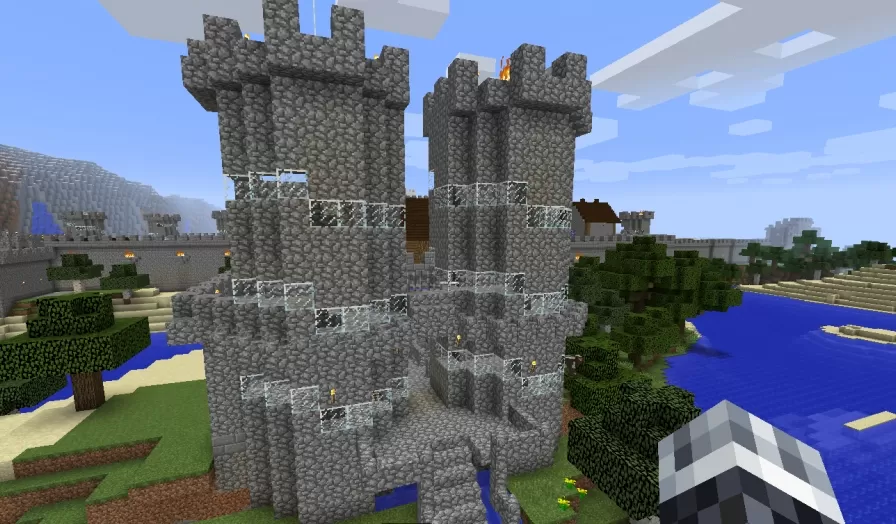
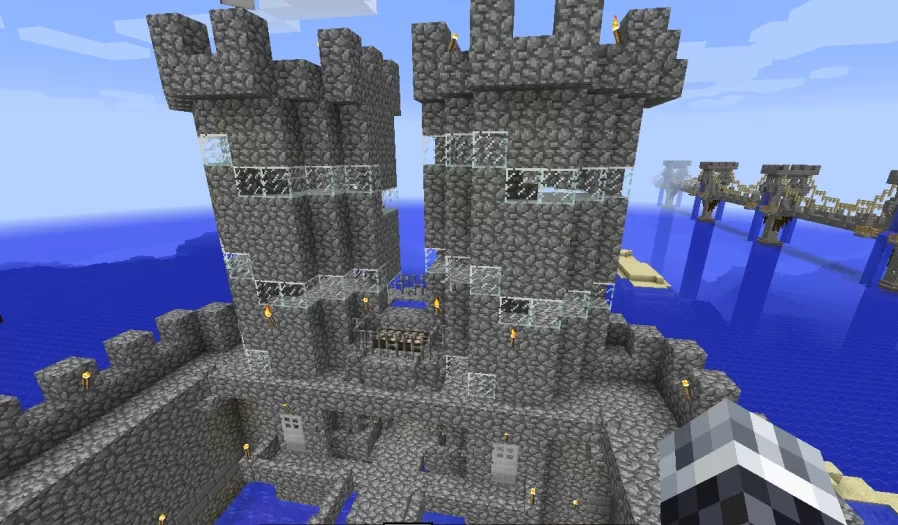
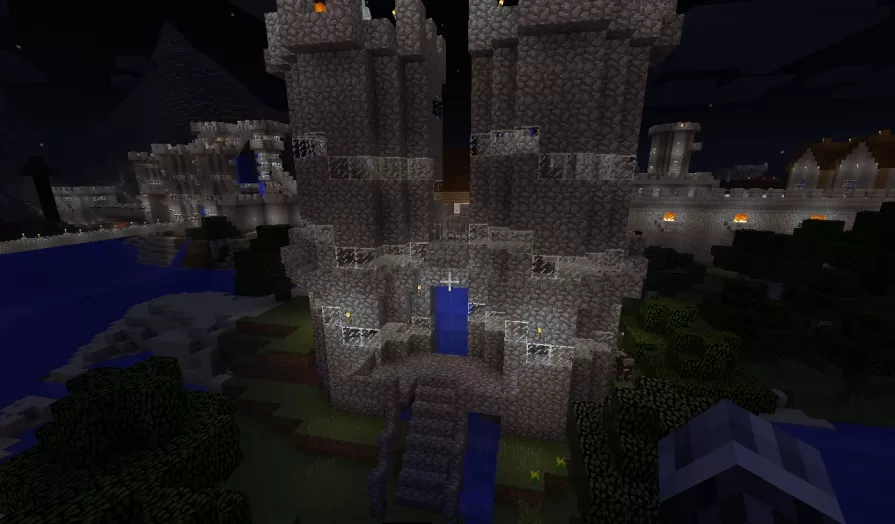
This schematic features a formidable castle gatehouse consisting of two imposing square towers constructed from cobblestone and stone brick materials, connected by a fortified wall section that houses the main entrance. The towers rise multiple stories with crenellated battlements at the top, arrow slit windows for defensive positions, and decorative iron bar railings on upper balcony levels. The structure is built with authentic medieval defensive architecture including thick walls, strategic window placement, and protective overhangs. Dark oak wood accents provide contrast to the gray stone construction, while torches illuminate key areas for both functionality and atmospheric effect.
The gatehouse includes an impressive automated system featuring a fully functional drawbridge that operates on daylight sensors, automatically opening during daytime hours and closing at night for enhanced security. Additionally, a waterfall feature activates based on daylight conditions, adding dynamic visual interest and realism to the entrance. The twin tower design creates a commanding presence suitable for main castle entrances, city gates, or fortress perimeters where defensive architecture matters. This schematic works perfectly for survival servers with automated base defenses, medieval roleplay worlds requiring functional castle mechanics, or adventure maps where day-night cycles affect accessibility. The redstone automation eliminates manual operation while maintaining the authentic medieval aesthetic of a traditional castle gateway.
The gatehouse includes an impressive automated system featuring a fully functional drawbridge that operates on daylight sensors, automatically opening during daytime hours and closing at night for enhanced security. Additionally, a waterfall feature activates based on daylight conditions, adding dynamic visual interest and realism to the entrance. The twin tower design creates a commanding presence suitable for main castle entrances, city gates, or fortress perimeters where defensive architecture matters. This schematic works perfectly for survival servers with automated base defenses, medieval roleplay worlds requiring functional castle mechanics, or adventure maps where day-night cycles affect accessibility. The redstone automation eliminates manual operation while maintaining the authentic medieval aesthetic of a traditional castle gateway.
Download: Twins Towers Gate schematic for Minecraft
| Format | Size | Use with | |
|---|---|---|---|
.litematic twins-towers-gate.litematic |
49.90 KB | Litematica (Java) — more Litematica schematics |
|
.schem twins-towers-gate.schem |
1.23 KB | WorldEdit / FAWE |
|
.schematic twins-towers-gate.schematic |
1.75 KB | Legacy / online installer |
|
| Install this build directly on your Minecraft map |
|
||
Auto-converted from the original format; container contents (chests, signs) may be missing.
📘 How to use with Litematica (click to expand)
- Put the downloaded
.litematicfile into the.minecraft/schematics/folder. - In game, press M to open the Litematica menu and choose Load Schematics.
- Select the file in the list and click Load Schematic.
- Position the placement where you want it and build — or paste it instantly in creative with Easy Place mode.
Requires the Litematica mod (Java Edition).
More builds: Litematica schematics.
Comments
Similar