Ygdrassil's Retreat
Published on April 20, 2026
👁️🗨️ 4898
1117
★
★
★
★
★
Rate it
Screenshots
Description
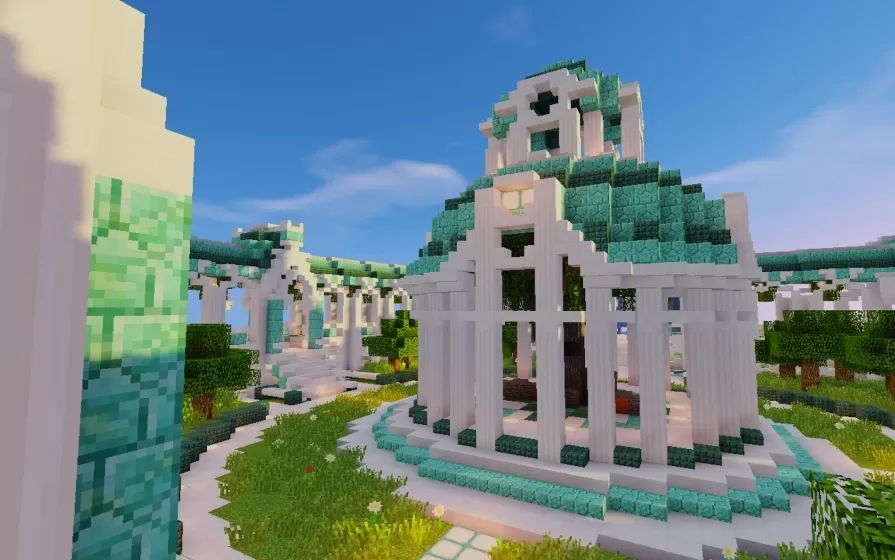
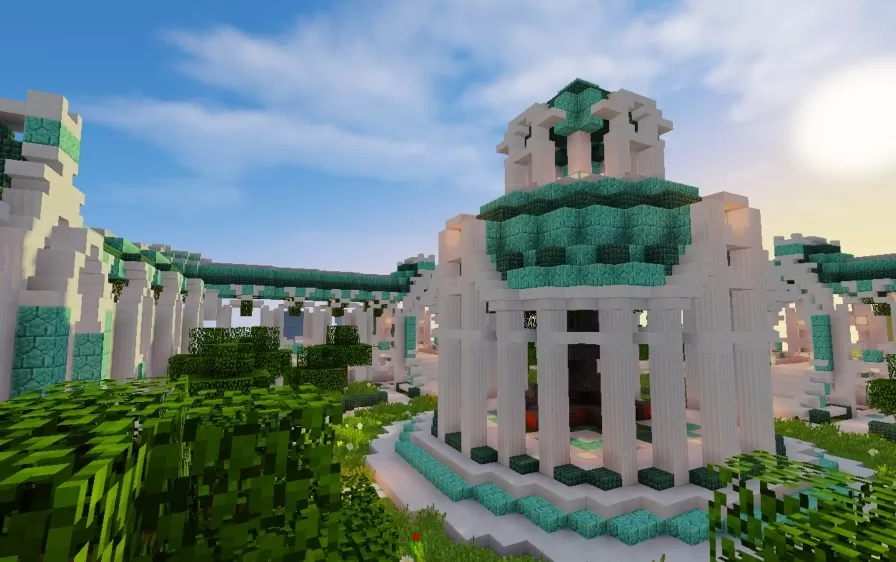
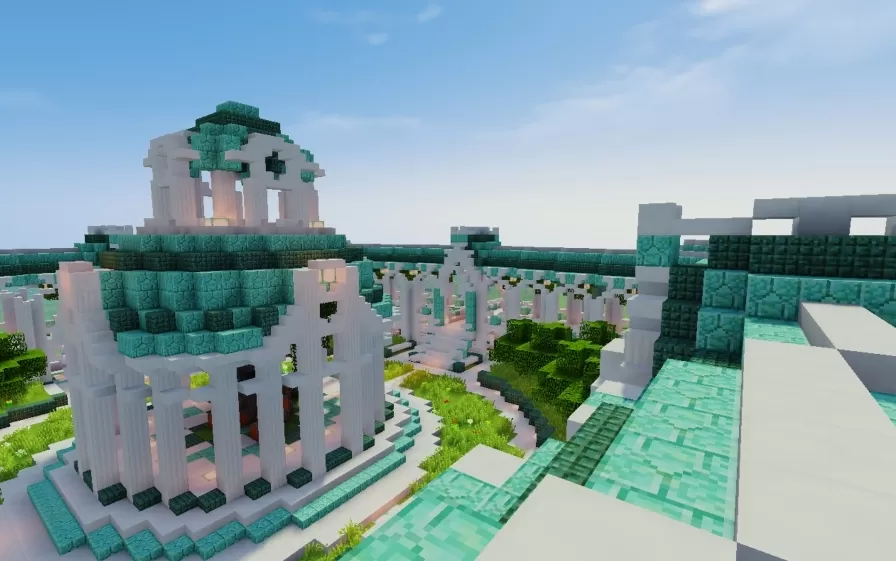
This schematic presents an elegant ancient temple dedicated to Yggdrasil, the mythological world tree, constructed with a distinctive color palette of white quartz, prismarine variants, and pink accents that create an ethereal, otherworldly atmosphere. The temple complex features multiple circular pavilion structures with tall columned walls supporting stepped pyramid roofs adorned with prismarine blocks. At the center stands the shrine of Yggdrasil, surrounded by an open colonnade that allows views of the sacred tree from all directions. The architecture incorporates classical elements like fluted columns, ornamental capitals, and symmetrical layouts connected by pathways and landscaped gardens with decorative vegetation.
The temple grounds include raised platforms with prismarine trim, manicured lawn areas with integrated tree placement, and water features that complement the serene sacred atmosphere. While designed primarily as a scenic structure without specific functional mechanics, the open layout provides flexibility for players to assign their own purposes such as spawn points, meditation areas, meeting halls, or religious ceremony locations in roleplay servers. This schematic works beautifully in mythology-themed worlds, fantasy builds emphasizing nature worship, or as a peaceful landmark in survival worlds where players want an impressive yet serene architectural centerpiece. The combination of bright white structures with turquoise prismarine accents creates a unique visual identity that stands out in natural landscapes.
The temple grounds include raised platforms with prismarine trim, manicured lawn areas with integrated tree placement, and water features that complement the serene sacred atmosphere. While designed primarily as a scenic structure without specific functional mechanics, the open layout provides flexibility for players to assign their own purposes such as spawn points, meditation areas, meeting halls, or religious ceremony locations in roleplay servers. This schematic works beautifully in mythology-themed worlds, fantasy builds emphasizing nature worship, or as a peaceful landmark in survival worlds where players want an impressive yet serene architectural centerpiece. The combination of bright white structures with turquoise prismarine accents creates a unique visual identity that stands out in natural landscapes.
Download: Ygdrassil's Retreat schematic for Minecraft
| Format | Size | Use with | |
|---|---|---|---|
.litematic ygdrassil's-retreat.litematic |
71.60 KB | Litematica (Java) — more Litematica schematics |
|
.schem ygdrassil's-retreat.schem |
10.54 KB | WorldEdit / FAWE |
|
.schematic ygdrassil's-retreat.schematic |
18.20 KB | Legacy / online installer |
|
| Install this build directly on your Minecraft map |
|
||
Auto-converted from the original format; container contents (chests, signs) may be missing.
📘 How to use with Litematica (click to expand)
- Put the downloaded
.litematicfile into the.minecraft/schematics/folder. - In game, press M to open the Litematica menu and choose Load Schematics.
- Select the file in the list and click Load Schematic.
- Position the placement where you want it and build — or paste it instantly in creative with Easy Place mode.
Requires the Litematica mod (Java Edition).
More builds: Litematica schematics.