Finn The Human
Published on April 26, 2026
👁️🗨️ 2302
306
★
★
★
★
★
Rate it
Screenshots
Description
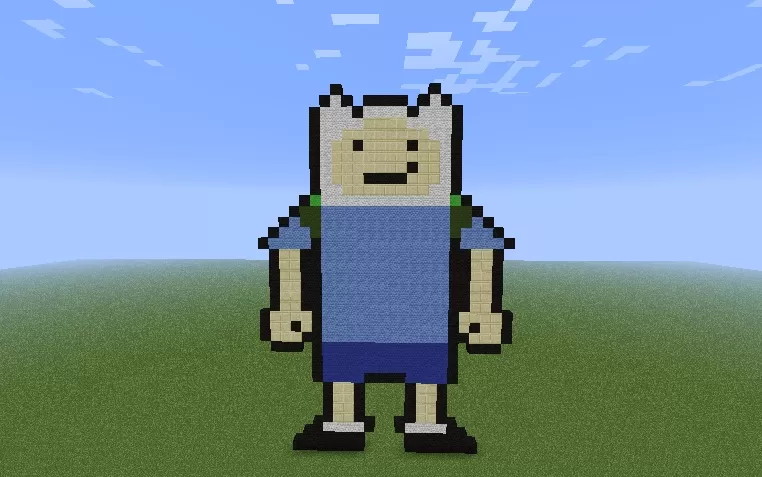
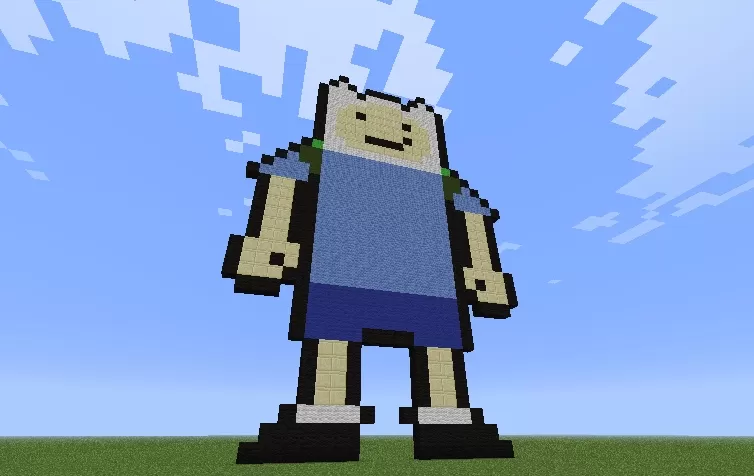
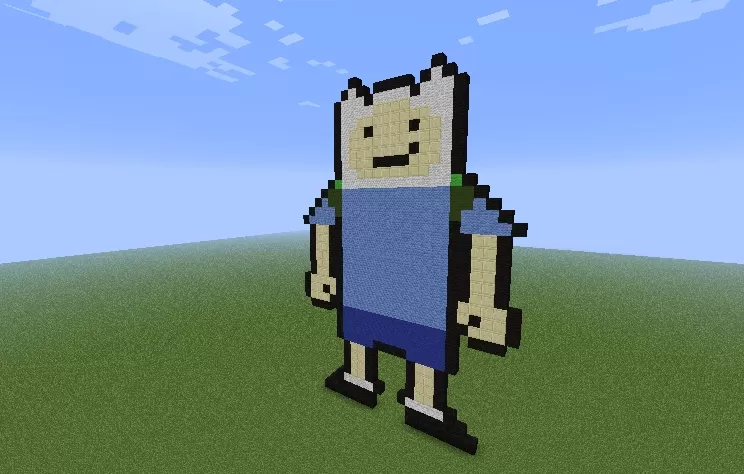
This schematic recreates Finn the Human, one of the main protagonists from the animated series Adventure Time, built as a large-scale pixel art statue. The character is rendered in his iconic appearance with a white bear-eared hat, simple facial features showing his characteristic smile, and his classic blue t-shirt over dark blue shorts. The build uses a straightforward color palette of white, tan, blue, and black blocks to capture Finn's simple yet recognizable cartoon design. The statue stands upright in a neutral pose with arms at the sides, creating a friendly and approachable presence.
The pixel art style faithfully translates the 2D animated character into three-dimensional Minecraft form while maintaining the show's minimalist aesthetic. This schematic works perfectly for Adventure Time-themed builds, cartoon character collections, or as a fun landmark in survival worlds. The statue's moderate size makes it practical to build while remaining large enough to be impressive and easily recognizable from a distance. Fans of the series will appreciate the accurate representation of Finn's design, making it ideal for themed servers, creative showcases, or as a decorative element in fantasy adventure maps where the whimsical tone of Adventure Time fits naturally.
The pixel art style faithfully translates the 2D animated character into three-dimensional Minecraft form while maintaining the show's minimalist aesthetic. This schematic works perfectly for Adventure Time-themed builds, cartoon character collections, or as a fun landmark in survival worlds. The statue's moderate size makes it practical to build while remaining large enough to be impressive and easily recognizable from a distance. Fans of the series will appreciate the accurate representation of Finn's design, making it ideal for themed servers, creative showcases, or as a decorative element in fantasy adventure maps where the whimsical tone of Adventure Time fits naturally.
Download: Finn The Human schematic for Minecraft
| Format | Size | Use with | |
|---|---|---|---|
.litematic finn-the-human.litematic |
33.76 KB | Litematica (Java) — more Litematica schematics |
|
.schem finn-the-human.schem |
550.00 B | WorldEdit / FAWE |
|
.schematic finn-the-human.schematic |
456.00 B | Legacy / online installer |
|
| Install this build directly on your Minecraft map |
|
||
Auto-converted from the original format; container contents (chests, signs) may be missing.
📘 How to use with Litematica (click to expand)
- Put the downloaded
.litematicfile into the.minecraft/schematics/folder. - In game, press M to open the Litematica menu and choose Load Schematics.
- Select the file in the list and click Load Schematic.
- Position the placement where you want it and build — or paste it instantly in creative with Easy Place mode.
Requires the Litematica mod (Java Edition).
More builds: Litematica schematics.
Comments
Similar