Santa's Workshop
Published on April 30, 2026
👁️🗨️ 1374
75
★
★
★
★
★
Rate it
Screenshots
Description
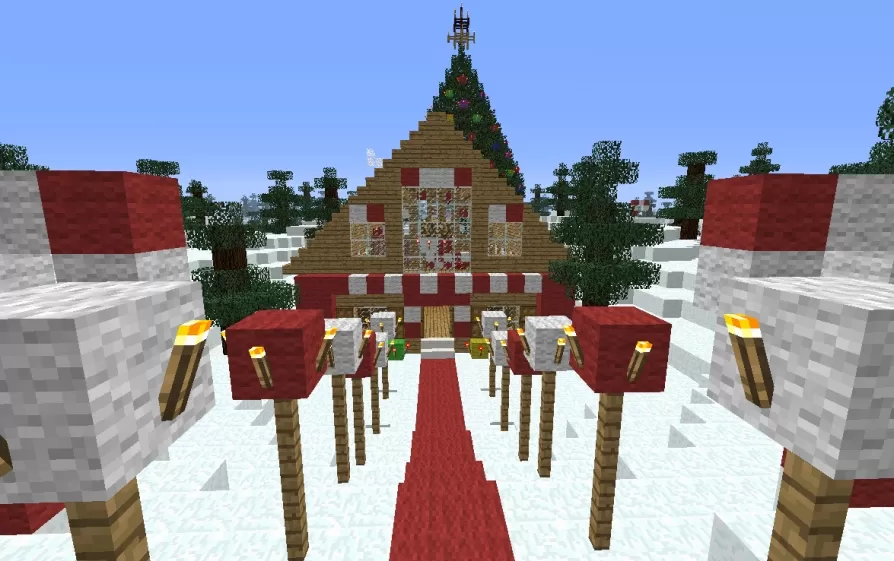
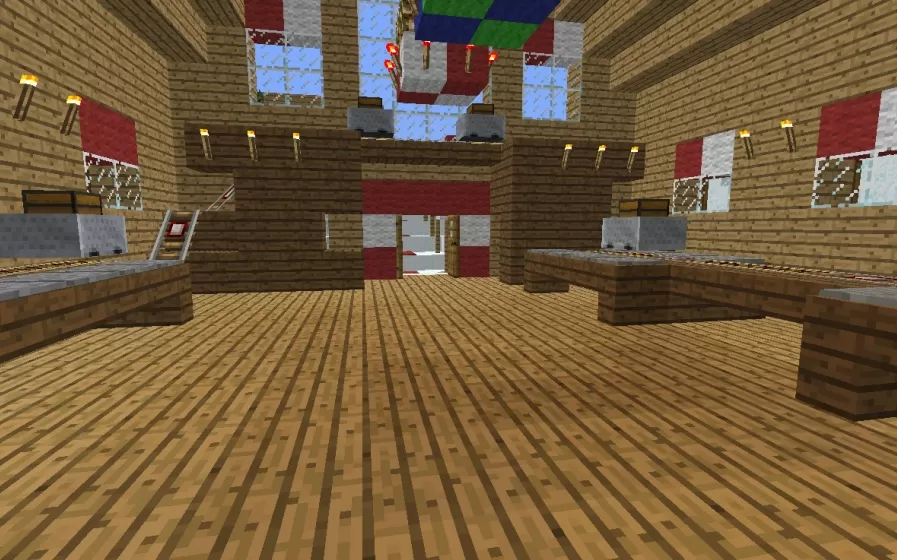
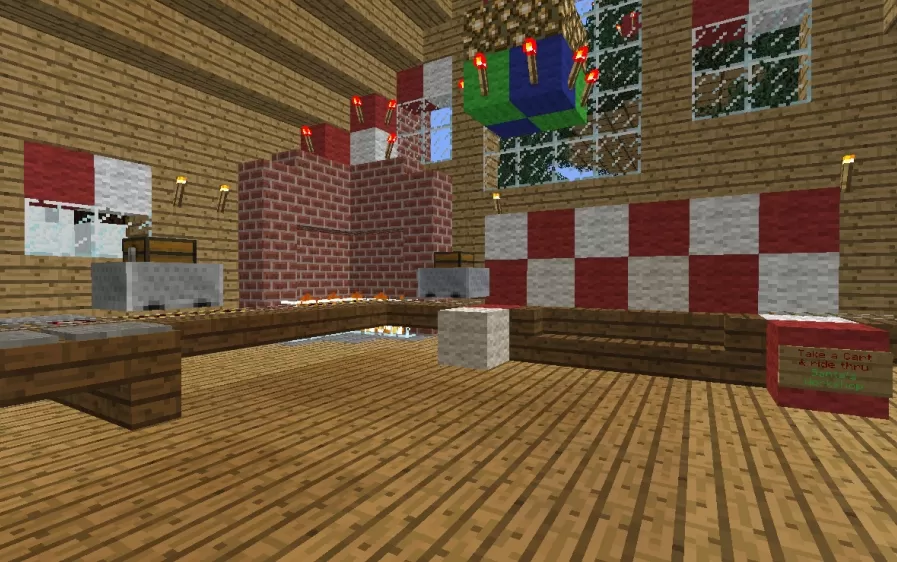
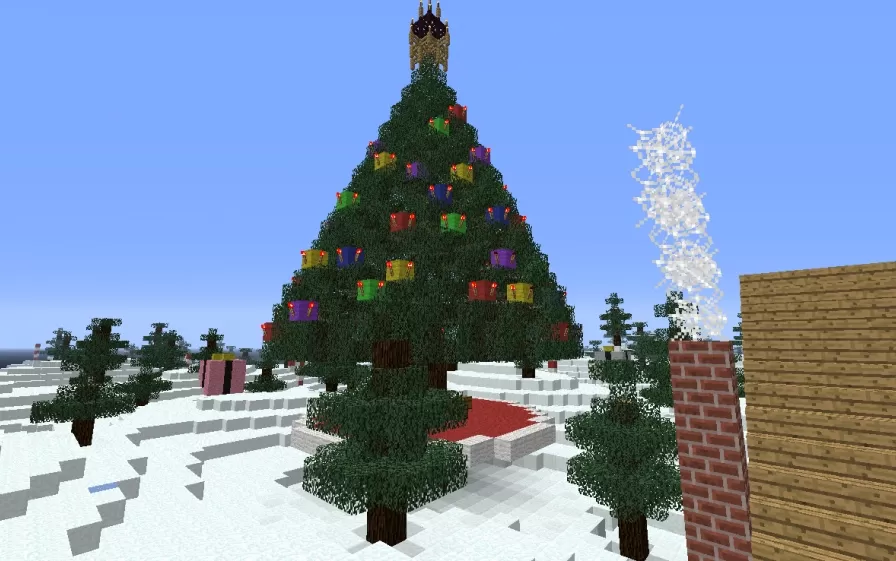
This schematic presents a festive Santa's Workshop building constructed with oak wood planks and decorated in cheerful red and white holiday colors. The workshop features a charming peaked roof design with red and white striped patterns, large windows that reveal the interior workspace, and a tall decorated Christmas tree topped with a beacon light that serves as the centerpiece. The entrance is marked by a red carpet walkway flanked by snow banks and decorative torches on posts, creating a welcoming approach to the building. The structure sits in a snowy landscape with additional evergreen trees scattered around, completing the North Pole atmosphere.
The interior includes a functional minecart rail system that loops through the workshop, designed to transport toys and materials for the elves to work on. The spacious wooden floor provides ample room for workbenches and crafting stations where toy production takes place. Outside, the massive Christmas tree is decorated with colorful present blocks in red, green, yellow, blue, and purple scattered throughout its branches, creating a vibrant holiday display. This schematic works perfectly for Christmas-themed servers, holiday event maps, or seasonal decorations in survival worlds. The combination of functional rail system and festive decorations makes it ideal for roleplay scenarios, Santa's village builds, or winter wonderland projects where holiday spirit and interactive elements come together.
The interior includes a functional minecart rail system that loops through the workshop, designed to transport toys and materials for the elves to work on. The spacious wooden floor provides ample room for workbenches and crafting stations where toy production takes place. Outside, the massive Christmas tree is decorated with colorful present blocks in red, green, yellow, blue, and purple scattered throughout its branches, creating a vibrant holiday display. This schematic works perfectly for Christmas-themed servers, holiday event maps, or seasonal decorations in survival worlds. The combination of functional rail system and festive decorations makes it ideal for roleplay scenarios, Santa's village builds, or winter wonderland projects where holiday spirit and interactive elements come together.
Download: Santa's Workshop schematic for Minecraft
| Format | Size | Use with | |
|---|---|---|---|
.litematic santa's-workshop.litematic |
52.35 KB | Litematica (Java) — more Litematica schematics |
|
.schem santa's-workshop.schem |
5.27 KB | WorldEdit / FAWE |
|
.schematic santa's-workshop.schematic |
6.96 KB | Legacy / online installer |
|
| Install this build directly on your Minecraft map |
|
||
Auto-converted from the original format; container contents (chests, signs) may be missing.
📘 How to use with Litematica (click to expand)
- Put the downloaded
.litematicfile into the.minecraft/schematics/folder. - In game, press M to open the Litematica menu and choose Load Schematics.
- Select the file in the list and click Load Schematic.
- Position the placement where you want it and build — or paste it instantly in creative with Easy Place mode.
Requires the Litematica mod (Java Edition).
More builds: Litematica schematics.
Comments
Similar