Baseball Field
Published on May 19, 2026
👁️🗨️ 2074
119
★
★
★
★
★
Rate it
Screenshots
Description
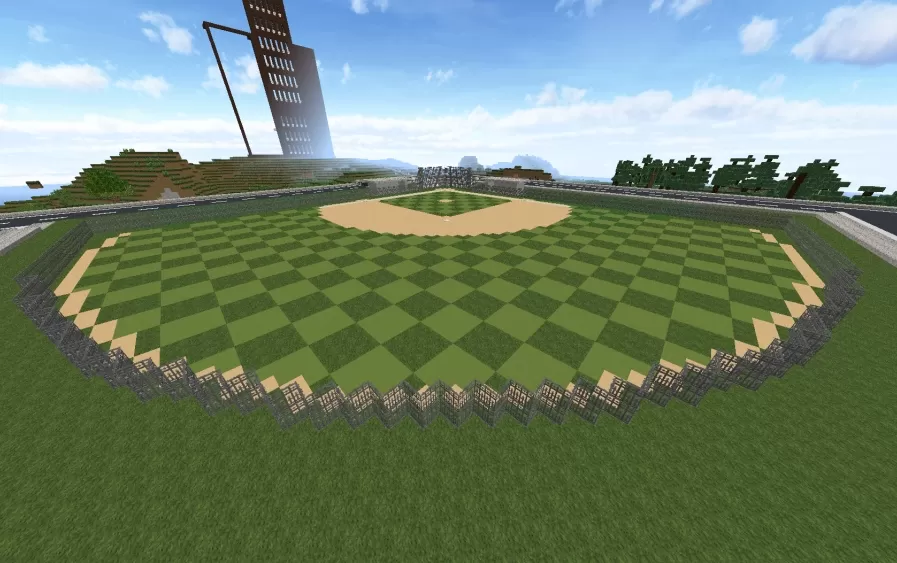
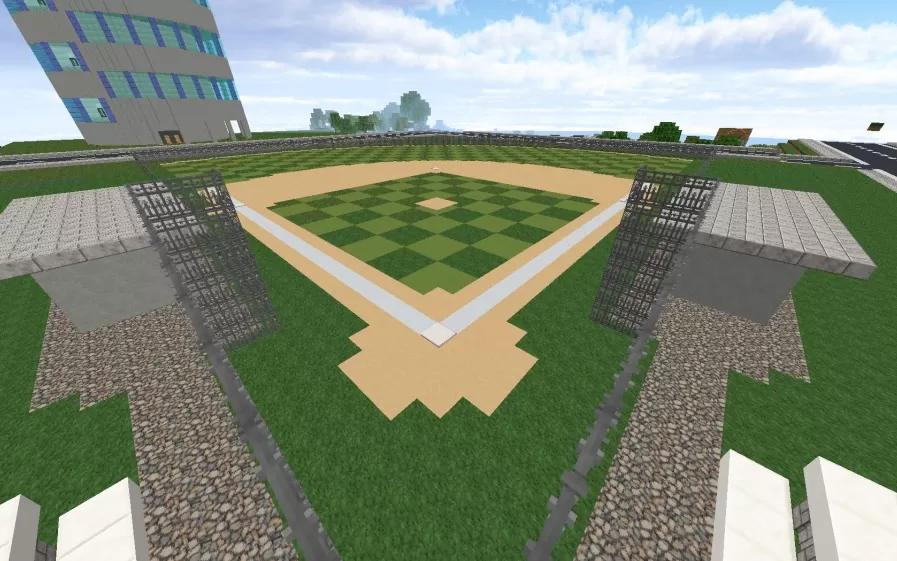
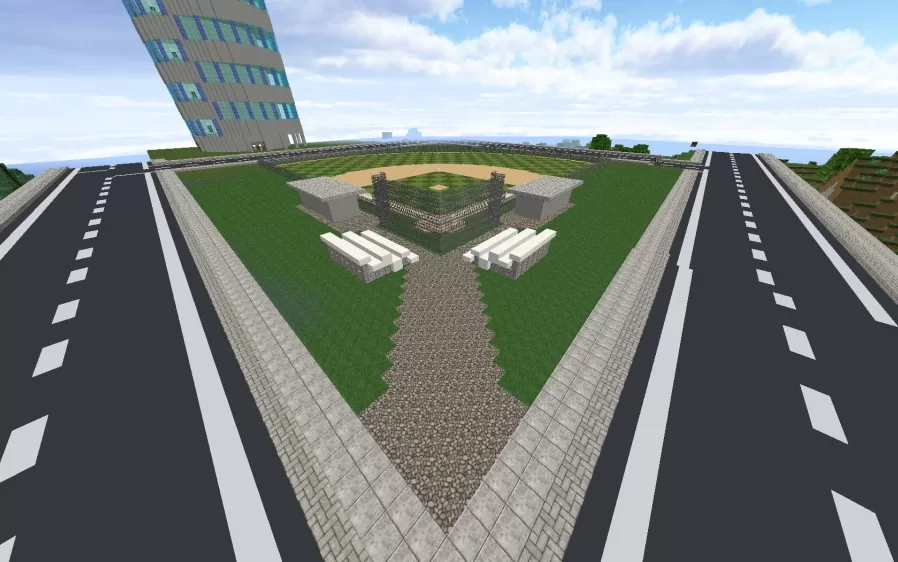
This schematic presents a regulation baseball field featuring the classic diamond layout with accurately positioned bases, pitcher's mound, and properly scaled playing surfaces. The infield is constructed with sand blocks forming the base paths and dirt areas, while the outfield uses alternating green blocks in a checkerboard pattern to create the appearance of mowed grass stripes. The home plate area includes the distinctive pentagon shape in white, with base paths extending to first, second, and third bases. The pitcher's mound sits at the proper distance from home plate, elevated above the field level.
The field is surrounded by spectator seating areas constructed with stone brick and dark fencing materials that create dugouts and viewing sections along the baseline. Tall floodlight towers with dark fence posts stand at strategic positions to illuminate the field for night games. Gravel pathways encircle the playing area, separating the field from the grass perimeter and seating zones. This schematic works excellently for sports complexes, recreational facilities in town builds, modern city developments requiring athletic venues, or as part of community parks in survival worlds. The compact yet authentic design captures all essential elements of a baseball field while maintaining practical buildability, making it ideal for multiplayer servers with sports themes or creative builds focused on American pastimes and community gathering spaces.
The field is surrounded by spectator seating areas constructed with stone brick and dark fencing materials that create dugouts and viewing sections along the baseline. Tall floodlight towers with dark fence posts stand at strategic positions to illuminate the field for night games. Gravel pathways encircle the playing area, separating the field from the grass perimeter and seating zones. This schematic works excellently for sports complexes, recreational facilities in town builds, modern city developments requiring athletic venues, or as part of community parks in survival worlds. The compact yet authentic design captures all essential elements of a baseball field while maintaining practical buildability, making it ideal for multiplayer servers with sports themes or creative builds focused on American pastimes and community gathering spaces.
Download: Baseball Field schematic for Minecraft
| Format | Size | Use with | |
|---|---|---|---|
.litematic baseball-field.litematic |
46.55 KB | Litematica (Java) — more Litematica schematics |
|
.schem baseball-field.schem |
1.42 KB | WorldEdit / FAWE |
|
.schematic baseball-field.schematic |
1.51 KB | Legacy / online installer |
|
| Install this build directly on your Minecraft map |
|
||
Auto-converted from the original format; container contents (chests, signs) may be missing.
📘 How to use with Litematica (click to expand)
- Put the downloaded
.litematicfile into the.minecraft/schematics/folder. - In game, press M to open the Litematica menu and choose Load Schematics.
- Select the file in the list and click Load Schematic.
- Position the placement where you want it and build — or paste it instantly in creative with Easy Place mode.
Requires the Litematica mod (Java Edition).
More builds: Litematica schematics.
Comments
Similar