Medieval Town House
Published on June 30, 2026
👁️🗨️ 1974
91
★
★
★
★
★
Rate it
Screenshots
Description
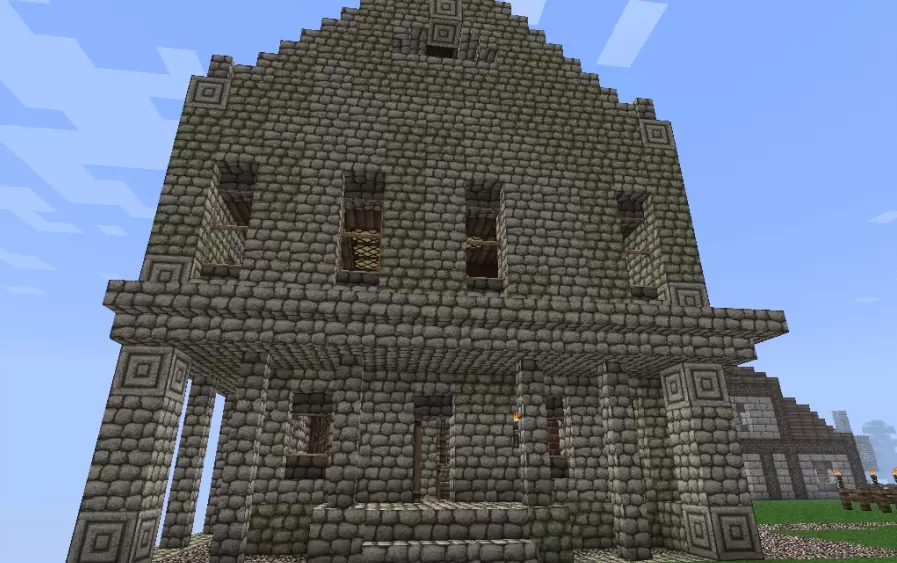
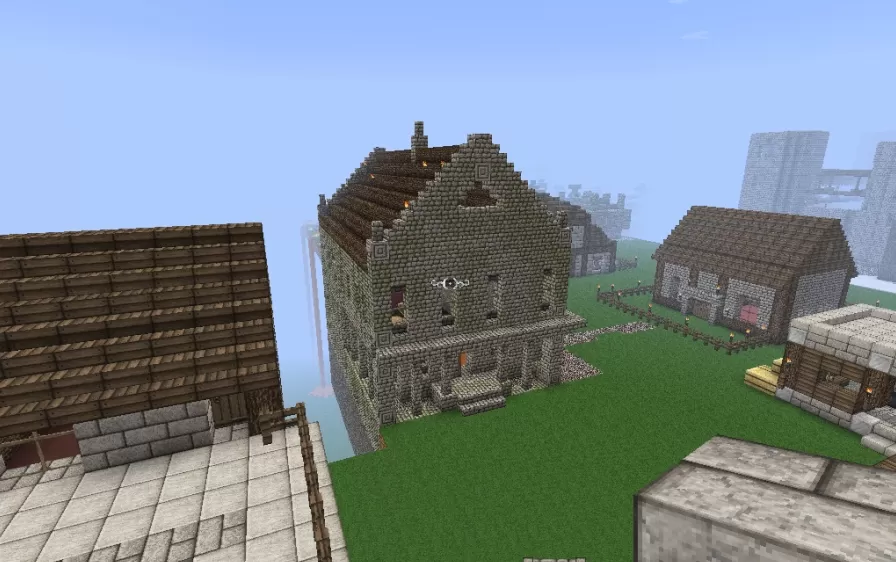
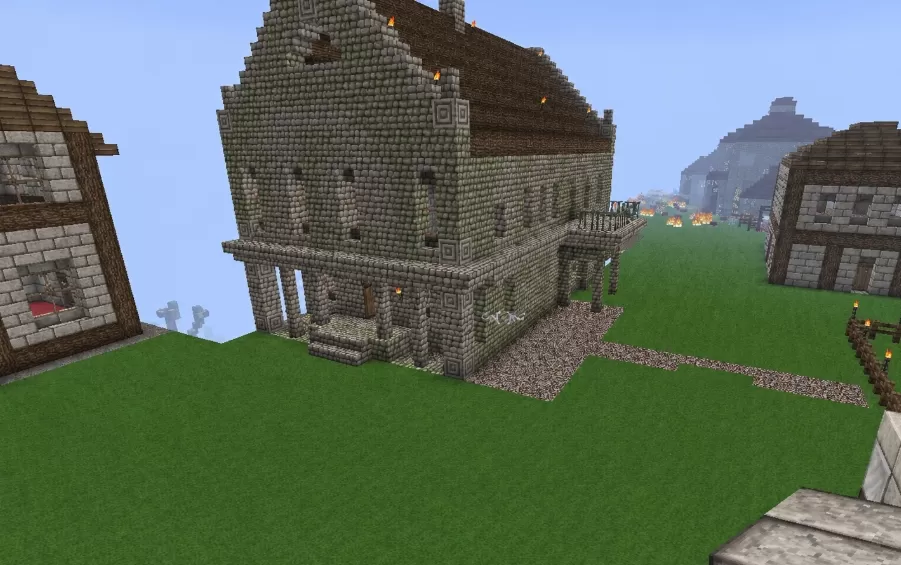
This schematic presents a tall medieval town house built primarily from stone and mossy stone, giving the walls a weathered, aged texture throughout. The structure features a steep, pitched roof with a wood shingle pattern, topped with a small chimney, and the front facade is framed with decorative diamond and square patterns set into the corner pillars. Several narrow windows with wooden lattice bars are spaced across the second floor, while the ground level opens into a covered porch supported by stone columns, leading to a wooden door at the entrance.
A short set of stone stairs leads up to the porch, and a torch mounted on the wall adds a warm light source near the doorway. The roofline carries additional patterned brickwork along its edges, with the diamond and square motifs repeated at multiple corners of the building, tying the upper and lower sections together visually. The overhanging porch roof adds depth to the front facade and creates a sheltered walkway along the entrance. With its multi-story layout, varied window placement, and detailed stonework, this house works well as a centerpiece structure within a medieval-style town build, standing out from simpler surrounding buildings while still fitting the same architectural era.
A short set of stone stairs leads up to the porch, and a torch mounted on the wall adds a warm light source near the doorway. The roofline carries additional patterned brickwork along its edges, with the diamond and square motifs repeated at multiple corners of the building, tying the upper and lower sections together visually. The overhanging porch roof adds depth to the front facade and creates a sheltered walkway along the entrance. With its multi-story layout, varied window placement, and detailed stonework, this house works well as a centerpiece structure within a medieval-style town build, standing out from simpler surrounding buildings while still fitting the same architectural era.
Download: Medieval Town House schematic for Minecraft
| Format | Size | Use with | |
|---|---|---|---|
.litematic medieval-town-house.litematic |
48.56 KB | Litematica (Java) — more Litematica schematics |
|
.schem medieval-town-house.schem |
2.96 KB | WorldEdit / FAWE |
|
.schematic medieval-town-house.schematic |
3.95 KB | Legacy / online installer |
|
| Install this build directly on your Minecraft map |
|
||
Auto-converted from the original format; container contents (chests, signs) may be missing.
📘 How to use with Litematica (click to expand)
- Put the downloaded
.litematicfile into the.minecraft/schematics/folder. - In game, press M to open the Litematica menu and choose Load Schematics.
- Select the file in the list and click Load Schematic.
- Position the placement where you want it and build — or paste it instantly in creative with Easy Place mode.
Requires the Litematica mod (Java Edition).
More builds: Litematica schematics.
Comments
Similar