Cozy Small Medieval House
Published on October 3, 2026
👁️🗨️ 4537
1351
★
★
★
★
★
Rate it
Screenshots
Description
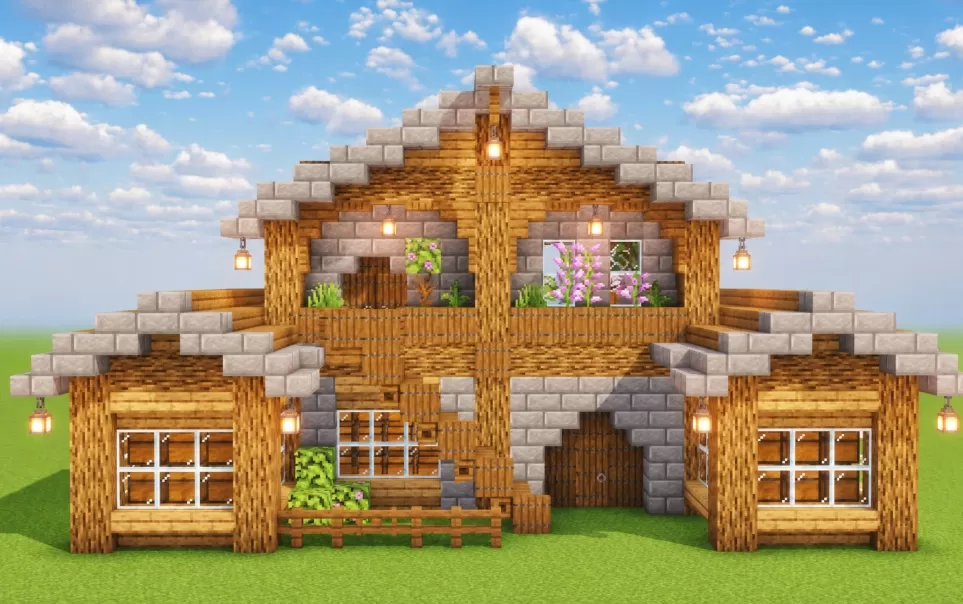
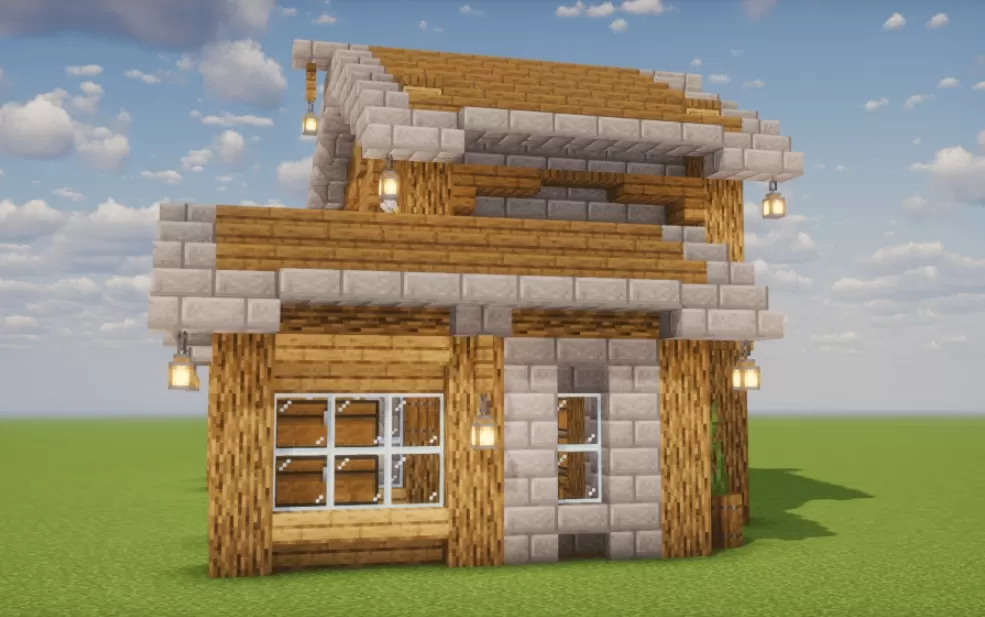
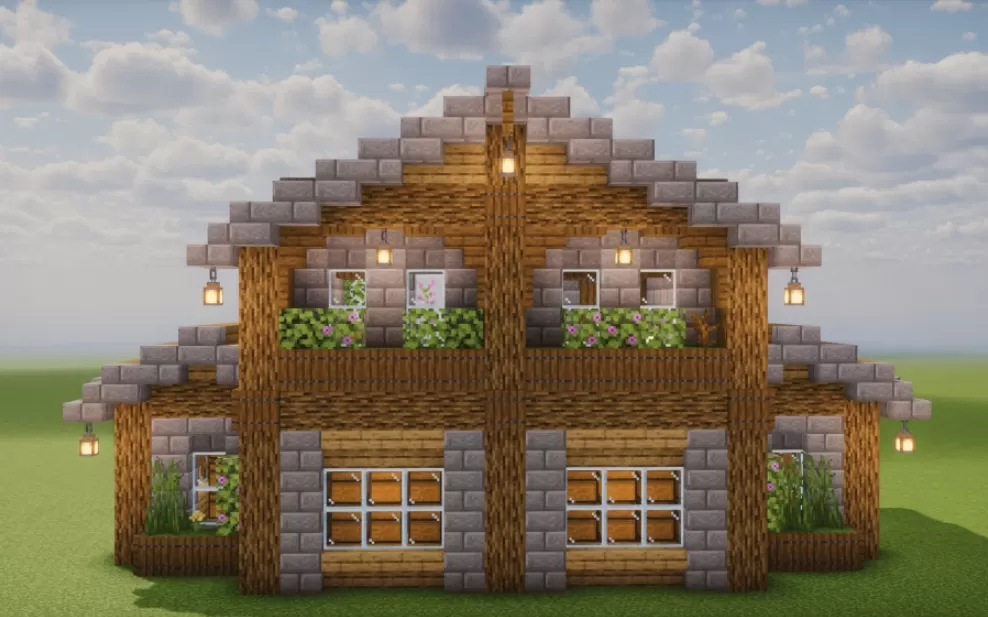
Cozy Small Medieval House packs a lot of character into a small footprint. The shape itself stays simple, a two-story building under a tall gabled roof with the upper floor stepping out over the ground level, which gives the house its slightly top-heavy medieval look. Warm wood tones carry most of the build, with stone brick used for the trim, the arched doorway, and the stepped edges of the roof, and the mix of the two keeps the walls from reading as flat. Lanterns hang from the eaves all the way around, flower boxes spill pink blooms over the upper balcony, and tall white-framed windows bring light into both floors.
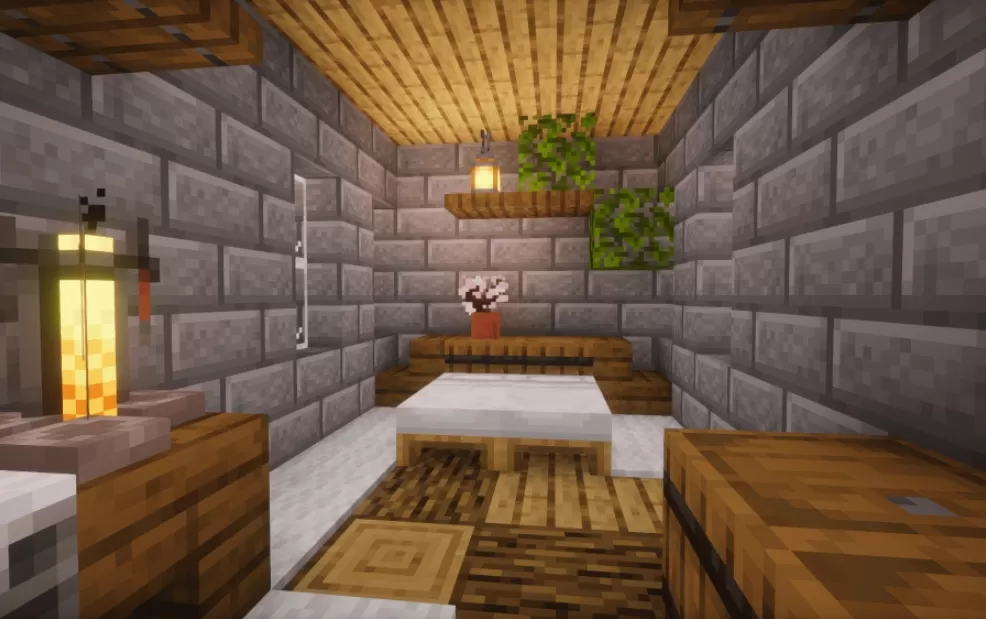
The house comes fully furnished. Inside, stone brick walls meet wooden ceilings and patterned carpets, with beds, storage, potted flowers, and greenery tucked onto shelves, all lit by lanterns that keep the rooms warm and welcoming. The decoration stays light enough that the small rooms are still comfortable to move around in. It's a solid pick for players who want a cozy starter home that already feels lived in, in survival as much as in a larger medieval build.
The house comes fully furnished. Inside, stone brick walls meet wooden ceilings and patterned carpets, with beds, storage, potted flowers, and greenery tucked onto shelves, all lit by lanterns that keep the rooms warm and welcoming. The decoration stays light enough that the small rooms are still comfortable to move around in. It's a solid pick for players who want a cozy starter home that already feels lived in, in survival as much as in a larger medieval build.
Download: Cozy Small Medieval House schematic for Minecraft
| Format | Size | Use with | |
|---|---|---|---|
.litematic cozy-small-medieval-house.litematic |
3.83 KB | Litematica (Java) — more Litematica schematics |
|
.schem cozy-small-medieval-house.schem |
2.35 KB | WorldEdit / FAWE |
|
.schematic cozy-small-medieval-house.schematic |
1.30 KB | Legacy / online installer Older format: about 8% of the blocks are replaced with their closest pre-1.13 lookalikes. |
|
| Install this build directly on your Minecraft map |
|
||
Auto-converted from the original format; container contents (chests, signs) may be missing.
📘 How to use with Litematica (click to expand)
- Put the downloaded
.litematicfile into the.minecraft/schematics/folder. - In game, press M to open the Litematica menu and choose Load Schematics.
- Select the file in the list and click Load Schematic.
- Position the placement where you want it and build — or paste it instantly in creative with Easy Place mode.
Requires the Litematica mod (Java Edition).
More builds: Litematica schematics.
Comments
Similar