Edenbattle
Published on January 1, 2023
By Irsu
👁️🗨️ 174
51
★
★
★
★
★
Rate it
Screenshots
Description
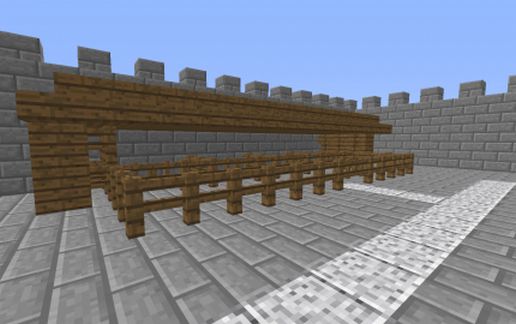
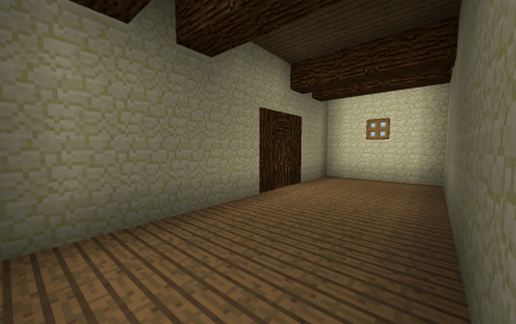
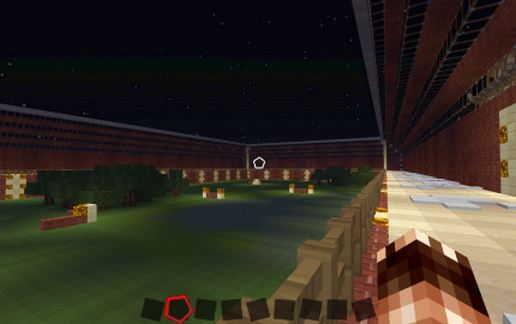
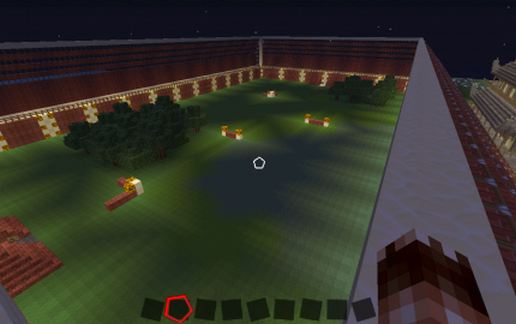
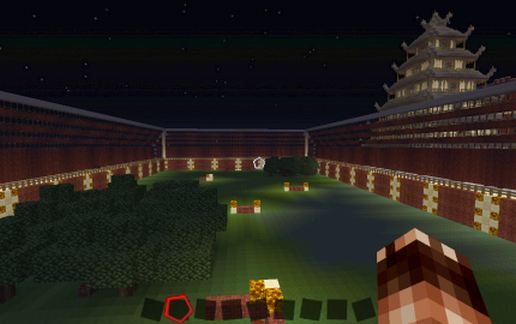
Die Server Gemeinschaft "United we Craft" stellt mit der Schematik der Arena des "Edenbattle" ihre kleinste PVP-Arena zum Download bereit.
In dieser Arena zählt allein das Können der Spieler. Diese haben nur ein Schwert, ein Bogen, eine Schaufel, eine Axt und Pfeile zur Verfügung.
Um die Kämpfe auszutragen nutzt die Servergemeinschaft das Plugin "War".
Wir wünschen euch bei euren Kämpfen in dieser Arena viel Spaß und Erfolg.
The Server Community "United We Craft" is their smallest PVP Arena available for download with the schematic of the arena of the "Battle of Eden".
In this arena, what counts the skill of the player. These have only a sword, a bow, a shovel, an ax and arrows available.
In order to discharge the fighting uses the server community the plugin "War".
We wish you in your struggles in this arena a lot of fun and success.
Le Community Server "United We Craft" est leur plus petit Arena PVP disponibles au téléchargement avec le schéma de l'arène de la «bataille d'Eden".
Dans ce domaine, ce qui compte le talent du joueur. Celles-ci ont seulement une épée, un arc, une pelle, une hache et des flèches disponibles.
Afin de s'acquitter des combats utilise la communauté du serveur le plugin "guerre".
Nous vous souhaitons à vos luttes dans ce domaine beaucoup de plaisir et de succès.
In dieser Arena zählt allein das Können der Spieler. Diese haben nur ein Schwert, ein Bogen, eine Schaufel, eine Axt und Pfeile zur Verfügung.
Um die Kämpfe auszutragen nutzt die Servergemeinschaft das Plugin "War".
Wir wünschen euch bei euren Kämpfen in dieser Arena viel Spaß und Erfolg.
The Server Community "United We Craft" is their smallest PVP Arena available for download with the schematic of the arena of the "Battle of Eden".
In this arena, what counts the skill of the player. These have only a sword, a bow, a shovel, an ax and arrows available.
In order to discharge the fighting uses the server community the plugin "War".
We wish you in your struggles in this arena a lot of fun and success.
Le Community Server "United We Craft" est leur plus petit Arena PVP disponibles au téléchargement avec le schéma de l'arène de la «bataille d'Eden".
Dans ce domaine, ce qui compte le talent du joueur. Celles-ci ont seulement une épée, un arc, une pelle, une hache et des flèches disponibles.
Afin de s'acquitter des combats utilise la communauté du serveur le plugin "guerre".
Nous vous souhaitons à vos luttes dans ce domaine beaucoup de plaisir et de succès.
Download: Edenbattle schematic for Minecraft
| Format | Size | Use with | |
|---|---|---|---|
.litematic edenbattle.litematic |
48.99 KB | Litematica (Java) — more Litematica schematics |
|
.schem edenbattle.schem |
4.50 KB | WorldEdit / FAWE |
|
.schematic edenbattle.schematic |
6.87 KB | Legacy / online installer |
|
| Install this build directly on your Minecraft map |
|
||
Auto-converted from the original format; container contents (chests, signs) may be missing.
📘 How to use with Litematica (click to expand)
- Put the downloaded
.litematicfile into the.minecraft/schematics/folder. - In game, press M to open the Litematica menu and choose Load Schematics.
- Select the file in the list and click Load Schematic.
- Position the placement where you want it and build — or paste it instantly in creative with Easy Place mode.
Requires the Litematica mod (Java Edition).
More builds: Litematica schematics.