No Night Device
Published on January 1, 2023
By 7531yo
👁️🗨️ 169
27
★
★
★
★
★
Rate it
Description
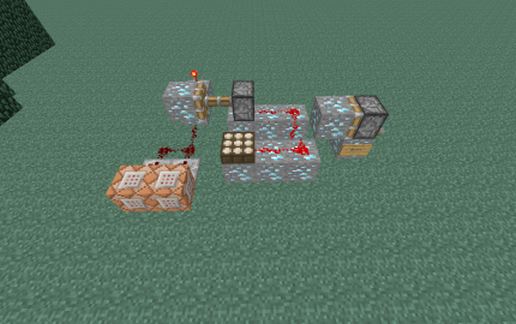
Have you ever wanted a server to never be night. Have you always wanted it to always be day for building so you wouldn't have type in the command to set it to day again. Well here's your solution. It's simple, efficient, and easy to use. Even a dummy could use it. All you have to do is flip a switch while it's daytime to activate it and then it keeps going by it's self. You must have the chunk loaded that you placed it in though for it to work. Flip the switch to turn it on and flip it again to turn it off. You don't even need to be an OP to use it anyone can. The only thing is it has to be in direct sunlight because it relies on a daylight sensor.
Download: No Night Device schematic for Minecraft
| Format | Size | Use with | |
|---|---|---|---|
.litematic no-night-device.litematic |
32.18 KB | Litematica (Java) — more Litematica schematics |
|
.schem no-night-device.schem |
603.00 B | WorldEdit / FAWE |
|
.schematic no-night-device.schematic |
453.00 B | Legacy / online installer |
|
| Install this build directly on your Minecraft map |
|
||
Auto-converted from the original format; container contents (chests, signs) may be missing.
📘 How to use with Litematica (click to expand)
- Put the downloaded
.litematicfile into the.minecraft/schematics/folder. - In game, press M to open the Litematica menu and choose Load Schematics.
- Select the file in the list and click Load Schematic.
- Position the placement where you want it and build — or paste it instantly in creative with Easy Place mode.
Requires the Litematica mod (Java Edition).
More builds: Litematica schematics.
Comments
Similar