HighWind IV :AIRSHIP
Published on January 1, 2023
By jobox
👁️🗨️ 185
33
★
★
★
★
★
Rate it
Screenshots
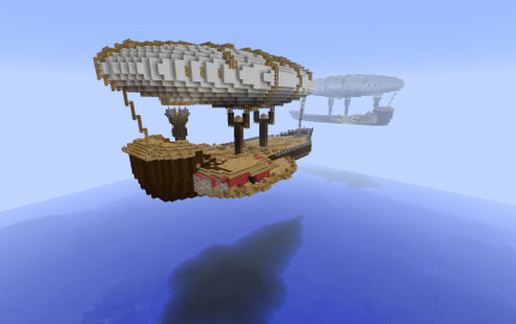
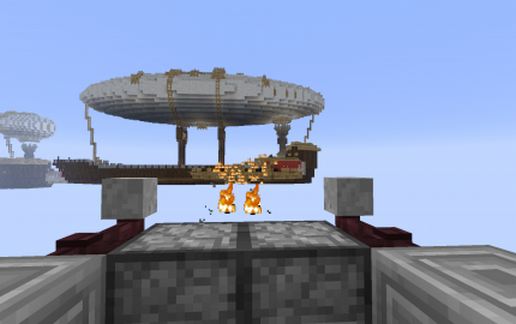
Description
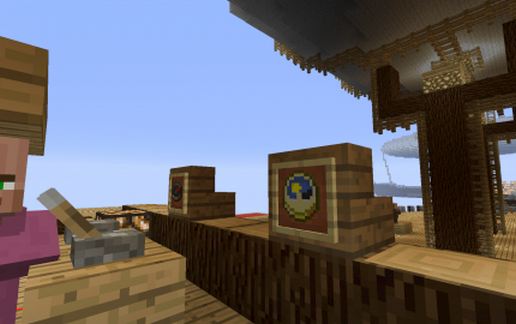
The HighWind IV my Airship by JOBOX *-*
A special thanks to Endimmion for creating the hull, it is from the ship of the Templars (the best boat I've come across). I cut up that boat and added size to it. added balloon and propulsion wings.
all bugs fixed.
*rooms/shops added
*fixed engine on start-up (just add a block to the piston clock in main engineering)
*fixed all signs
*added squid to the water hold
from last version(that one was up for about a day, then i realized the errors)
this will mess up if it is rotated (signs, villagers, dispensers, etc.) try it out in the default alignment first.
I'm happy with how this came out,
A special thanks to Endimmion for creating the hull, it is from the ship of the Templars (the best boat I've come across). I cut up that boat and added size to it. added balloon and propulsion wings.
all bugs fixed.
*rooms/shops added
*fixed engine on start-up (just add a block to the piston clock in main engineering)
*fixed all signs
*added squid to the water hold
from last version(that one was up for about a day, then i realized the errors)
this will mess up if it is rotated (signs, villagers, dispensers, etc.) try it out in the default alignment first.
I'm happy with how this came out,
Download: HighWind IV :AIRSHIP schematic for Minecraft
| Format | Size | Use with | |
|---|---|---|---|
.litematic highwind-iv-:airship.litematic |
47.83 KB | Litematica (Java) — more Litematica schematics |
|
.schem highwind-iv-:airship.schem |
7.23 KB | WorldEdit / FAWE |
|
.schematic highwind-iv-:airship.schematic |
10.39 KB | Legacy / online installer |
|
| Install this build directly on your Minecraft map |
|
||
Auto-converted from the original format; container contents (chests, signs) may be missing.
📘 How to use with Litematica (click to expand)
- Put the downloaded
.litematicfile into the.minecraft/schematics/folder. - In game, press M to open the Litematica menu and choose Load Schematics.
- Select the file in the list and click Load Schematic.
- Position the placement where you want it and build — or paste it instantly in creative with Easy Place mode.
Requires the Litematica mod (Java Edition).
More builds: Litematica schematics.
Comments
Similar