Space Zeppelin Carrier
Published on January 1, 2023
By Eurgiga
👁️🗨️ 135
34
★
★
★
★
★
Rate it
Screenshots
Description
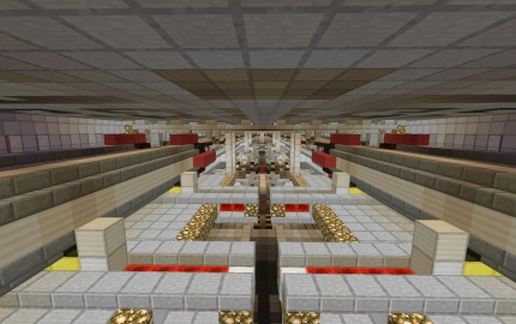
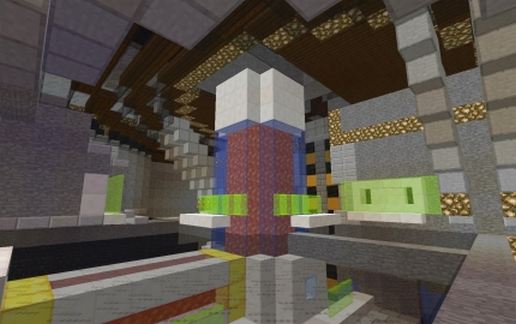
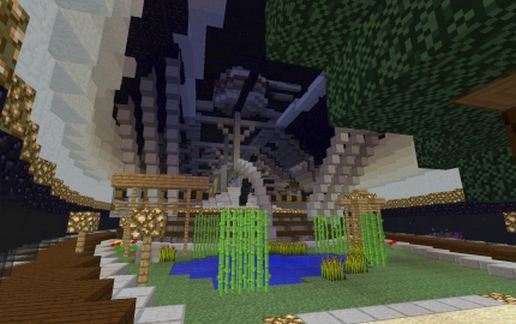
A massive (250+) block long single structure, this is a pure display piece. It has no practical function other than to look really, really cool. Includes small fighters, bombers, and dropships in its hangarbay for copy/pasting ease around any space battle you'd like to set up. Most of it is mobproof, but it will require other mob suppression (worldedit regions or a creative map) to stay mobfree (I suggest this if you want people to tour it).
Built on the Project Genesis server (mcgenesis.net:25564) in the Creative map. You can log in and go directly to the Creative map to tour the ship (includes flight!).
FAQ:
Q. What are the glass panes behind the fighters for?
A: I used glass panes to represent directional particle thrust from engines. You can see this on the harrier-like downward thrust on deploying fighters as well as the rear engine thrust on all support craft.
Q: Why is (room) closed off?
A: The ship is built in 'battle mode'- i.e., all blast doors to the hangar are shut, flight deck doors are in the process of opening. I'll be working on an alternate version soon with all the interior doors open.
Q: Can I use this?
A: That's why it's here. Please give credit where it's due (I.E. put my name on it somewhere).
As with all my pieces, there are gold blocks at the corners of the WorldEdit box to assist in easy moving once you've placed it. Be sure to remove them when you're done.
Built on the Project Genesis server (mcgenesis.net:25564) in the Creative map. You can log in and go directly to the Creative map to tour the ship (includes flight!).
FAQ:
Q. What are the glass panes behind the fighters for?
A: I used glass panes to represent directional particle thrust from engines. You can see this on the harrier-like downward thrust on deploying fighters as well as the rear engine thrust on all support craft.
Q: Why is (room) closed off?
A: The ship is built in 'battle mode'- i.e., all blast doors to the hangar are shut, flight deck doors are in the process of opening. I'll be working on an alternate version soon with all the interior doors open.
Q: Can I use this?
A: That's why it's here. Please give credit where it's due (I.E. put my name on it somewhere).
As with all my pieces, there are gold blocks at the corners of the WorldEdit box to assist in easy moving once you've placed it. Be sure to remove them when you're done.
Download: Space Zeppelin Carrier schematic for Minecraft
| Format | Size | Use with | |
|---|---|---|---|
.litematic space-zeppelin-carrier.litematic |
111.52 KB | Litematica (Java) — more Litematica schematics |
|
.schem space-zeppelin-carrier.schem |
38.09 KB | WorldEdit / FAWE |
|
.schematic space-zeppelin-carrier.schematic |
66.67 KB | Legacy / online installer |
|
| Install this build directly on your Minecraft map |
|
||
Auto-converted from the original format; container contents (chests, signs) may be missing.
📘 How to use with Litematica (click to expand)
- Put the downloaded
.litematicfile into the.minecraft/schematics/folder. - In game, press M to open the Litematica menu and choose Load Schematics.
- Select the file in the list and click Load Schematic.
- Position the placement where you want it and build — or paste it instantly in creative with Easy Place mode.
Requires the Litematica mod (Java Edition).
More builds: Litematica schematics.
Comments
Similar