Mob Products
Published on January 1, 2023
By Seegras
👁️🗨️ 214
41
★
★
★
★
★
Rate it
Description
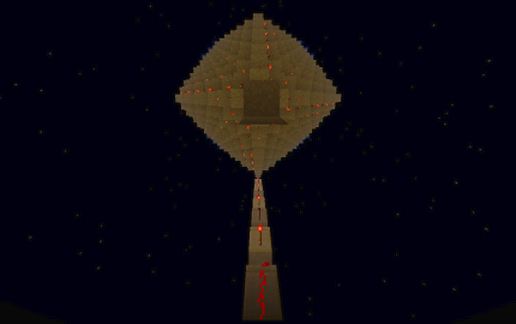
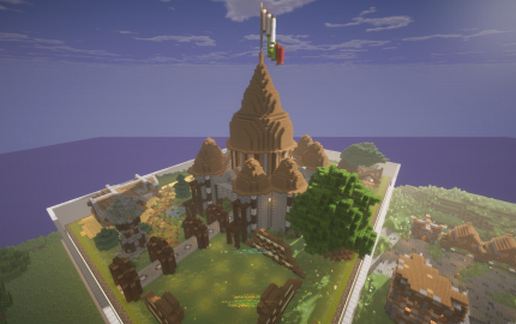
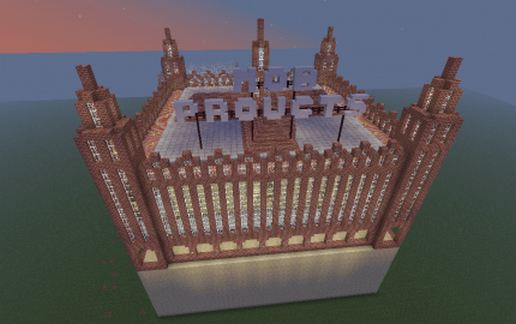
An automated Factory in a building in the late 19th century style. It produces ender pearls, slime balls, string, blaze rods, bones, rotten flesh, spider eyes and arrows. You place yourself in the middle of the building, and activate it, and the goods will start running (and get sorted automatically).
The way this works is by having a load of spawners in a three-dimensional layout, whose spawning range intersects in the middle. So while it took quite a loot of fiddling to get it right, this can in no way be achieved in survival mode.
License is CC-by-sa, which means you can do just about anything with it, as long as you share your modifications as well and attribute me.
My creations are also available on my Blog:
http://seegras.discordia.ch/Blog/category/computers/minecraft/
The way this works is by having a load of spawners in a three-dimensional layout, whose spawning range intersects in the middle. So while it took quite a loot of fiddling to get it right, this can in no way be achieved in survival mode.
License is CC-by-sa, which means you can do just about anything with it, as long as you share your modifications as well and attribute me.
My creations are also available on my Blog:
http://seegras.discordia.ch/Blog/category/computers/minecraft/
Download: Mob Products schematic for Minecraft
| Format | Size | Use with | |
|---|---|---|---|
.litematic mob-products.litematic |
62.38 KB | Litematica (Java) — more Litematica schematics |
|
.schem mob-products.schem |
10.27 KB | WorldEdit / FAWE |
|
.schematic mob-products.schematic |
286.85 KB | Legacy / online installer |
|
Install this build directly on your Minecraft map
Auto-converted from the original format; container contents (chests, signs) may be missing.
📘 How to use with Litematica (click to expand)
- Put the downloaded
.litematicfile into the.minecraft/schematics/folder. - In game, press M to open the Litematica menu and choose Load Schematics.
- Select the file in the list and click Load Schematic.
- Position the placement where you want it and build — or paste it instantly in creative with Easy Place mode.
Requires the Litematica mod (Java Edition).
More builds: Litematica schematics.