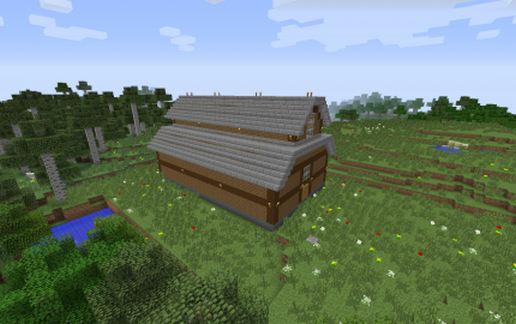
Maple Valley Stable - 8 stalls
Published on January 1, 2023
By GhostSquid
👁️🗨️ 139
34
★
★
★
★
★
Rate it
Screenshots
Description
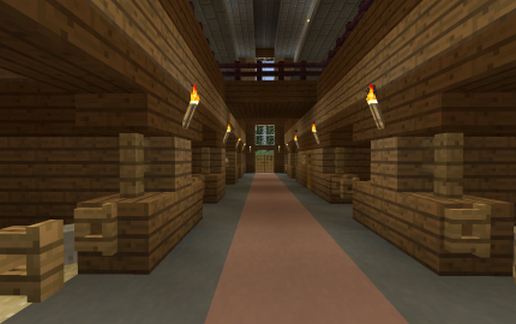
This stable features 8 airy stalls for your horses. Each stall comes with a bail of hay, water and mineral block as well as a post in case you need to tether your horse to its stall. The doorways of the stable are three high so you can safely ride your horse in and out of the stable as well as its stall, no need for dismounting and using leads if you don't want to!
The washing area has crossties for your horses and a little tackbox and grooming supplies along the back wall so you can groom and tack up your horse without taking up the entire walkway if you've got a busy stable or just need somewhere to tie your horse for a moment!
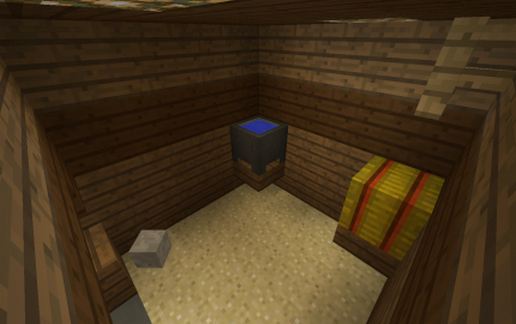
Across from the washing area is the Feed & Tack room which has chests to store your saddles and armor as well as bins for your food! We've even included a little bit of food and treats to get you started and a handful of nametags and leads so you can be well on your way to running an amazing stable!
The Feed & Tack room also houses the ladder access to the loft which is partially full of hay bails and has plenty of room to renovate and add in extra storage if your stable requires it. The area above the loft could also be converted to additional storage if space ever becomes an issue.
The washing area has crossties for your horses and a little tackbox and grooming supplies along the back wall so you can groom and tack up your horse without taking up the entire walkway if you've got a busy stable or just need somewhere to tie your horse for a moment!
Across from the washing area is the Feed & Tack room which has chests to store your saddles and armor as well as bins for your food! We've even included a little bit of food and treats to get you started and a handful of nametags and leads so you can be well on your way to running an amazing stable!
The Feed & Tack room also houses the ladder access to the loft which is partially full of hay bails and has plenty of room to renovate and add in extra storage if your stable requires it. The area above the loft could also be converted to additional storage if space ever becomes an issue.
Download: Maple Valley Stable - 8 stalls schematic for Minecraft
| Format | Size | Use with | |
|---|---|---|---|
.litematic maple-valley-stable---8-stalls.litematic |
46.75 KB | Litematica (Java) — more Litematica schematics |
|
.schem maple-valley-stable---8-stalls.schem |
1.58 KB | WorldEdit / FAWE |
|
.schematic maple-valley-stable---8-stalls.schematic |
2.21 KB | Legacy / online installer |
|
| Install this build directly on your Minecraft map |
|
||
Auto-converted from the original format; container contents (chests, signs) may be missing.
📘 How to use with Litematica (click to expand)
- Put the downloaded
.litematicfile into the.minecraft/schematics/folder. - In game, press M to open the Litematica menu and choose Load Schematics.
- Select the file in the list and click Load Schematic.
- Position the placement where you want it and build — or paste it instantly in creative with Easy Place mode.
Requires the Litematica mod (Java Edition).
More builds: Litematica schematics.
Comments
Similar