Snowball Turret
Published on January 1, 2023
By Ozarke
👁️🗨️ 162
27
★
★
★
★
★
Rate it
Description
The Snowball Turret!
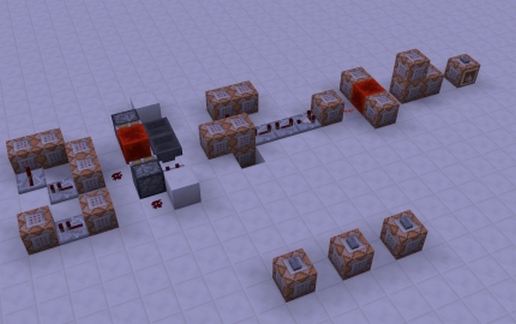
With snowballs that actually do damage, have your portable automated turret ready to mow down a horde of zombies!
*
Simply toss the turret on the floor and it will spring into action! After roughly two minutes the turret will disappear.
*
Feel more than welcome to use this contraption in your map making endeavors!
*
*
*
This Mechanism is made completely in vanilla minecraft and will work only in Snapshots
14w28b and higher!
*
*
*
World Setup:
1. Extract the world from "Snowball Turret.zip"
2. Open the .minecraft folder
3. Open saves folder
4. Drag "Snowball Turret" into the saves folder
*
*
Schematic setup:
1. Open MCEdit
2. Load world you wish to import to
3. Select the "Import" icon
4. Choose "Snowball Turret.schematic"
5. Place in world and click Import
With snowballs that actually do damage, have your portable automated turret ready to mow down a horde of zombies!
*
Simply toss the turret on the floor and it will spring into action! After roughly two minutes the turret will disappear.
*
Feel more than welcome to use this contraption in your map making endeavors!
*
*
*
This Mechanism is made completely in vanilla minecraft and will work only in Snapshots
14w28b and higher!
*
*
*
World Setup:
1. Extract the world from "Snowball Turret.zip"
2. Open the .minecraft folder
3. Open saves folder
4. Drag "Snowball Turret" into the saves folder
*
*
Schematic setup:
1. Open MCEdit
2. Load world you wish to import to
3. Select the "Import" icon
4. Choose "Snowball Turret.schematic"
5. Place in world and click Import
Download: Snowball Turret schematic for Minecraft
| Format | Size | Use with | |
|---|---|---|---|
.litematic snowball-turret.litematic |
35.99 KB | Litematica (Java) — more Litematica schematics |
|
.schem snowball-turret.schem |
709.00 B | WorldEdit / FAWE |
|
.schematic snowball-turret.schematic |
2.55 KB | Legacy / online installer |
|
| Install this build directly on your Minecraft map |
|
||
Auto-converted from the original format; container contents (chests, signs) may be missing.
📘 How to use with Litematica (click to expand)
- Put the downloaded
.litematicfile into the.minecraft/schematics/folder. - In game, press M to open the Litematica menu and choose Load Schematics.
- Select the file in the list and click Load Schematic.
- Position the placement where you want it and build — or paste it instantly in creative with Easy Place mode.
Requires the Litematica mod (Java Edition).
More builds: Litematica schematics.
Comments
Similar