Radeon Prison
Published on January 1, 2023
By seventy6
👁️🗨️ 305
193
★
★
★
★
★
Rate it
Screenshots
Description
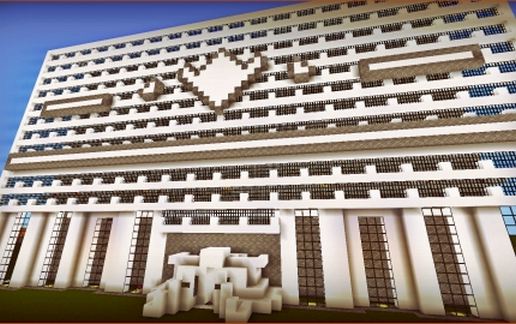
Welcome to the maximum security Radeon Prison!
This Jail is perfect on servers that typically have a /jail command (Mostly all).
I have created this incredible prison so you can include it on your server, and make your standard jail look great.
Features:
==================================================================
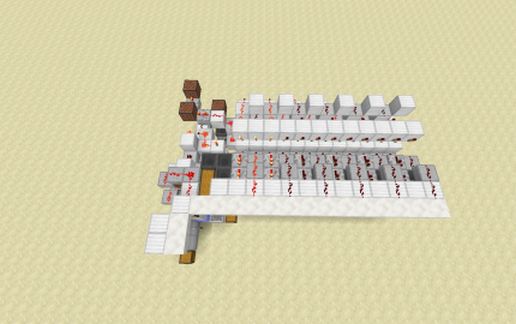
Controllable Lighting by switch for the following:
-Cell Light
-Floor Light
-Office Lights
(Took a LOT of redstone)
==================================================================
Controllable entrance with an Open/Close Switch.
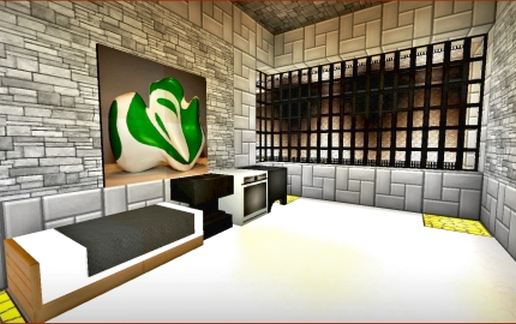
-Cells are completely furnished, except for the top layer which is up to you!
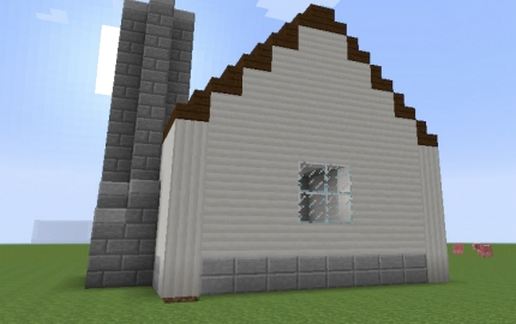
-Great Design on the outside as well, even though most of the time jails don't worry about the outside design.
-The Prison has it's own logo which can be found outside, and on the ground inside.
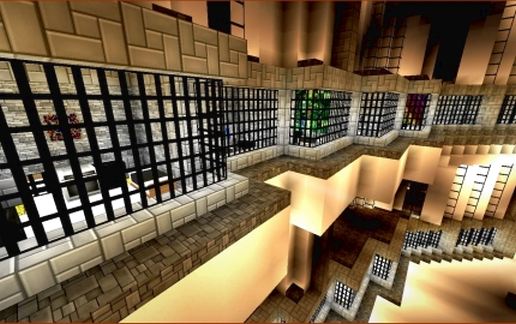
-Has 33 cells, and 27 of them are square-shape. (I know this is important for the /jail command)
==================================================================
IMPORTANT TROUBLESHOOTING:
-If the Switches do not work, then the schematic needs to be pasted higher up. There is redstone underground, and if you use a world that is superflat it might get cut off unless you add more layers underground.
-When you first paste it, the shadows might be way off. Be sure that once you paste it, you quit the world and enter again. Problem fixed!
-If the signs do not show anything, simply redo them. The signs just say "Cell Lighting", "Floor Lighting", "Office Lighting" and "Entrance Open/Close"
-The button on the left of the control center does not do anything, but it is recommended that you place a command block at the bottom that triggers text that reads "/jail ". It will be easier to put players in jail.
==================================================================
Thanks a lot for downloading, and I hope you enjoy this schematic!
-Seventy6
[Texture Pack Used: Modern HD 1.8]
[World Edit used: 37%]
[Built using Minecraft 1.7.2]
*If you use this on your server, comment on the server! I would love to stop by and see it in action!*
v v v v v Be sure to check out some of my other creations below! v v v v v
This Jail is perfect on servers that typically have a /jail command (Mostly all).
I have created this incredible prison so you can include it on your server, and make your standard jail look great.
Features:
==================================================================
Controllable Lighting by switch for the following:
-Cell Light
-Floor Light
-Office Lights
(Took a LOT of redstone)
==================================================================
Controllable entrance with an Open/Close Switch.
-Cells are completely furnished, except for the top layer which is up to you!
-Great Design on the outside as well, even though most of the time jails don't worry about the outside design.
-The Prison has it's own logo which can be found outside, and on the ground inside.
-Has 33 cells, and 27 of them are square-shape. (I know this is important for the /jail command)
==================================================================
IMPORTANT TROUBLESHOOTING:
-If the Switches do not work, then the schematic needs to be pasted higher up. There is redstone underground, and if you use a world that is superflat it might get cut off unless you add more layers underground.
-When you first paste it, the shadows might be way off. Be sure that once you paste it, you quit the world and enter again. Problem fixed!
-If the signs do not show anything, simply redo them. The signs just say "Cell Lighting", "Floor Lighting", "Office Lighting" and "Entrance Open/Close"
-The button on the left of the control center does not do anything, but it is recommended that you place a command block at the bottom that triggers text that reads "/jail ". It will be easier to put players in jail.
==================================================================
Thanks a lot for downloading, and I hope you enjoy this schematic!
-Seventy6
[Texture Pack Used: Modern HD 1.8]
[World Edit used: 37%]
[Built using Minecraft 1.7.2]
*If you use this on your server, comment on the server! I would love to stop by and see it in action!*
v v v v v Be sure to check out some of my other creations below! v v v v v
Download: Radeon Prison schematic for Minecraft
| Format | Size | Use with | |
|---|---|---|---|
.litematic radeon-prison.litematic |
100.14 KB | Litematica (Java) — more Litematica schematics |
|
.schem radeon-prison.schem |
12.83 KB | WorldEdit / FAWE |
|
.schematic radeon-prison.schematic |
17.18 KB | Legacy / online installer |
|
| Install this build directly on your Minecraft map |
|
||
Auto-converted from the original format; container contents (chests, signs) may be missing.
📘 How to use with Litematica (click to expand)
- Put the downloaded
.litematicfile into the.minecraft/schematics/folder. - In game, press M to open the Litematica menu and choose Load Schematics.
- Select the file in the list and click Load Schematic.
- Position the placement where you want it and build — or paste it instantly in creative with Easy Place mode.
Requires the Litematica mod (Java Edition).
More builds: Litematica schematics.
Comments
Similar