Train Station - Automated
Published on January 1, 2023
By RADdoc
👁️🗨️ 168
35
★
★
★
★
★
Rate it
Screenshots
Description
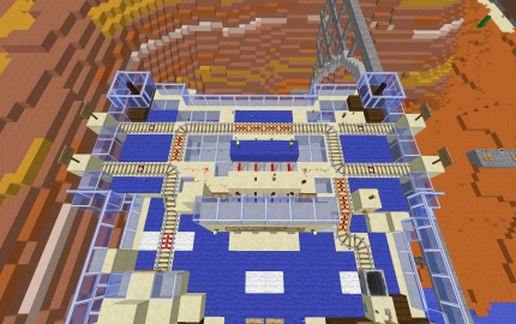
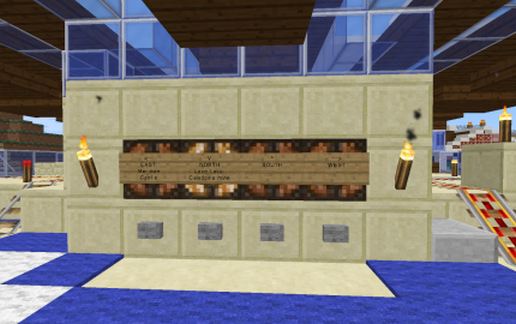
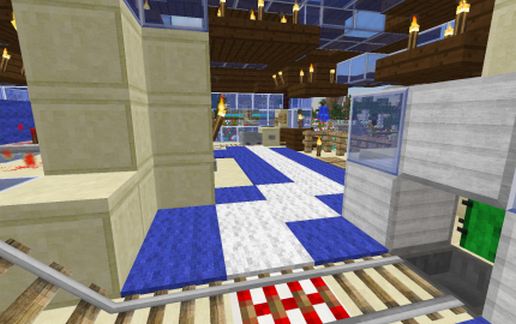
This is an automated Train Station. Credits to Minecraft SethBling and Red Minecraft StoneTut for pieces of the Station - the selecting apparatus, the Arrival automation, the Departure automation. I updated those features, put it all together into a station and created the 4-way departure track system. It takes you out of the cart automatically, breaks the cart and moves it to the departure area. To leave, select the direction and click on the cart - you take off automatically and another cart pops up.
As you can see from the pictures, this allows you to choose 1 of 4 directions and it shifts the track accordingly. There is a "reset" feature - as you leave the station it deselects the track back to default. Minecraft 1.8 updated the activator rail to kick you out of the cart automatically, and I have used that feature. For earlier versions, I had a more complex "disembark" process, which I can still provide a schematic for, if desired.
It MUST be placed so that when you enter the station, you are facing SOUTH. Otherwise, the "physics" don't work.
There is a NETHER version completely enclosed in Obsidian, with a portal integrated into it.
As you can see from the pictures, this allows you to choose 1 of 4 directions and it shifts the track accordingly. There is a "reset" feature - as you leave the station it deselects the track back to default. Minecraft 1.8 updated the activator rail to kick you out of the cart automatically, and I have used that feature. For earlier versions, I had a more complex "disembark" process, which I can still provide a schematic for, if desired.
It MUST be placed so that when you enter the station, you are facing SOUTH. Otherwise, the "physics" don't work.
There is a NETHER version completely enclosed in Obsidian, with a portal integrated into it.
Download: Train Station - Automated schematic for Minecraft
| Format | Size | Use with | |
|---|---|---|---|
.litematic train-station---automated.litematic |
63.29 KB | Litematica (Java) — more Litematica schematics |
|
.schem train-station---automated.schem |
2.06 KB | WorldEdit / FAWE |
|
.schematic train-station---automated.schematic |
2.65 KB | Legacy / online installer |
|
| Install this build directly on your Minecraft map |
|
||
Auto-converted from the original format; container contents (chests, signs) may be missing.
📘 How to use with Litematica (click to expand)
- Put the downloaded
.litematicfile into the.minecraft/schematics/folder. - In game, press M to open the Litematica menu and choose Load Schematics.
- Select the file in the list and click Load Schematic.
- Position the placement where you want it and build — or paste it instantly in creative with Easy Place mode.
Requires the Litematica mod (Java Edition).
More builds: Litematica schematics.
Comments
Similar