Adrian's 2.0V Player Launcher
Published on January 1, 2023
By AdrianChanKH
👁️🗨️ 109
35
★
★
★
★
★
Rate it
Screenshots
Description
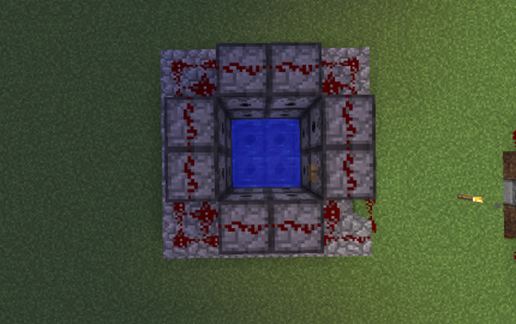
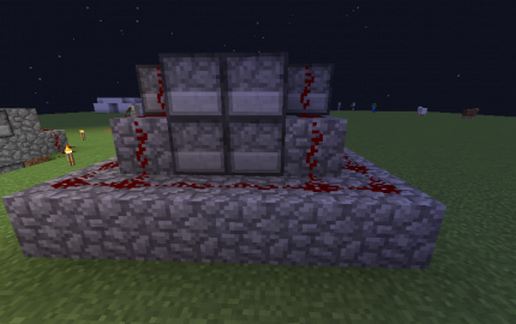
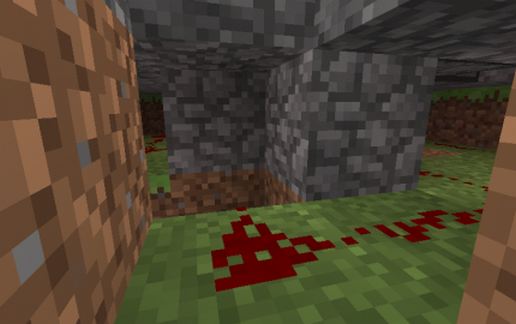
Another New Redstone Design Built and Designed By AdrianChanKH
The All New 2.0V Player Launcher Can Launch You Up To The Height of 300 to 500 Max!
Note : Wanna Be Blown Away Higher? Press and Hold Your Spacebar Till It Launches You Up To The Sky!
Warning : Please Do Not Use The 2.0V Player Launcher In Survival, It Will Kill You!
More Designs Coming Soon!
The All New 2.0V Player Launcher Can Launch You Up To The Height of 300 to 500 Max!
Note : Wanna Be Blown Away Higher? Press and Hold Your Spacebar Till It Launches You Up To The Sky!
Warning : Please Do Not Use The 2.0V Player Launcher In Survival, It Will Kill You!
More Designs Coming Soon!
Download: Adrian's 2.0V Player Launcher schematic for Minecraft
| Format | Size | Use with | |
|---|---|---|---|
.litematic adrian's-2.0v-player-launcher.litematic |
48.81 KB | Litematica (Java) — more Litematica schematics |
|
.schem adrian's-2.0v-player-launcher.schem |
584.00 B | WorldEdit / FAWE |
|
.schematic adrian's-2.0v-player-launcher.schematic |
560.00 B | Legacy / online installer |
|
| Install this build directly on your Minecraft map |
|
||
Auto-converted from the original format; container contents (chests, signs) may be missing.
📘 How to use with Litematica (click to expand)
- Put the downloaded
.litematicfile into the.minecraft/schematics/folder. - In game, press M to open the Litematica menu and choose Load Schematics.
- Select the file in the list and click Load Schematic.
- Position the placement where you want it and build — or paste it instantly in creative with Easy Place mode.
Requires the Litematica mod (Java Edition).
More builds: Litematica schematics.
Comments
Similar