My House(On my server)
Published on January 1, 2023
By mrnada
👁️🗨️ 160
43
★
★
★
★
★
Rate it
Screenshots
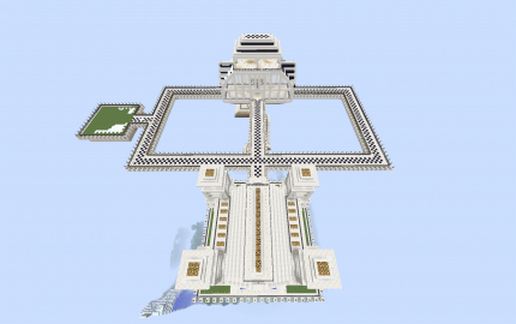
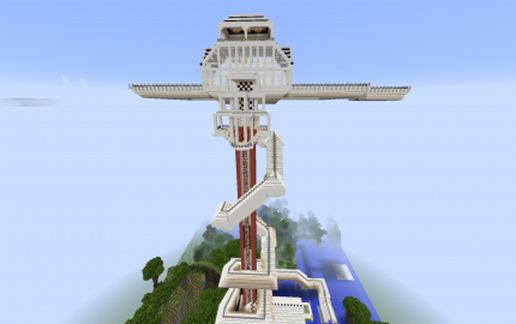
Description
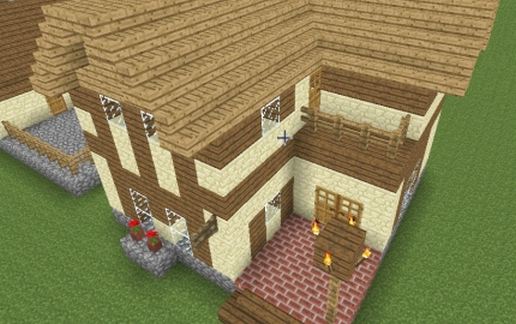
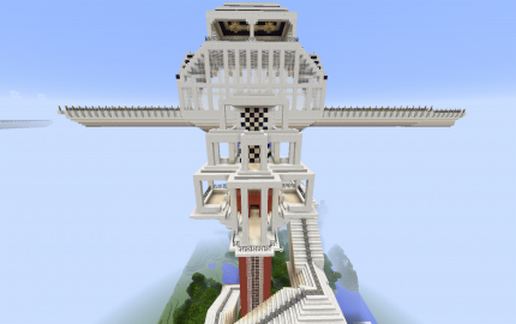
This is my main house on my little chunk of land. Its mostly finished but still I would like to have added more. Main house has a sewer system running under it with the basement leading to a garden behind the house. Main floor is the entry way mostly empty all but the area I put all my stuff near the back. A door leading down to the main hall area the dining hall guest bedrooms and kitchen. also a hidden lever to the lower bowels to the mine and my portal. A ladder on the dining floor leading to the forest and the garden. Back up to the main floor is a elevator(works best on single player) not so much on servers with bad lag. going up to my main mansion in the sky complete with main entry hall walkway around to my manor in the back and this also has a sewer system running under it. Many hidden areas and places to explore. Going outside a winding aqueduct that goes from the sewers up top, to the drain right next to the garden forest. A small aqueduct goes around my perimeter forest surrounding the house on the ground floor. I really loved building this and I hope you have fun playing in it enjoy. Here is a quick walk through my build.
https://www.youtube.com/watch?v=pWELsUde-o8
https://www.youtube.com/watch?v=pWELsUde-o8
Download: My House(On my server) schematic for Minecraft
| Format | Size | Use with | |
|---|---|---|---|
.litematic my-house(on-my-server).litematic |
259.83 KB | Litematica (Java) — more Litematica schematics |
|
.schem my-house(on-my-server).schem |
179.12 KB | WorldEdit / FAWE |
|
.schematic my-house(on-my-server).schematic |
246.71 KB | Legacy / online installer |
|
| Install this build directly on your Minecraft map |
|
||
Auto-converted from the original format; container contents (chests, signs) may be missing.
📘 How to use with Litematica (click to expand)
- Put the downloaded
.litematicfile into the.minecraft/schematics/folder. - In game, press M to open the Litematica menu and choose Load Schematics.
- Select the file in the list and click Load Schematic.
- Position the placement where you want it and build — or paste it instantly in creative with Easy Place mode.
Requires the Litematica mod (Java Edition).
More builds: Litematica schematics.
Comments
Similar