(Update V3.1) Concert Arena Music Dome
Published on January 1, 2023
By anegerke
👁️🗨️ 177
58
★
★
★
★
★
Rate it
Screenshots
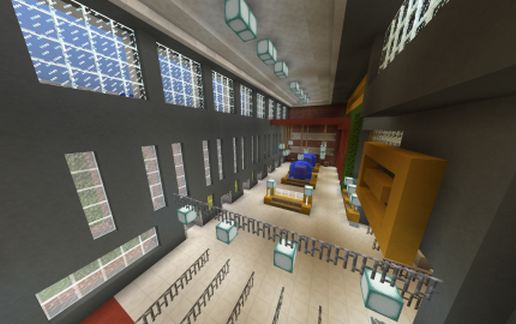
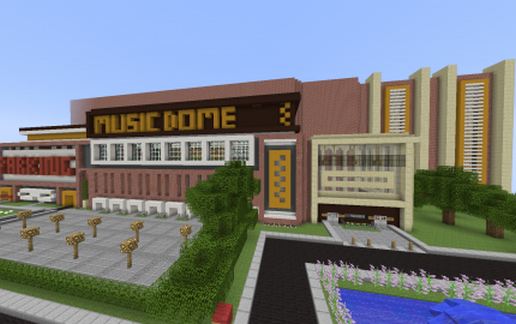
Description
UPDATES:
V1: deleted
V2: old Musicdome
V3:
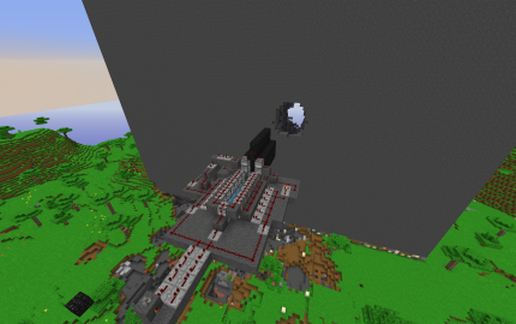
-added Redstone lights outside (working with day-night sensor network system)
-Replaced the lights on the sights with glowstone
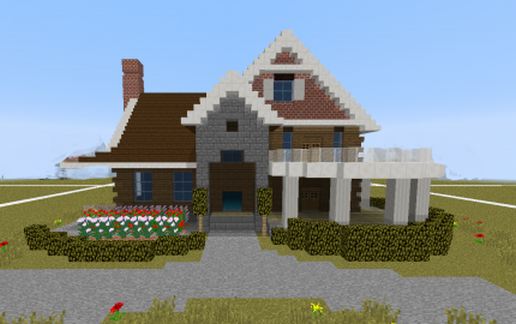
-Better exterior (with the letters MUSICDOME on the front.
-Removed old VIP entrance
-Builded a better VIP entrance.
-Added street
V3.1 [THIS VERSION]
-Added stage ID without redstone
-Fixed 2 signs at the light crew. These signs were not in English.
THIS PROJECT: Music Dome ( concert arena )
You can build your events in here.
THE BUILDING
-Main entrance
-Artist entrance
-Toillets
-Lighting crew room
-Back scene where you can build your stage (you decide how big your stage must be)
/! There is no (finished) standard stage /!
-Redstone lights & daylight function (open many pistons with 1 lever to create daylight in the arena)
-Rooflights
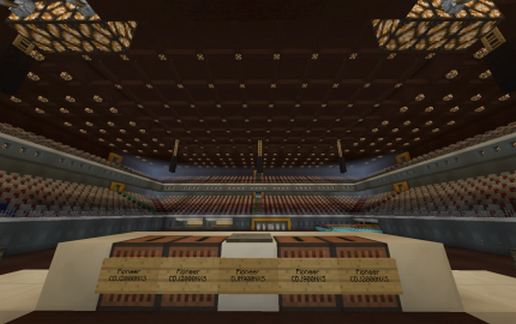
-Tribune lights
-2 tribunes
-stand places
-VIP + [V3] VIP entrance
-speakers
-Storage room
-Artists rooms
and many more
REDSTONE
(There's a lot of redstone in the building) Check it out!
This building is redstone friendly. You can put your own redstone in here easy. You can build under the arena or above the crowd .
TECHNICAL INFORMATION
Musichall size inside: 69X62 blocks
Musichall height inside: 33 blocks
Depth Stage: 32 blocks (your stage can also be in the crowd for a part!!!)
Depth stageside: 21 blocks (for extra redstone)
Tribuneseats: TO MANY
[V3]: Redstone lights working with day-night sensor network system
Enjoy
V1: deleted
V2: old Musicdome
V3:
-added Redstone lights outside (working with day-night sensor network system)
-Replaced the lights on the sights with glowstone
-Better exterior (with the letters MUSICDOME on the front.
-Removed old VIP entrance
-Builded a better VIP entrance.
-Added street
V3.1 [THIS VERSION]
-Added stage ID without redstone
-Fixed 2 signs at the light crew. These signs were not in English.
THIS PROJECT: Music Dome ( concert arena )
You can build your events in here.
THE BUILDING
-Main entrance
-Artist entrance
-Toillets
-Lighting crew room
-Back scene where you can build your stage (you decide how big your stage must be)
/! There is no (finished) standard stage /!
-Redstone lights & daylight function (open many pistons with 1 lever to create daylight in the arena)
-Rooflights
-Tribune lights
-2 tribunes
-stand places
-VIP + [V3] VIP entrance
-speakers
-Storage room
-Artists rooms
and many more
REDSTONE
(There's a lot of redstone in the building) Check it out!
This building is redstone friendly. You can put your own redstone in here easy. You can build under the arena or above the crowd .
TECHNICAL INFORMATION
Musichall size inside: 69X62 blocks
Musichall height inside: 33 blocks
Depth Stage: 32 blocks (your stage can also be in the crowd for a part!!!)
Depth stageside: 21 blocks (for extra redstone)
Tribuneseats: TO MANY
[V3]: Redstone lights working with day-night sensor network system
Enjoy
Download: (Update V3.1) Concert Arena Music Dome schematic for Minecraft
| Format | Size | Use with | |
|---|---|---|---|
.litematic (update-v3.1)-concert-arena-music-dome.litematic |
96.30 KB | Litematica (Java) — more Litematica schematics |
|
.schem (update-v3.1)-concert-arena-music-dome.schem |
37.73 KB | WorldEdit / FAWE |
|
.schematic (update-v3.1)-concert-arena-music-dome.schematic |
61.36 KB | Legacy / online installer |
|
| Install this build directly on your Minecraft map |
|
||
Auto-converted from the original format; container contents (chests, signs) may be missing.
📘 How to use with Litematica (click to expand)
- Put the downloaded
.litematicfile into the.minecraft/schematics/folder. - In game, press M to open the Litematica menu and choose Load Schematics.
- Select the file in the list and click Load Schematic.
- Position the placement where you want it and build — or paste it instantly in creative with Easy Place mode.
Requires the Litematica mod (Java Edition).
More builds: Litematica schematics.
Comments
Similar