Primrose Class: Assault Carrier
Published on January 1, 2023
By Deimos97
👁️🗨️ 158
608
★
★
★
★
★
Rate it
Screenshots
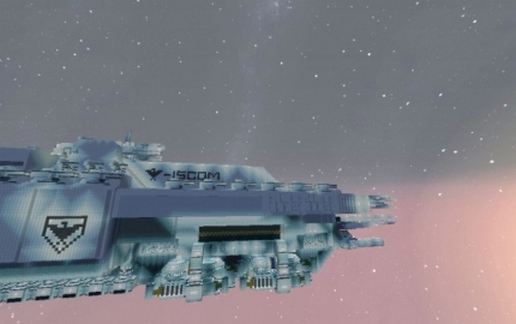
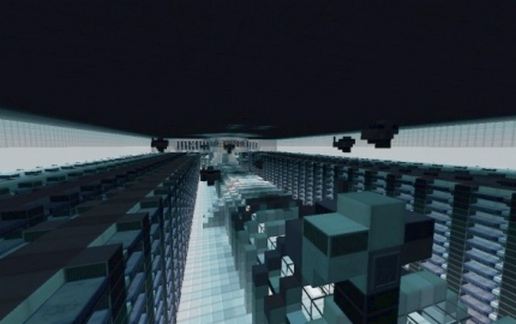
Description
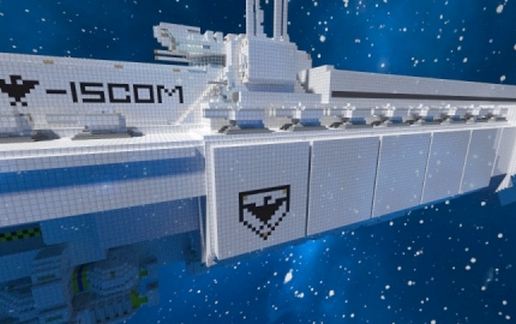
It is a powerful assault cruiser used for planetary siege, total war and sending troops and supplies in the battle zones.
Originally it was an improvement for the cruise Heinlein, but the planet responsible for the construction and improvement of Heinlein, was besieged during shipment of the original patent, preventing the construction of the first prototype.
The command of naval intelligence, concluded Patent and send all data to the planet Lunaris, an industrial planet in the heart of the system "Elipsidius"
It was there where engineers and industrial high command of the planet took the decision to build a new ship from scratch, ignoring the orders of command, was how the Assault Carrier was born.
When the ship was finished, he was sent with an escort of destroyers to release the Kasius planet, the planet where originally be built. The first ship to enter service was called, "ISCSS-Nicole Kidman," taking the tradition of putting names of famous and important characters from popular culture.
The name "Primrose", comes from the commander "Primrose O'Hara" who liberated the city of Heracles on Mars.
Originally it was an improvement for the cruise Heinlein, but the planet responsible for the construction and improvement of Heinlein, was besieged during shipment of the original patent, preventing the construction of the first prototype.
The command of naval intelligence, concluded Patent and send all data to the planet Lunaris, an industrial planet in the heart of the system "Elipsidius"
It was there where engineers and industrial high command of the planet took the decision to build a new ship from scratch, ignoring the orders of command, was how the Assault Carrier was born.
When the ship was finished, he was sent with an escort of destroyers to release the Kasius planet, the planet where originally be built. The first ship to enter service was called, "ISCSS-Nicole Kidman," taking the tradition of putting names of famous and important characters from popular culture.
The name "Primrose", comes from the commander "Primrose O'Hara" who liberated the city of Heracles on Mars.
Download: Primrose Class: Assault Carrier schematic for Minecraft
| Format | Size | Use with | |
|---|---|---|---|
.litematic primrose-class:-assault-carrier.litematic |
180.74 KB | Litematica (Java) — more Litematica schematics |
|
.schem primrose-class:-assault-carrier.schem |
65.22 KB | WorldEdit / FAWE |
|
.schematic primrose-class:-assault-carrier.schematic |
156.54 KB | Legacy / online installer |
|
| Install this build directly on your Minecraft map |
|
||
Auto-converted from the original format; container contents (chests, signs) may be missing.
📘 How to use with Litematica (click to expand)
- Put the downloaded
.litematicfile into the.minecraft/schematics/folder. - In game, press M to open the Litematica menu and choose Load Schematics.
- Select the file in the list and click Load Schematic.
- Position the placement where you want it and build — or paste it instantly in creative with Easy Place mode.
Requires the Litematica mod (Java Edition).
More builds: Litematica schematics.
Comments
Similar