Heinlein Class Battlecruiser
Published on January 1, 2023
By Deimos97
👁️🗨️ 261
206
★
★
★
★
★
Rate it
Screenshots
Description
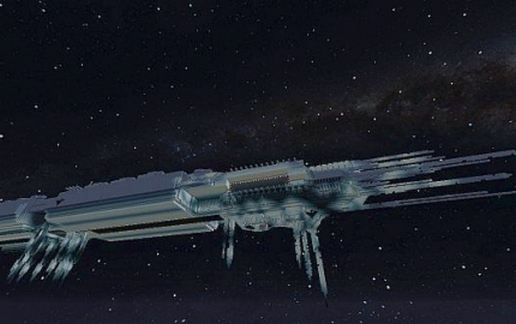
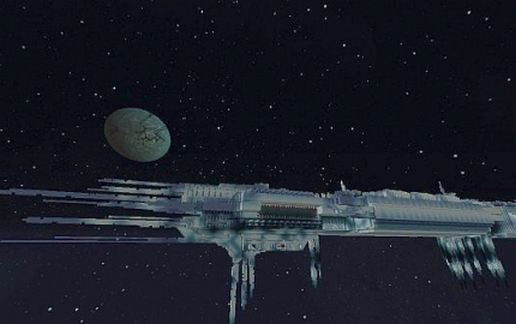
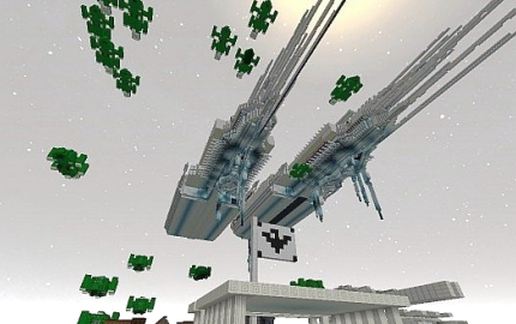
The carrier-class fighter Heinlein is one of the most powerful ships that humanity has built. Designed for the siege and the rapid transfer of troops and vehicles, the Heinlein class has become the main ship used by the ISCOM in planetary attacks, fleets of siege, release and destruction. ISCOM produces thousands of these vessels to swell its naval fleet, like many ships ISCOM, the carrier has a long history in all human conflicts throughout the galaxy.
Created from the need for bigger and better protected ships, ISCOM started the construction of these new carriers in the late 26th century.
The carrier is made for both the logistic transport troops, supplies and vehicles, as for combat in the short and long range.
Armed with plasma cannons Athenas, pipe fusion, tactical nuclear missiles, turrets and main pipes refined plasma particle ZAX, nuclear mines and laser guns.
The ship is protected by a thick shielding layers of Inconel 625, titanium and shield energy, which supports nuclear and kinetic impact, the shield makes an admirable adversary Class Heinlein.
The carrier is capable of carrying 4070 troops in suspended animation. Arriving at his destination, the computer calculates the actual required.
The load capacity of troops and heavy firepower, make the Heinlein become the spearhead of planetary offensive in any conflict.
Created from the need for bigger and better protected ships, ISCOM started the construction of these new carriers in the late 26th century.
The carrier is made for both the logistic transport troops, supplies and vehicles, as for combat in the short and long range.
Armed with plasma cannons Athenas, pipe fusion, tactical nuclear missiles, turrets and main pipes refined plasma particle ZAX, nuclear mines and laser guns.
The ship is protected by a thick shielding layers of Inconel 625, titanium and shield energy, which supports nuclear and kinetic impact, the shield makes an admirable adversary Class Heinlein.
The carrier is capable of carrying 4070 troops in suspended animation. Arriving at his destination, the computer calculates the actual required.
The load capacity of troops and heavy firepower, make the Heinlein become the spearhead of planetary offensive in any conflict.
Download: Heinlein Class Battlecruiser schematic for Minecraft
| Format | Size | Use with | |
|---|---|---|---|
.litematic heinlein-class-battlecruiser.litematic |
118.83 KB | Litematica (Java) — more Litematica schematics |
|
.schem heinlein-class-battlecruiser.schem |
44.06 KB | WorldEdit / FAWE |
|
.schematic heinlein-class-battlecruiser.schematic |
104.78 KB | Legacy / online installer |
|
| Install this build directly on your Minecraft map |
|
||
Auto-converted from the original format; container contents (chests, signs) may be missing.
📘 How to use with Litematica (click to expand)
- Put the downloaded
.litematicfile into the.minecraft/schematics/folder. - In game, press M to open the Litematica menu and choose Load Schematics.
- Select the file in the list and click Load Schematic.
- Position the placement where you want it and build — or paste it instantly in creative with Easy Place mode.
Requires the Litematica mod (Java Edition).
More builds: Litematica schematics.
Comments
Similar