DOOM Level 2
Published on January 1, 2023
By Omanoctoa
👁️🗨️ 150
53
★
★
★
★
★
Rate it
Screenshots
Description
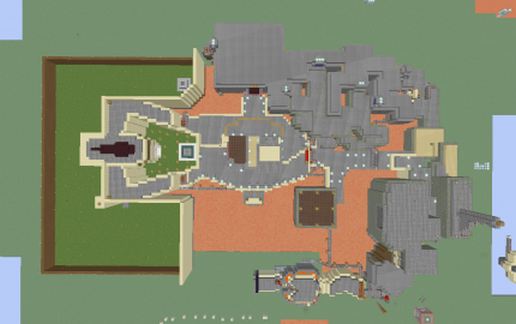
DOOM Level 2 [Nuclear Plant], Minecraft style.
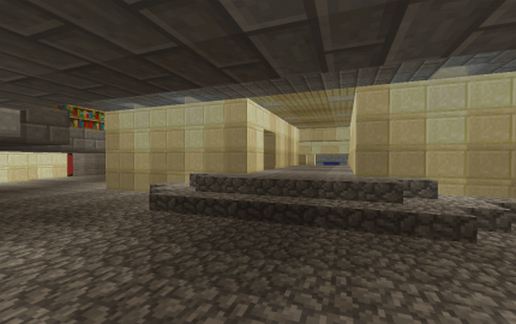
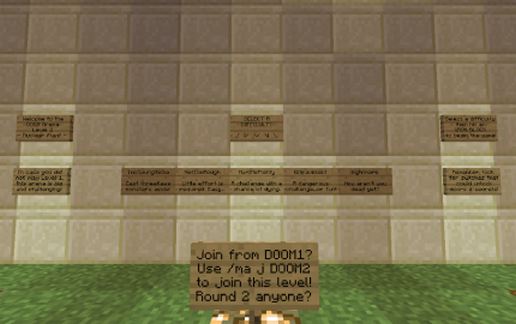
The original Ultimate DOOM level, recreated in Minecraft in as accurate 1-1 scale as possible. Uses craftbook [Gates] to operate some of the larger doors and traps. The arena functions using the MobArena plugin, modified to spawn only -special- and zombie -swarm- waves.
The entire level is set up to be self-contained and automated - the entire arena resets itself the moment a player starts joins, via a single pressureplate at the start. Level 2 is much larger and slightly more complex, so the reset on initial startup may be a bit laggier, but still nothing too much. There is also a pressureplate line halfway through the lava, right after teh red door that closes the red door and partially resets that part of the arena. May remove it later as it appears to be a hinderance....
This level was initially created in survival mode, then creatively modified after I uploaded it to the server (with some awesome WE assistance)
The schematic pastes SOUTH, above your head under the large courtyard (left side of screenshots). It may touch the ground (if pasted at ground level) at the far South-West side of the level around the exit, but otherwise should be fine.
DISCLAIMER: I claim no ownership of Ultimate DOOM, the original level design or any media thereof. I simply remade it in Minecraft for everyone to enjoy :)
You can see and PLAY this level and the others I've made (uploading eventually) on...
Endless Horizons: mc.endlesshorizons.us
The original Ultimate DOOM level, recreated in Minecraft in as accurate 1-1 scale as possible. Uses craftbook [Gates] to operate some of the larger doors and traps. The arena functions using the MobArena plugin, modified to spawn only -special- and zombie -swarm- waves.
The entire level is set up to be self-contained and automated - the entire arena resets itself the moment a player starts joins, via a single pressureplate at the start. Level 2 is much larger and slightly more complex, so the reset on initial startup may be a bit laggier, but still nothing too much. There is also a pressureplate line halfway through the lava, right after teh red door that closes the red door and partially resets that part of the arena. May remove it later as it appears to be a hinderance....
This level was initially created in survival mode, then creatively modified after I uploaded it to the server (with some awesome WE assistance)
The schematic pastes SOUTH, above your head under the large courtyard (left side of screenshots). It may touch the ground (if pasted at ground level) at the far South-West side of the level around the exit, but otherwise should be fine.
DISCLAIMER: I claim no ownership of Ultimate DOOM, the original level design or any media thereof. I simply remade it in Minecraft for everyone to enjoy :)
You can see and PLAY this level and the others I've made (uploading eventually) on...
Endless Horizons: mc.endlesshorizons.us
Download: DOOM Level 2 schematic for Minecraft
| Format | Size | Use with | |
|---|---|---|---|
.litematic doom-level-2.litematic |
66.58 KB | Litematica (Java) — more Litematica schematics |
|
.schem doom-level-2.schem |
18.16 KB | WorldEdit / FAWE |
|
.schematic doom-level-2.schematic |
27.30 KB | Legacy / online installer |
|
| Install this build directly on your Minecraft map |
|
||
Auto-converted from the original format; container contents (chests, signs) may be missing.
📘 How to use with Litematica (click to expand)
- Put the downloaded
.litematicfile into the.minecraft/schematics/folder. - In game, press M to open the Litematica menu and choose Load Schematics.
- Select the file in the list and click Load Schematic.
- Position the placement where you want it and build — or paste it instantly in creative with Easy Place mode.
Requires the Litematica mod (Java Edition).
More builds: Litematica schematics.