Mapmaker's Rest
Published on January 1, 2023
By EdCr0w
👁️🗨️ 158
29
★
★
★
★
★
Rate it
Description
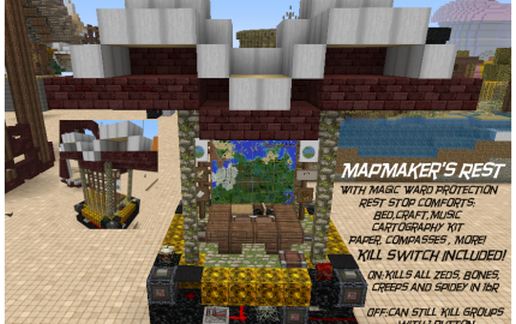
In the EdCr0w traditon of "there's No Kill Like Overkill" I give you the most killingest and otherwise kinda yawntastics of thingies. All I really needed was some paper and a compass. But I didn't feel like digging and farming sos I was just going to fill a chest, added a craft table, added a lamp how bout a painting, and a record player...etc a sugar cane farm...and since I've been tinkering with control boxes today, 4 way flickering redstone killzone. Power On Kills Spiders, Creepers, Skeleton and Zombie in a 16 block radius (I consider that me holding back a bit.) You can also turn the switch off and let the mobs come at you and play pop goes the weasel with a creeper to hit the creeper kill button, ooops that was zeds button sssboom. Meh it's a goofy thing, just got home, late tipy goofin off, enjoy.
Download: Mapmaker's Rest schematic for Minecraft
| Format | Size | Use with | |
|---|---|---|---|
.litematic mapmaker's-rest.litematic |
59.31 KB | Litematica (Java) — more Litematica schematics |
|
.schem mapmaker's-rest.schem |
1.25 KB | WorldEdit / FAWE |
|
.schematic mapmaker's-rest.schematic |
1.97 KB | Legacy / online installer |
|
| Install this build directly on your Minecraft map |
|
||
Auto-converted from the original format; container contents (chests, signs) may be missing.
📘 How to use with Litematica (click to expand)
- Put the downloaded
.litematicfile into the.minecraft/schematics/folder. - In game, press M to open the Litematica menu and choose Load Schematics.
- Select the file in the list and click Load Schematic.
- Position the placement where you want it and build — or paste it instantly in creative with Easy Place mode.
Requires the Litematica mod (Java Edition).
More builds: Litematica schematics.
Comments
Similar