DOOM Level 8
Published on January 1, 2023
By Omanoctoa
👁️🗨️ 174
47
★
★
★
★
★
Rate it
Screenshots
Description
Ultimate DOOM Level 8 - Phobos Anomally - E1M8
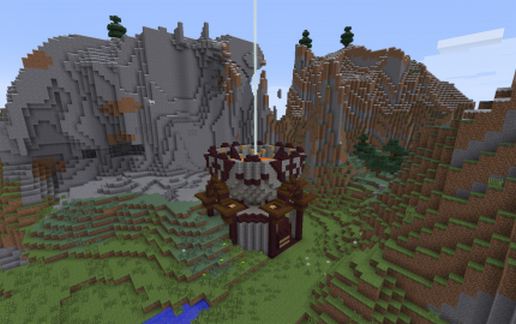
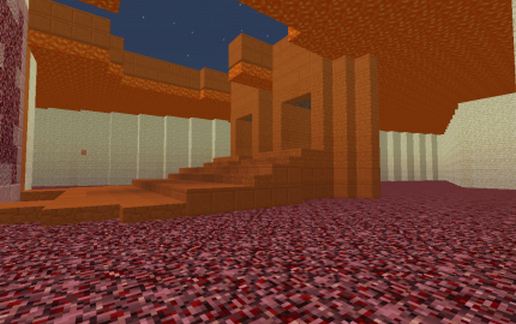
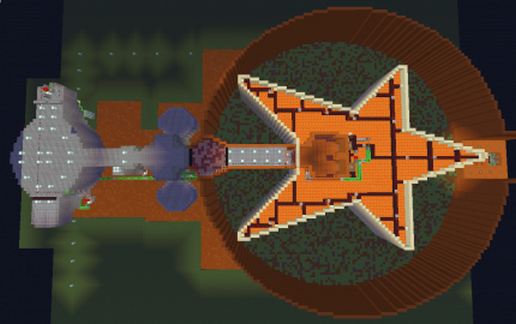
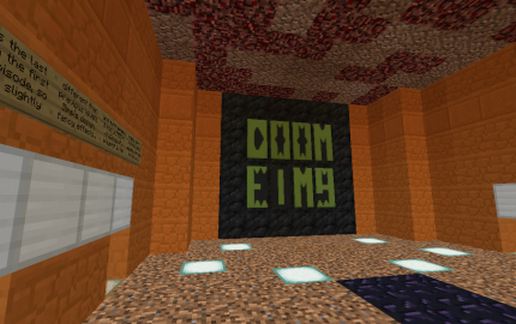
Recreation of Ultimate DOOM episide 1, level 8, by ID Software. This level is one of the smallest levels in the game, and is relatively simple in design and function. However making those simple elements work in Minecraft...well its not possible in vanilla. There are some minor variations on this level simply because I cannot duplicate a certain feature in minecraft - primarily raising/lowering platforms and certain textures. The end-game portal doesn't lead to inevitable death though, and the walls in the main area are lowered by toggling 5 button-switches in each corner of the star. This is by far one of the most complicated things I've ever set up using redstone and Craftbook [Gate]s, because of how easily they can break each other. As it is I believe there is still a minor door glitch but oh well.
The schematics pastes in-game facing SOUTH, with the level entrance above your head to the east. The level reset on this arena is automated but has issues with one of the door circuits but its not an important one. It does however cause a minor lagspike due to the larger wall resets in the main level section (the star).
This level uses Craftbook [Gate]s as well as multiverse portals to operate, and does NOT use command blocks. Intended with use with the MobArena plugin, the 2 doors in the center of the star are intended to have either 2 withers or some variation of boss mob. That part is up to you XD
I claim no ownership of DOOM or this level design - I simply recreated it in minecraft for everyone to enjoy.
PS- A large part of the schematic is air. My apologies for this.
Recreation of Ultimate DOOM episide 1, level 8, by ID Software. This level is one of the smallest levels in the game, and is relatively simple in design and function. However making those simple elements work in Minecraft...well its not possible in vanilla. There are some minor variations on this level simply because I cannot duplicate a certain feature in minecraft - primarily raising/lowering platforms and certain textures. The end-game portal doesn't lead to inevitable death though, and the walls in the main area are lowered by toggling 5 button-switches in each corner of the star. This is by far one of the most complicated things I've ever set up using redstone and Craftbook [Gate]s, because of how easily they can break each other. As it is I believe there is still a minor door glitch but oh well.
The schematics pastes in-game facing SOUTH, with the level entrance above your head to the east. The level reset on this arena is automated but has issues with one of the door circuits but its not an important one. It does however cause a minor lagspike due to the larger wall resets in the main level section (the star).
This level uses Craftbook [Gate]s as well as multiverse portals to operate, and does NOT use command blocks. Intended with use with the MobArena plugin, the 2 doors in the center of the star are intended to have either 2 withers or some variation of boss mob. That part is up to you XD
I claim no ownership of DOOM or this level design - I simply recreated it in minecraft for everyone to enjoy.
PS- A large part of the schematic is air. My apologies for this.
Download: DOOM Level 8 schematic for Minecraft
| Format | Size | Use with | |
|---|---|---|---|
.litematic doom-level-8.litematic |
71.76 KB | Litematica (Java) — more Litematica schematics |
|
.schem doom-level-8.schem |
20.67 KB | WorldEdit / FAWE |
|
.schematic doom-level-8.schematic |
31.14 KB | Legacy / online installer |
|
| Install this build directly on your Minecraft map |
|
||
Auto-converted from the original format; container contents (chests, signs) may be missing.
📘 How to use with Litematica (click to expand)
- Put the downloaded
.litematicfile into the.minecraft/schematics/folder. - In game, press M to open the Litematica menu and choose Load Schematics.
- Select the file in the list and click Load Schematic.
- Position the placement where you want it and build — or paste it instantly in creative with Easy Place mode.
Requires the Litematica mod (Java Edition).
More builds: Litematica schematics.
Comments
Similar