LARGE AIRPORT 2-0
Published on January 1, 2023
By ronman101
👁️🗨️ 260
101
★
★
★
★
★
Rate it
Screenshots
Description
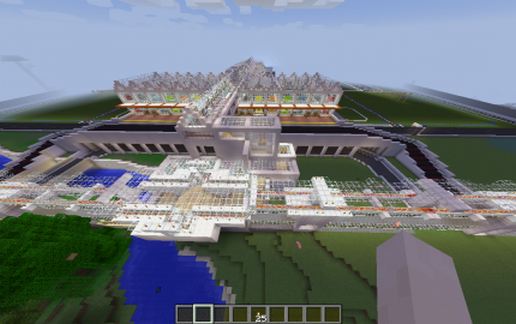
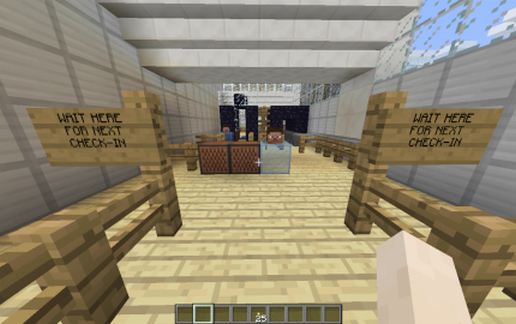
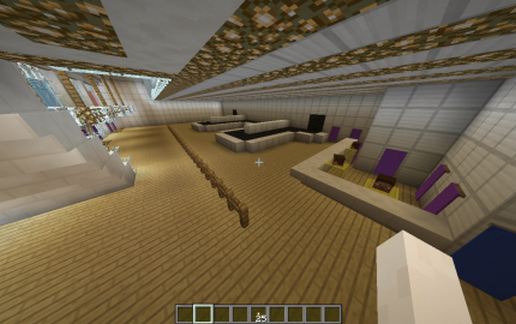
If you like my original airport and you have some more space, I decided to make some improvements, so here is the list: Upper and Lower Entrances for Arrivals and Departures. Downstairs, Two baggage claims, bathrooms, and information counters. Upstairs, 4 Ticket Counters for various airlines. Access to Train Station via overhead walkway. Check point security entrances on both sides of entrance (Lines for TSA Approved and General Boarding). Place your items in the hopper for security scan (They really work). Walk through the full body scanner, pick up your items and your in the terminal.
Within the long Terminal, there are 12 Gates. Stop by the Shops and Foods vendors (Looks like a MD to me). 3 full bathrooms at Gates 1, 5, and 7. Ticket Counters at all Gates. Boarding Entrances marked for First Class and General Boarding. Below Terminal, Parking for all equipment, Cars, Food trucks, etc. Roads everywhere for Security to access any part of the airport. New and improved Control Tower (Upper and Lower areas to control inbound/outbound planes). Two full 10,000 ft runways (22L/02R and 22R/02L) both with two taxiways. Two Hangers for planes. Green lighted taxi ways for planes to follow. Two Security Gates to enter the airport roads.
If I left anything out, left me know and it will go in Version 3-0!
Within the long Terminal, there are 12 Gates. Stop by the Shops and Foods vendors (Looks like a MD to me). 3 full bathrooms at Gates 1, 5, and 7. Ticket Counters at all Gates. Boarding Entrances marked for First Class and General Boarding. Below Terminal, Parking for all equipment, Cars, Food trucks, etc. Roads everywhere for Security to access any part of the airport. New and improved Control Tower (Upper and Lower areas to control inbound/outbound planes). Two full 10,000 ft runways (22L/02R and 22R/02L) both with two taxiways. Two Hangers for planes. Green lighted taxi ways for planes to follow. Two Security Gates to enter the airport roads.
If I left anything out, left me know and it will go in Version 3-0!
Download: LARGE AIRPORT 2-0 schematic for Minecraft
| Format | Size | Use with | |
|---|---|---|---|
.litematic large-airport-2-0.litematic |
163.64 KB | Litematica (Java) — more Litematica schematics |
|
.schem large-airport-2-0.schem |
84.61 KB | WorldEdit / FAWE |
|
.schematic large-airport-2-0.schematic |
118.98 KB | Legacy / online installer |
|
| Install this build directly on your Minecraft map |
|
||
Auto-converted from the original format; container contents (chests, signs) may be missing.
📘 How to use with Litematica (click to expand)
- Put the downloaded
.litematicfile into the.minecraft/schematics/folder. - In game, press M to open the Litematica menu and choose Load Schematics.
- Select the file in the list and click Load Schematic.
- Position the placement where you want it and build — or paste it instantly in creative with Easy Place mode.
Requires the Litematica mod (Java Edition).
More builds: Litematica schematics.
Comments
Similar