4 Iron Doors
Published on January 1, 2023
By Mikeoz28
👁️🗨️ 208
30
★
★
★
★
★
Rate it
Screenshots
Description
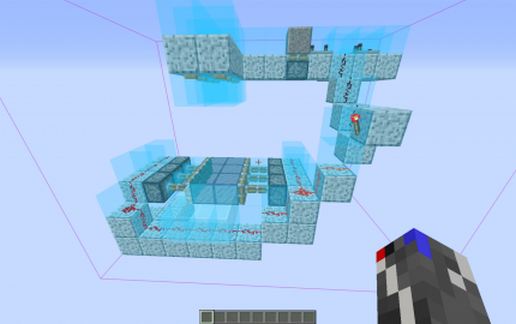
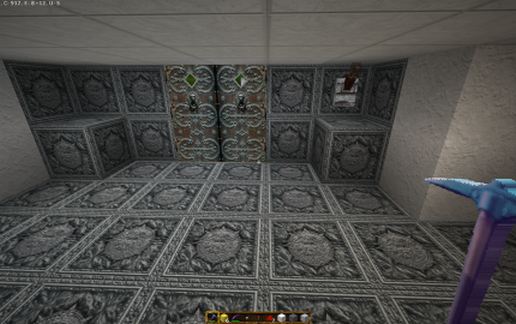
Okay you want to use an iron door! So you install the iron door a lever on it simple. You open the door and walk through but the door is still open you can't right click to close it. So maybe a button is a better idea so you use a button. Click the button dash through and where are you trapped on the other side of the door oh well break the door think again. So what you need is a lever on each side but you will find once a lever opens the door that lever needs to be used to close it. There is a Redstone gate is very large and solves the problem. What I present is a simpler way that you can use as a component for double iron doors. It has a lever both sides which are independent of each other you can use a lever to open the door walk through and then use the lever on the other side to close it. There is a catch the way I've done it means you cannot rotate on insertion of the schematic without a fair bit of fiddling so what I've done is presented four schematics for all points the compass look at the sign on each carefully. I hope many find this useful.
Please note I have not commented on pressure plates because you should know mobs can activate pressure plates. Many authors of schematic's do not seem to realise that.
Please note I have not commented on pressure plates because you should know mobs can activate pressure plates. Many authors of schematic's do not seem to realise that.
Download: 4 Iron Doors schematic for Minecraft
| Format | Size | Use with | |
|---|---|---|---|
.litematic 4-iron-doors.litematic |
47.59 KB | Litematica (Java) — more Litematica schematics |
|
.schem 4-iron-doors.schem |
1,007.00 B | WorldEdit / FAWE |
|
.schematic 4-iron-doors.schematic |
1.18 KB | Legacy / online installer |
|
Install this build directly on your Minecraft map
Auto-converted from the original format; container contents (chests, signs) may be missing.
📘 How to use with Litematica (click to expand)
- Put the downloaded
.litematicfile into the.minecraft/schematics/folder. - In game, press M to open the Litematica menu and choose Load Schematics.
- Select the file in the list and click Load Schematic.
- Position the placement where you want it and build — or paste it instantly in creative with Easy Place mode.
Requires the Litematica mod (Java Edition).
More builds: Litematica schematics.